Installation
2
• Windows 98, Me, 2000 or XP
• Available USB port
• 6 MB of available hard disk space
Note: Win98 systems must have software loaded to
ensure trouble free operation
1. Insert the RemotePoint Presenter CD into the CD-
ROM drive.
2. Follow the on-screen instructions.
Note: If the setup wizard does not appear, double-click
My Computer, double-click the icon for your CD-
ROM drive, and then double-click Setup.exe.
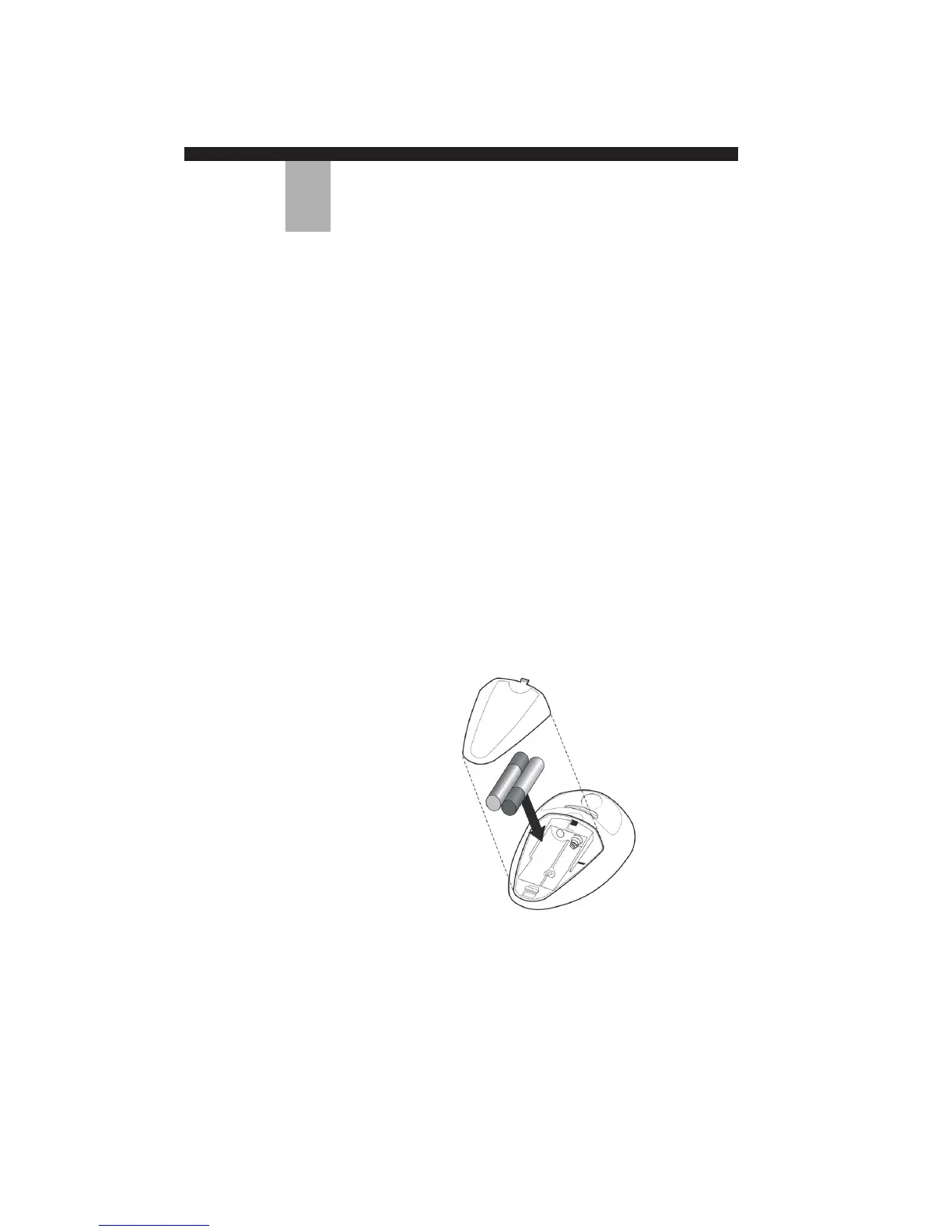
1. Remove the battery cover on the underside of the
RemotePoint Presenter Remote.
2. Insert the two AAA batteries in the compartment.
Ensure that the batteries are in the correct
orientation as indicated by the positive (+) and
negative (–) markings.
3. Replace the battery cover.
System
Requirements
Installing the
RemotePoint
Presenter
Software
Installing
Batteries in the
RemotePoint
Presenter Remote
6
REMOTEPOINT PRESENTER


 To Next Page