29
USER’S GUIDE
You can adjust the properties of the tool assigned to a
button. Properties determines how the tool functions. For
example, the format of the clock that the Analog Clock
tool displays can be changed. Most tools have several
options that you can change to suit your needs.
To change a tool property:
1. Open the RemotePoint Presenter software.
2. Click the button you want to change.
3. Click Properties.
4. Make changes to the properties of the tool.
5. After making your changes to the tool properties,
click OK to apply the changes.
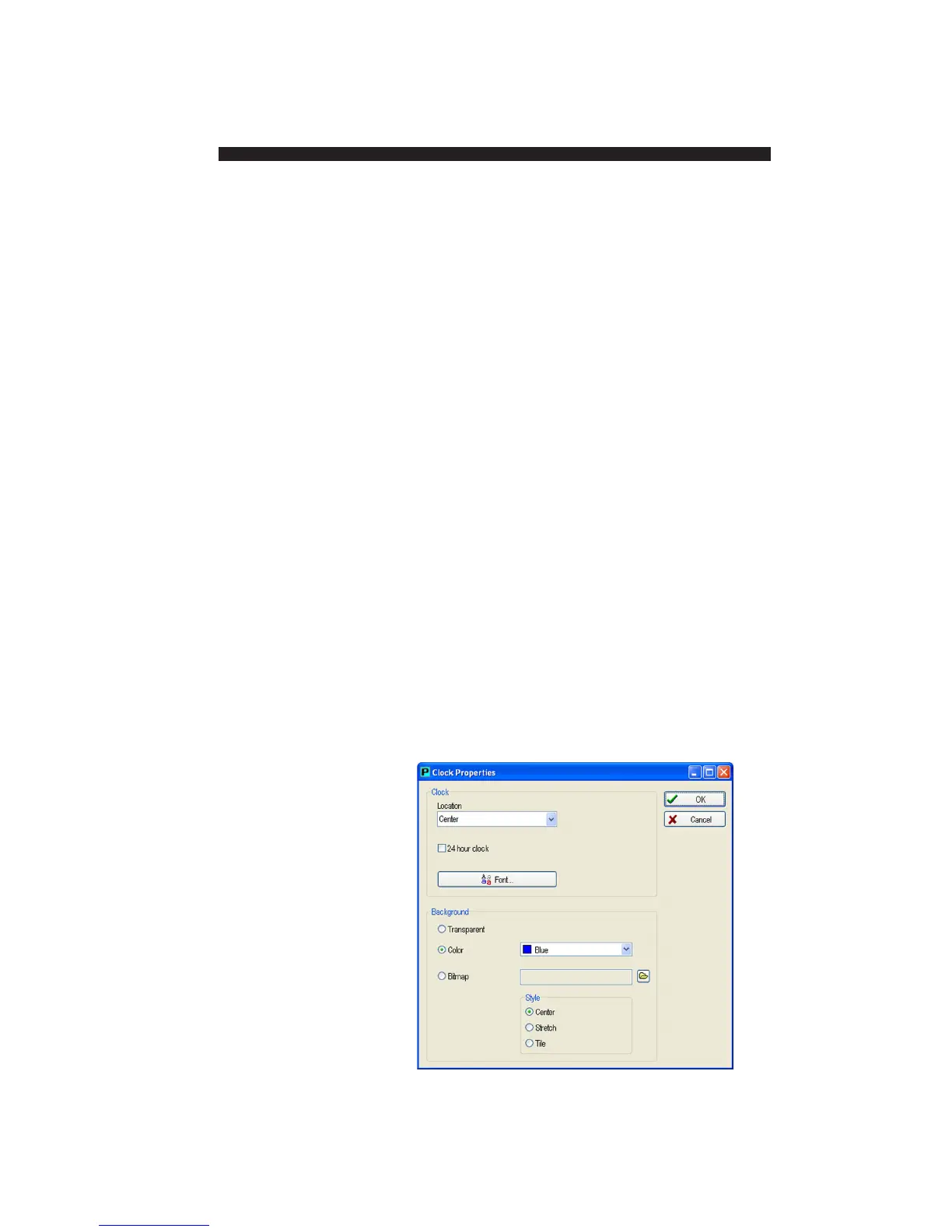
Each properties dialog box has a different set of options
that you can use to change the effect produced by the
tool. Below is an example of the Digital Clock Properties
dialog box, in which you can:
• Specify the location of the clock
• Switch between 12-hour and 24-hour format
• Change the font
• Specify several options for the background
Changing Button
Properties


 To Next Page