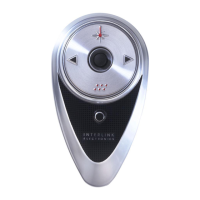
REMOTEPOINT PRESENTER
18
Geometric Toggles the mouse cursor between a
Pointer pointer you select and a normal mouse
cursor.
Click the mouse to leave a copy of the
pointer on the screen.
You can change the size and shape of the
pointer by dragging it. Hold the shift key to
maintain its aspect ratio.
You can change the shape, color, and
style of the pointer.
Spotlight Dims the screen except the part that is “in
the spotlight.”
You can vary the size and shape of the
spotlight by dragging it. Hold the shift key
to maintain its aspect ratio.
You can change the type and shape of the
spotlight.
Subliminal Displays a message for a short period of
Message time.
You can change the text and the font as
well as the position, background, and the
length of time it is displayed.
Ticker Tape Displays a horizontally scrolling message
on the screen.
The message, appearance and location
can be changed.


 To Next Page