EasyCoder 201 II – Installation Instructions
2
LABEL-TAKEN SENSOR KIT, cont'd.
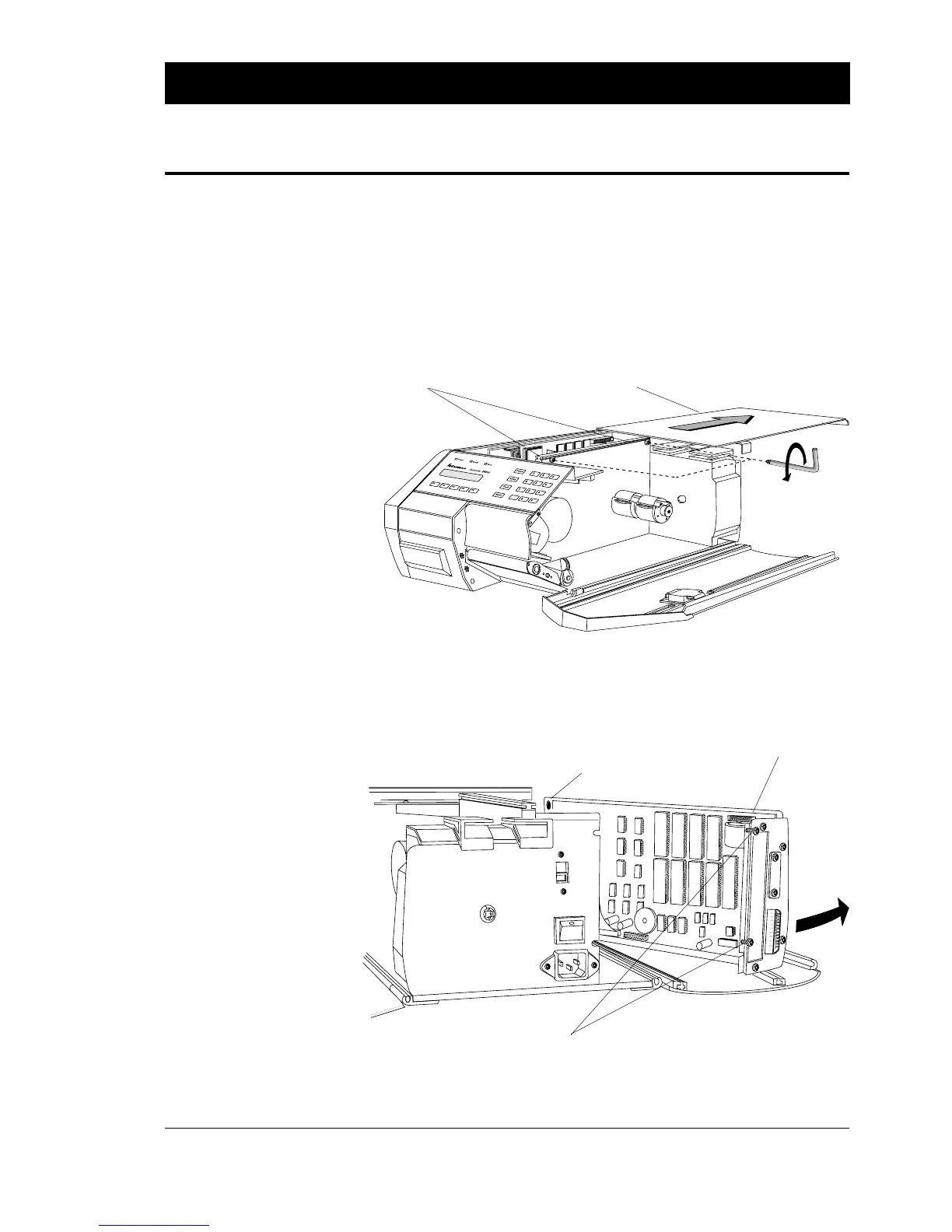
❑ Turn off the power and remove the power cord.
❑ Disconnect all communication cables.
❑ Open the right-hand door.
❑ Loosen the two screws that lock the cover.
❑ Pull the cover straight back and remove it completely.
❑ Open the left-hand door.
❑ Loosen the three screws that hold the CPU board assy. and swing
the unit outwards as illustrated.
Step-by-Step Installation
Instructions
CoverScrews (2x)
230V
CPU Board Assy.
Screw (1x)
Screws (2x)
Continued!















 To Next Page