EasyCoder 201 II – Installation Instructions
4
P-8
LTS
Step-by-Step Installation
Instructions, cont'd.
LABEL-TAKEN SENSOR KIT, cont'd.
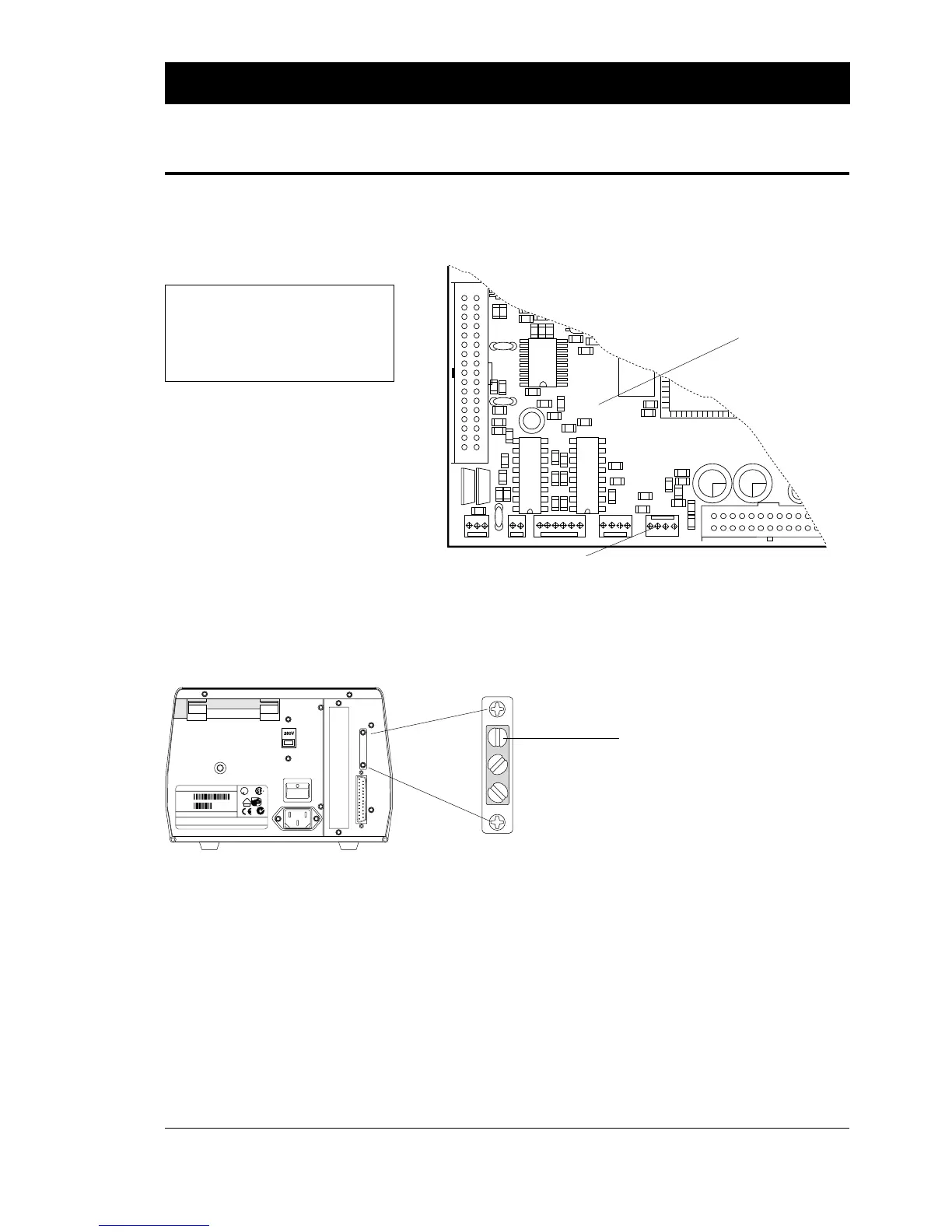
❑ Fit the cable from the label-taken sensor to connector P-8 at the
lower, front part of the CPU board.
❑ Close the doors and cover in reverse order, refit the com-
munication cables and the power cord, and turn on the power.
❑ Adjust the sensitivity of the label-taken sensor by means of the
uppermost potentiometer on the printer's rear plate:
• Start up Fingerprint and run the program described on page 1.
Leave a label in the outfeed slot as to create a label-not-taken
condition.
• The printer should start to beep continuously. If not, turn the
potentiometer back and forth until the beeping starts.
• Adjust the potentiometer so the beeping does not stop when
the potentiometer is turned a quarter of a turn in either
direction.
• Remove the label. The beeping should cease immediately. If
necessary, readjust the potentiometer
1
.
• Break the program by typing X on the host.
WARNING!
To avoid the risk of short-circuits, use
non-conductive tools only, even when
the power is off, since the memory
packages are battery backed-up.
The potentiometer is situated inside the
cover plate on the printer's rear plate.
CPU Board
P-8
Connect cable here!
1
/. If adjustment by means of the potentio-
meter is proves insufficient, a strap on
P-14 on the CPU board can be fitted or
removed to change the sensitivity of the
LTS light-emitting diode:
Strap fitted: Higher intensity
No strap: Low intensity
MADE IN SWEDEN
Thermal Printer 201
Model #
1-201011-11
Serial #
115-230V 2.6-1.3A 50-60Hz
INTERMEC PRINTER AB
MADE IN SWEDEN
50105
This equipment complies with the requirements for a Class A computing device in FCC Rules
Part 15 Subpart J. Operation of this device in a residential area may cause harmful interference
requiring the user to take whatever steps may be necessary to correct the interference.
U
L
LISTED 65B5
R
N309
LR67809
V
DE
geprüfte
Sicherheit
Label-taken sensor
adjustment















 To Previous Page