33
Software Upgrades
You can download software updates to your PC from
our website at www.interphase.tech.com and then
upload the new software to your SE-200 by using the
PC Software Upgrade Cable (P/N# 04-1057-000).
Check out the Interphase Website for future SE-200
software upgrades and detailed instructions for
downloading and updating your software.
To get a PC Software Upgrade Cable, please call
Interphase at (831) 477-4944, Extension 16.
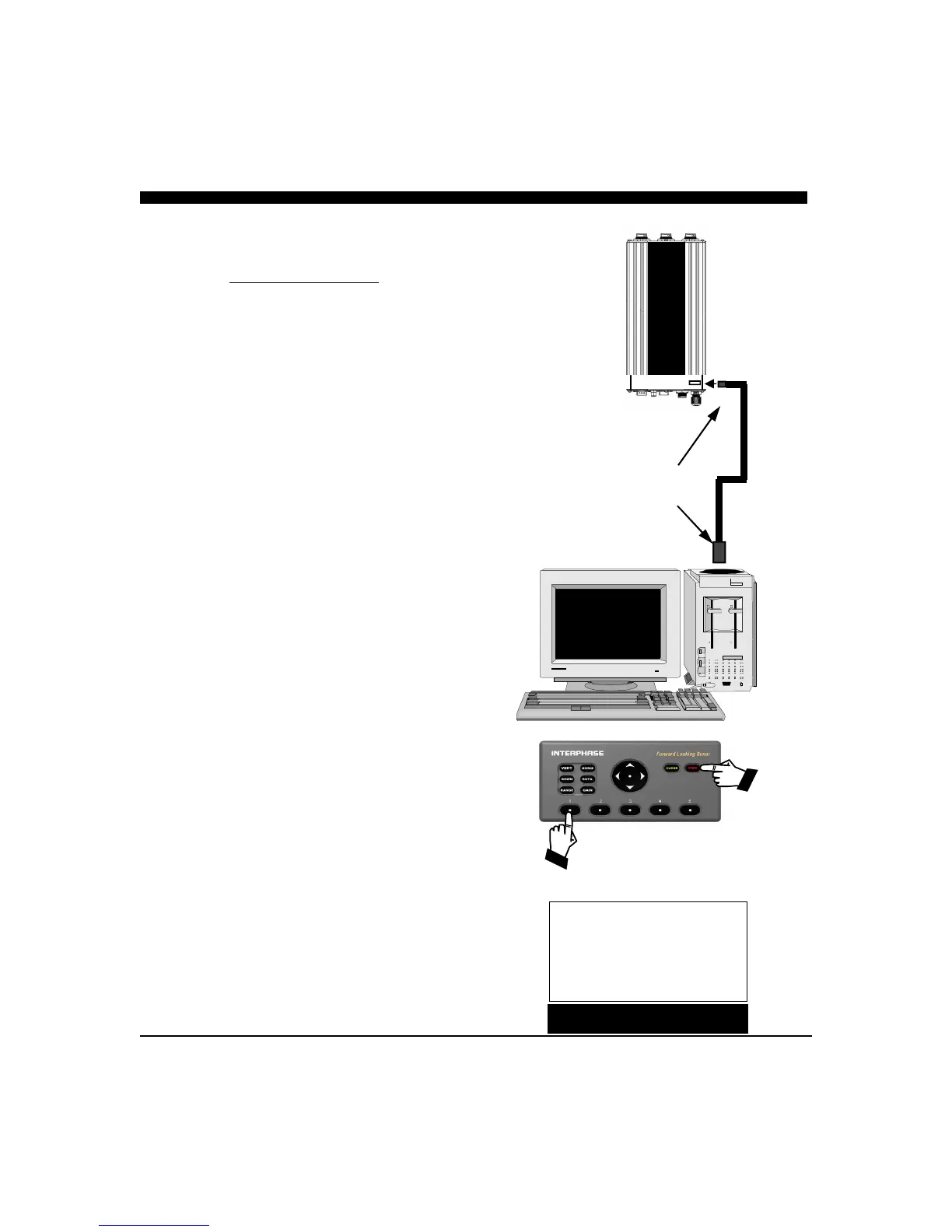
To upgrade the system software, first turn off the SE-
200 system. Then, you must carefully open the right
end of the sonar engine box to expose the mini USB
connector on the internal PCB. Connect the Mini-
USB-B small connector to this USB connector and
then connect the other end of the cable to the USB port
of your PC.
Then turn ON the SE-200 sonar engine by using the
RED button on the keyboard while holding down the
softkey on the far left. This will put the SE-200 sonar
engine into the software upgrade mode as shown in the
sketch at right.
Note: Detailed upgrade instructions are available
on our website at www.interphase-tech.com in the
Customer Support Area.
6 Foot Mini-USB - B
to
USB - A cable
Part# 04-1057-000
EXIT LANGUAGE TRANSDUCER DEMO MORE
UNITS
FORWARD LOOOKING SONAR ENGINE
Version 1.0
200khz
Software Upgrading…...
Turn on while pressing left-
most soft key, as shown above,
to put SE-200 into the software
upgrade mode. Resulting
display shown below.



 To Next Page