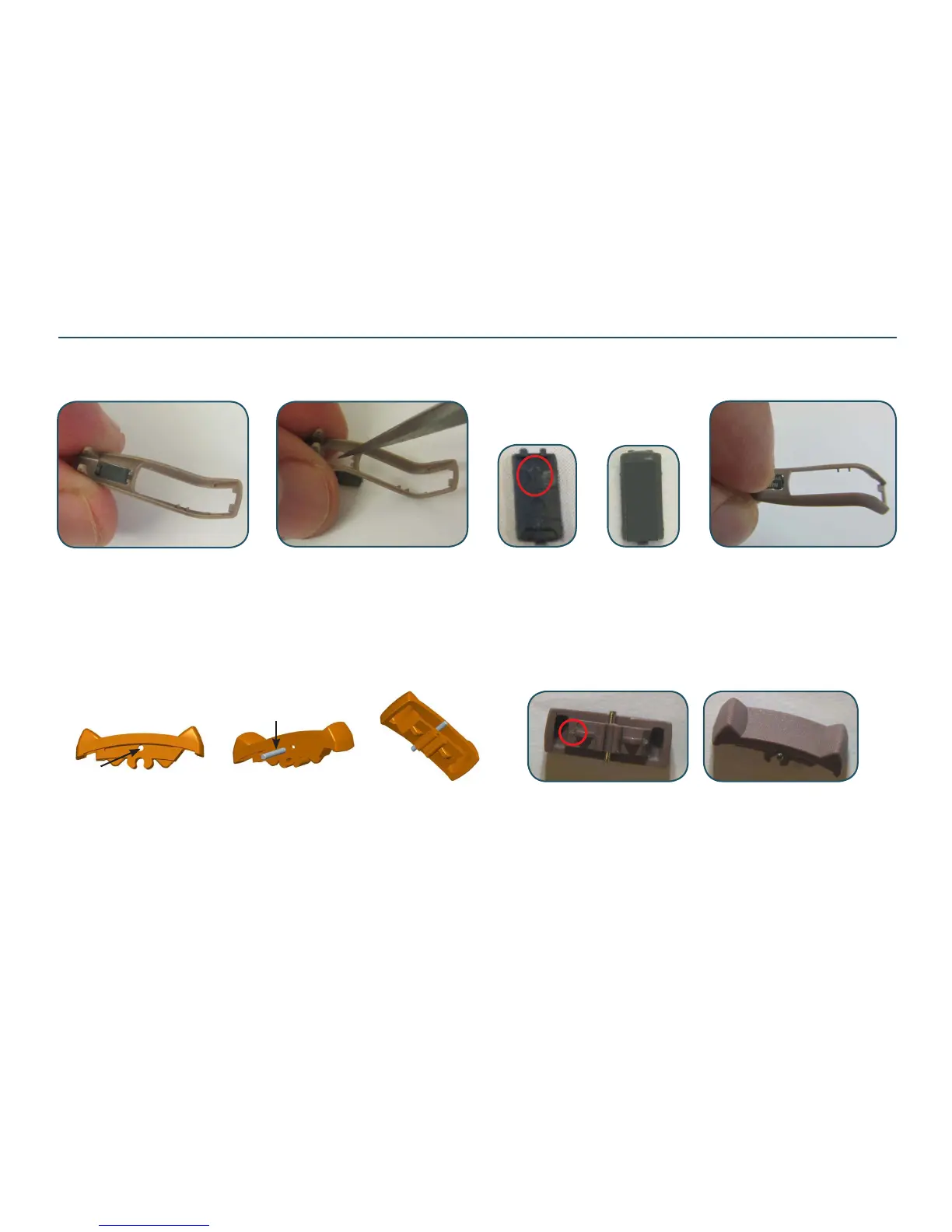
When replacing the bot HSG on Crisp & Share models, the ID plate must be transfered to new HSG. Please note that the ID plate is not an available
spare part. Push out the ID plate from inside. Place the side of the ID plate with one prong and insert it into new HSG. Use a nger to press down to
make sure both sides are correct in place
ID plate shown from both sides.
Turn the arrow/2 prong towards
the rec end
Replacing Parts - CRISP & SHARE
12 xxxxxxxx
CI360-DVIRW
TGL with pin mounted shown from both sides. Turn the arrow
towards the rec end when mounting. Always mount the TGL
before mounting the HSG parts
If the TGL is replaced a pin must be mounted to keep the TGL in place inside
the top HSG. The new TGL can only be attached to the ASM FRAME/module
after disassembling the HSG parts. Locate the hole for pin in the TGL and push
in the pin as shown. The pin must be placed exactly in the middle of the TGL
in order to be able to x the TGL correctly in the TOP HSG
Replacing BOT HSG:
Replacing TGL:
Pin p/n 15156000
Pin correct in place


 To Next Page