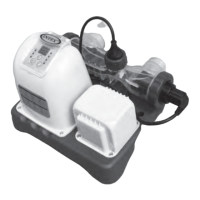
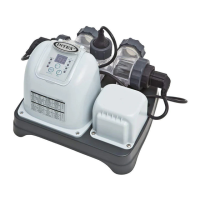
EasyManua.ls Logo

Intex Krystal Clear ZS8110 - User Manual

Intex Krystal Clear ZS8110
23 pages
Print Icon
To Next Page IconTo Next Page
Loading...
187
PO
(187PO) MODEL ZS8110 OZONE & SALTWATER SYSTEM ENGLISH 7.5” X 10.3” PANTONE 295U 06/28/2013
English
187
PO
English
OWNER’S MANUAL
Krystal Clear
TM
Ozone &
Saltwater System
Model ZS8110
IMPORTANT
SAFETY RULES
Read, understand, and follow
all instructions carefully before
installing and using this product.
Don’t forget to try these other fine Intex products: Pools, Pool
Accessories, Inflatable Pools and In-Home Toys, Airbeds and
Boats available at fine retailers or visit our website.
Due to a policy of continuous product improvement, Intex
reserves the right to change specifications and appearance, which
may result in updates to the instruction manual without notice.
For illustrative purposes only.
IMPORTANT!
DO NOT RETURN PRODUCT TO STORE
To purchase parts and accessories or to obtain non-technical assistance, Visit
www.intexcorp.com
For technical assistance and missing parts call us toll-free (for U.S. and Canadian Residents):
1-800-234-6839
Monday through Friday, 8:30am to 5:00pm Pacific Time
187-*PO-R0-1406

Questions and Answers

  • H
    Haley ChapmanAug 16, 2025
    Why is there no LED display on my Intex Water Filtration System?
    • T
      Terrence CruzAug 16, 2025
      If there is no LED display on your Intex Water Filtration System, check the following: ensure the cell cord is firmly plugged into the cell housing receptacle. Also, the RCD/GFCI may need to be reset. Finally, check if a power fuse has blown and turn it on.
  • E
    eharrisAug 25, 2025
    How to remove white flakes in water from Intex Water Filtration Systems?
    • K
      Kyle CoxAug 25, 2025
      White flakes in the water of your Intex Water Filtration System usually indicate excessive calcium hardness. To fix this, drain about 20 to 25% of the pool water and add fresh water to decrease the calcium hardness. Also, inspect the electrolytic cell for scale buildup and clean it if necessary.
  • J
    Jennifer HughesNov 1, 2025
    Why is there insufficient chlorine in my Intex Water Filtration System?
    • P
      philiportegaNov 1, 2025
      Insufficient chlorine in your Intex Water Filtration System can occur for several reasons. The Ozone & Saltwater System might not be operating for enough hours daily, so increase its operating time. The salt level in the pool water may be less than 2000ppm, which is insufficient; check and adjust the salt level using a test kit. Intense sunlight exposure can also cause chlorine loss; use a pool cover when the pool is not in use or when the unit is operating. A clogged or dirty electrolytic cell can be the cause; remove the cell for inspection and clean it if necessary. High UV level exposure can be a reason, cover the pool with a pool cover for 2 days with the device running and then test the water using the test strips. If the pool is clean and clear, add stabilizer to the water and then ...
  • M
    maddenaprilNov 8, 2025
    What to do if the LED panel code flashes and the alarm goes off on my Intex Water Filtration System?
    • J
      Joseph WalkerNov 8, 2025
      If the LED panel code flashes and the alarm sounds on your Intex Water Filtration System, several issues could be the cause. Here's what to check: 1. Ensure the filter pump is attached to the system and switched on. 2. If your unit has plunger valves, ensure that they are open. Clear your filter cartridge and cell from debris and dirt. 3. Check the direction of the inlet and outlet hoses, reversing them if necessary. 4. Clean the flow sensor, paying special attention to the hinge. 5. Plug the flow sensor firmly into the flow sensor receptacle. 6. Reset both timers on the filter pump and Ozone & Saltwater System. Also, dirt or scale on titanium plates, low or no salt levels, and a loose electrolytic cell cord can trigger this alarm. Ensure the cell cord is firmly plugged into the...

Summary

Important Safety Introduction

Safety Rules Overview

Summary of essential safety rules before installing and using the product.

Comprehensive Safety Instructions

Electrical Safety Warnings

Crucial warnings regarding electrical shock hazards and proper usage of GFCI.

General Usage Precautions

Precautions for children, outdoor use, and correct product placement.

System Functionality Explained

Initial Setup Guide

Connecting to Pool and Pump

Step-by-step instructions for installing the system in the water return line.

Advanced Setup Options

Adapting to Different Pump Connections

Guidance on connecting the system to filter pumps with varied thread types or no threads.

Pool Return Hose Connections

Instructions for connecting the system's outlet to common pool return hose types.

Salt and Water Volume Management

Recommended Salt Type and Levels

Information on using the correct salt and maintaining optimal salt concentration.

Intex Pool Salt Dosage Guide

Intex Pool Operating Time Guide

Non-Intex Pool Management

System Operation and Control

Setting Operating Hours and Locking Controls

Instructions on programming the system's daily operating time and locking the keypad.

Advanced Operation Modes

Routine Maintenance Tasks

System Component Cleaning

Electrolytic Cell Inspection and Cleaning

Guide for inspecting and manually cleaning the electrolytic cell for optimal performance.

Pool Water Chemistry Explained

Troubleshooting Common Issues

Resolving Insufficient Chlorine and Water Clarity

Solutions for problems like low chlorine, white flakes, and no LED display.

Troubleshooting LED Codes and Power Issues

Intex Krystal Clear ZS8110 Specifications

General IconGeneral
BrandIntex
ModelKrystal Clear ZS8110
CategoryWater Filtration Systems
LanguageEnglish

Related product manuals