EasyManua.ls Logo

Intex Krystal Clear ZS6110 - User Manual

Intex Krystal Clear ZS6110
23 pages
Print Icon
To Next Page IconTo Next Page
Loading...
328
PO
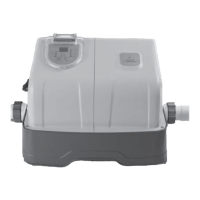
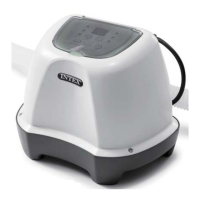
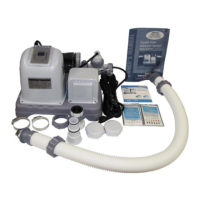
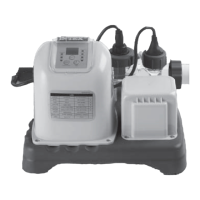
(328PO) MODEL ZS6110 OZONE & SALTWATER SYSTEM ENGLISH 7.5” X 10.3” PANTONE 295U 01/22/2021
EnglishEnglish
OWNER’S MANUAL
Krystal Clear
TM
Ozone & Saltwater System
Model ZS6110
IMPORTANT
SAFETY RULES
Read, understand, and follow
all instructions carefully before
installing and using this product.
Don’t forget to try these other fine Intex products: Pools, Pool
Accessories, Inflatable Pools and In-Home Toys, Airbeds and
Boats available at fine retailers or visit our website.
Due to a policy of continuous product improvement, Intex
reserves the right to change specifications and appearance,
which may result in updates to the instruction manual without
notice.
For illustrative purposes only.
IMPORTANT!
DO NOT RETURN PRODUCT TO STORE
To purchase parts and accessories or to obtain non-technical assistance, Visit
www.intexcorp.com
For technical assistance and missing parts call us toll-free (for U.S. and Canadian Residents):
1-800-234-6839
Monday through Friday, 8:30am to 5:00pm Pacific Time
328-*PO-R1-2101

Questions and Answers

  • J
    Jared JacksonAug 13, 2025
    How to fix insufficient sodium hypochlorite in Intex Krystal Clear ZS6110?
    • L
      Lisa AndersonAug 13, 2025
      If your Intex Water Filtration System isn't producing enough sodium hypochlorite, consider these possible causes and solutions: * Increase the daily operating time of the Ozone & Saltwater System if it's not running long enough. * Check the salt level with a test kit and adjust if it's below 2000 ppm. * Use a pool cover when the pool is not in use or when the unit is operating to prevent sodium hypochlorite loss due to sunlight. * Inspect and clean the electrolytic cell if it's clogged or dirty. * Cover the pool with a pool cover for 2 days with the device running and then test the water using the test strips if there is high UV level exposure. * If the pool is clean and clear, add stabilizer to the water and then test the water with the device running.
  • R
    Raven VasquezAug 20, 2025
    Why are there white flakes in my Intex Krystal Clear ZS6110 pool?
    • Q
      qjohnsonAug 20, 2025
      White flakes in your pool water when using Intex Water Filtration Systems are usually due to excessive calcium hardness. To resolve this, drain about 20 to 25% of the pool water and add fresh water to reduce the calcium hardness. Also, inspect the electrolytic cell for scale buildup and clean it if necessary.
  • Y
    Yvette GreeneAug 28, 2025
    What to do if there is no LED display on Intex Krystal Clear ZS6110 Water Filtration Systems?
    • J
      Jennifer Chapman DDSAug 28, 2025
      If there is no LED display on your Intex Water Filtration System, check the following: * Ensure the power supply is on. Find the switch and turn it on. * Reset the RCD/GFCI if it has tripped.
  • N
    nelsontheresaNov 5, 2025
    What to do if the Intex Water Filtration System LED panel code flashes and alarm is on?
    • T
      Thomas BurnettNov 5, 2025
      If the LED panel code flashes and the alarm sounds on your Intex Water Filtration System, several issues could be the cause: * The filter pump may not be attached or switched on: Ensure the filter pump is properly attached and running. * The circulation line could be blocked: If your unit uses plunger valves, make sure they are open. Clear any debris or dirt from the filter cartridge and cell. Also, release any trapped air in the circulation line. * The inlet and outlet hoses might be incorrectly connected: Check the direction of the hoses and reverse them if necessary. * Scale might be present on the flow sensor: Clean the flow sensor, paying close attention to the hinge. * The flow sensor cord could be loose: Ensure the flow sensor is firmly plugged into its receptacle. * Th...

Summary

Important Safety Rules

Read and Follow All Instructions

Emphasizes the importance of reading all instructions before installing and using the product.

Parts Reference

Product Specifications

Setup Instructions

Connecting the system to pump and pool with 1-1;2” (38 mm) connections;hoses

Details how to connect the system to the pool pump using specific hose sizes.

Connecting the system to other types of pump (with different type of thread or no thread)

Explains how to connect the system to pumps with varied thread types or no thread.

Connecting the system to other types of pool

Describes how to connect the system to the pool after the pump connection is made.

Salt & Pool Water Volumes

Which kind of salt to use

Specifies the type of salt recommended for the system.

Optimum Salt Levels

Defines the ideal salt concentration for optimal system performance.

Adding Salt

Provides step-by-step instructions for adding salt to the pool water.

Removing Salt

Explains how to reduce salt concentration if too much is added.

Pool Volume Calculation

Offers formulas to calculate pool water volume for salt dosage.

Intex Pools Salt Table

Intex Pools Cyanuric Acid Table

Intex Pools Operating Time Table (With Cyanuric Acid)

Salt Calculation Formula for All Pools

Salt Table for Common Non-Intex Pools

Provides salt dosage for pools not manufactured by Intex.

Cyanuric Acid Table for Common Non-Intex Pools

Lists cyanuric acid requirements for non-Intex pools.

Operating Time Table for Common Non-Intex Pools (With Cyanuric Acid)

Details operating times for non-Intex pools based on temperature.

Operation Instructions

Turn on the filter pump

Initial step to turn on the filter pump before starting the unit.

Start up the unit

Instructions for powering on the Ozone & Saltwater System and initial checks.

Set operating hours for Ozone & Saltwater system

Guides on programming the daily operating duration for the system.

Lock keypad controls

Explains how to lock the control panel to prevent unauthorized changes.

Readjust operating time if necessary

How to change the programmed operating hours after initial setup.

Boost cycle

How to activate a temporary higher output mode for increased sanitation.

Test pool water regularly

Recommends weekly testing of pool water chemistry.

Stand-by;power saving mode

Describes the system's energy-saving mode after cycle completion.

Electrode Self-Clean cycle

Details how to initiate and set the self-cleaning cycle for the electrolytic cell.

LED Code Chart

Maintenance

Flow Sensor Cleaning

Step-by-step guide to clean the flow sensor.

Electrolytic Cell Cleaning

Explains the self-cleaning function and manual cleaning of the cell.

Inspection and cleaning

Details the process for inspecting and cleaning the electrolytic cell.

Intex Test Strips (Packed with the Product)

Explains how to use test strips to monitor water chemistry.

Directions and Use

Provides instructions on how to use the Intex test strips.

Long Term Storage

Pool Maintenance & Chemical Definitions

Free Chlorine

Defines free chlorine and its ideal levels in pool water.

Combined Chlorine

Explains combined chlorine, its formation, and effects of high levels.

pH

Defines pH, its importance, and consequences of incorrect levels.

Total Alkalinity

Describes total alkalinity's role in pH stability and its impact.

Calcium Hardness

Explains calcium hardness and its effect on water clarity and scale formation.

Stabilizer (Cyanuric Acid)

Defines stabilizer and its function in extending chlorine life.

Troubleshooting Guide

Insufficient Sodium Hypochlorite

Lists causes and solutions for low sodium hypochlorite levels.

White Flakes in the Water

Addresses the issue of white flakes appearing in the pool water.

No LED Display

Provides troubleshooting steps for a non-functional LED display.

LED Panel Code Flash & Alarm On

Explains troubleshooting for LED panel codes and alarms.

Dirt or Scale on Titanium Plates

Solutions for issues related to the titanium plates of the electrolytic cell.

Low Salt Level; No Salt

Addresses problems arising from insufficient or absent salt.

Possible Electrolytic Cell Failure

Discusses potential failures of the electrolytic cell and solutions.

High Salt Level

Troubleshooting steps for when the salt level is too high.

LED Display is Off and the Service Light is On

Diagnoses issues when the system does not power up or shows a service light.

Ozone Generator Assembly Failure

Covers potential failures in the ozone generator assembly.

Control Station Replacement

General Aquatic Safety

Limited Warranty

Intex Krystal Clear ZS6110 Specifications

General IconGeneral
ModelZS6110
TypeSand Filter Pump
Voltage110-120V
Tank MaterialPlastic
Filter MediaSand

Related product manuals