EasyManua.ls Logo

Intex CS3110 - User Manual

Intex CS3110
19 pages
Print Icon
To Next Page IconTo Next Page
Loading...
133
PO
(133PO) SALTWATER SYSTEM ENGLISH 7.5” X 10.3” PANTONE 295U 07/17/2020
English
English
OWNER’S MANUAL
Saltwater System
Model CS3110
IMPORTANT
SAFETY RULES
Read, understand, and follow
all instructions carefully before
installing and using this product.
Don’t forget to try these other fine Intex products: Pools, Pool
Accessories, Inflatable Pools and In-Home Toys, Airbeds and
Boats available at fine retailers or visit our website listed below.
Due to a policy of continuous product improvement, Intex
reserves the right to change specifications and appearance,
which may result in updates to the instruction manual without
notice.
IMPORTANT!
DO NOT RETURN PRODUCT TO STORE
To purchase parts and accessories or to obtain non-technical assistance, Visit
www.intexcorp.com
For technical assistance and missing parts call us toll-free (for U.S. and Canadian Residents):
1-800-234-6839
Monday through Friday, 8:30am to 5:00pm Pacific Time
133-*PO-R1-2107
For illustrative purposes only.

Questions and Answers

Summary

IMPORTANT SAFETY RULES

READ AND FOLLOW ALL INSTRUCTIONS

Key instructions for safe operation and installation.

WARNINGS AND CAUTIONS

Critical safety warnings and precautions to prevent injury or damage.

PARTS REFERENCE

PRODUCT SPECIFICATIONS

SETUP INSTRUCTIONS

System Installation Procedure

Step-by-step guide to connect the saltwater system to the pool and filter.

SALT & POOL WATER VOLUMES

Salt Usage Guidelines

Information on the correct type, level, and addition of salt for pool maintenance.

Pool Volume Calculation

Formulas to determine pool water volume for salt and chemical calculations.

INTEX POOLS SALT TABLE

INTEX POOLS CYANURIC ACID TABLE

INTEX POOLS OPERATING TIME TABLE

SALT CALCULATION FORMULA

NON-INTEX POOLS DATA TABLES

OPERATION INSTRUCTIONS

Initial Unit Setup and Programming

Steps for connecting and setting the operating hours of the saltwater system.

Control Panel Operation

How to lock controls, adjust operating time, and understand system modes.

Setting BOOST Operating Hours

Instructions for setting enhanced chlorine production (BOOST mode).

Setting Electrode Self-Clean Cycle

Configuring the automatic self-cleaning cycle for the electrode based on water hardness.

LED CODE CHART

MAINTENANCE

Titanium Electrode Cleaning

Detailed steps for cleaning the titanium electrode to ensure optimal performance.

Intex Test Strips Usage

Instructions on how to use Intex test strips for water chemistry testing.

LONG TERM STORAGE

Storage Procedure

Proper procedures for storing the saltwater system during off-season.

POOL MAINTENANCE & CHEMICAL DEFINITIONS

Water Chemistry Parameters

Definitions and ideal ranges for key pool water chemistry parameters.

TROUBLESHOOTING GUIDE

Common Problems and Solutions

Troubleshooting steps for insufficient chlorine, white flakes, and no LED display.

LED Panel Error Codes

Solutions for specific error codes (90, 91, 92) displayed on the unit's panel.

LIMITED WARRANTY

Warranty Terms and Claims

Details of the product's warranty period, coverage, and how to make a claim.

Summary

IMPORTANT SAFETY RULES

READ AND FOLLOW ALL INSTRUCTIONS

Key instructions for safe operation and installation.

WARNINGS AND CAUTIONS

Critical safety warnings and precautions to prevent injury or damage.

PARTS REFERENCE

PRODUCT SPECIFICATIONS

SETUP INSTRUCTIONS

System Installation Procedure

Step-by-step guide to connect the saltwater system to the pool and filter.

SALT & POOL WATER VOLUMES

Salt Usage Guidelines

Information on the correct type, level, and addition of salt for pool maintenance.

Pool Volume Calculation

Formulas to determine pool water volume for salt and chemical calculations.

INTEX POOLS SALT TABLE

INTEX POOLS CYANURIC ACID TABLE

INTEX POOLS OPERATING TIME TABLE

SALT CALCULATION FORMULA

NON-INTEX POOLS DATA TABLES

OPERATION INSTRUCTIONS

Initial Unit Setup and Programming

Steps for connecting and setting the operating hours of the saltwater system.

Control Panel Operation

How to lock controls, adjust operating time, and understand system modes.

Setting BOOST Operating Hours

Instructions for setting enhanced chlorine production (BOOST mode).

Setting Electrode Self-Clean Cycle

Configuring the automatic self-cleaning cycle for the electrode based on water hardness.

LED CODE CHART

MAINTENANCE

Titanium Electrode Cleaning

Detailed steps for cleaning the titanium electrode to ensure optimal performance.

Intex Test Strips Usage

Instructions on how to use Intex test strips for water chemistry testing.

LONG TERM STORAGE

Storage Procedure

Proper procedures for storing the saltwater system during off-season.

POOL MAINTENANCE & CHEMICAL DEFINITIONS

Water Chemistry Parameters

Definitions and ideal ranges for key pool water chemistry parameters.

TROUBLESHOOTING GUIDE

Common Problems and Solutions

Troubleshooting steps for insufficient chlorine, white flakes, and no LED display.

LED Panel Error Codes

Solutions for specific error codes (90, 91, 92) displayed on the unit's panel.

LIMITED WARRANTY

Warranty Terms and Claims

Details of the product's warranty period, coverage, and how to make a claim.

Overview

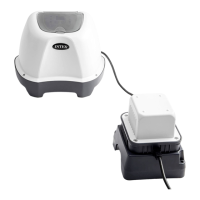
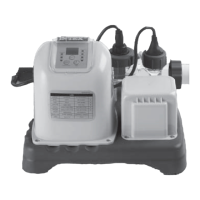
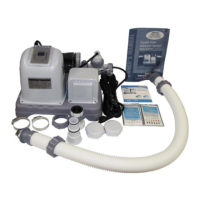
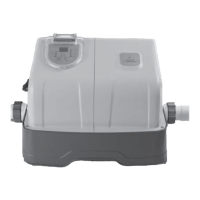
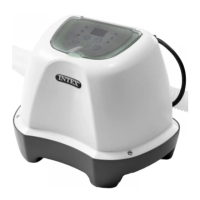
This document describes the Intex Saltwater System, Model CS3110, a device designed for maintaining pool water sanitation.

Function Description:

The Intex Saltwater System is an electrolytic cell that uses sodium chloride (salt) added to the pool water to generate chlorine. This process helps keep the pool water clear and clean by sanitizing it without the need for traditional chlorine tablets or liquid chlorine. The system requires a separate filter pump to circulate the water and ensure proper functioning. It is designed to be installed as the last piece of pool equipment in the water return line to the pool, a placement that extends the life of the titanium plates within the electrolytic cell. The system includes a self-cleaning function for the titanium electrode, which helps maintain optimal efficiency.

Important Technical Specifications:

  • Model: CS3110
  • Power: 110-120 Volt AC
  • Amperage: 0.5 A
  • Wattage: 30 W
  • Ideal Salt Level: 3000 ppm (parts per million)
  • Maximum Chlorine Output/hour: 4 grams/hour
  • Filter pump minimum flow rate: 300 gallons/hour (1136 liters/hour)
  • Filter pump maximum flow rate: 1000 gallons/hour (3785 liters/hour)
  • Hose Connection Fittings: 1-1/4" (32mm)
  • Salt Type: Only Sodium Chloride (NaCl) salt that is at least 99.8% pure, or water conditioning salt pellets (compressed forms of evaporated salt). Iodized or yellow (yellow prussiate of soda) colored salt should not be used.
  • Optimum Salt Levels: Between 2500-3500 ppm, with 3000 ppm being optimal.
  • Cyanuric Acid Recommendation: Approximately 0.35% of the salt level (e.g., 0.35 Lbs for 100 Lbs of salt) to reduce chlorine loss due to UV rays.

Usage Features:

  • Setup: The system is designed for above-ground pools (AGP) and must be connected in line after the filter pump. Installation involves connecting the system to the filter pump outlet and the pool return line using connector hoses and clamps.
  • Operation:
    • Start-up: Plug in the power cord, test the GFCI, and press the power button. The LED display will show "00" flashing, indicating it's ready for programming.
    • Setting Operating Hours: Use the timer button to set the desired operating hours (1 to 12 hours) based on the pool size and ambient temperature, as indicated in the "Operating Time Table." The system will then activate daily at the same time for the set duration. The filter pump must operate for 5 minutes before and 15 minutes after the saltwater system's operation.
    • Keypad Lock: Press the lock button to secure the programmed settings. The "WORKING" indicator will light up, and the LED will show remaining chlorinator hours. If forgotten, the system locks automatically after 10 seconds.
    • Stand-by/Power Saving Mode: After a cycle, the "SLEEP" indicator lights up, and the LED flashes "93." The system then enters a power-saving mode, with the LED display going blank after 5 minutes. It automatically restarts its daily cycle after 24 hours.
    • BOOST Mode: This mode allows for increased chlorine production for 36, 48, or 60 hours to address dirty or grimy pool water. The "BOOST" indicator lights up when active.
    • Self-Clean Cycle: The default self-clean cycle for the electrode is 14 hours. This can be adjusted to 10 or 6 hours based on the pool's calcium hardness level (0-150 ppm for 14 hours, 150-250 ppm for 10 hours, 250-350 ppm for 6 hours). This feature reverses the polarity of the electrode to prevent scale buildup.
  • Salt Management:
    • Adding Salt: Turn on the filter pump, keep the Saltwater System off, determine the amount of salt needed using the "Salt Table," spread salt evenly around the pool perimeter (avoiding the skimmer), brush the pool bottom, and run the filter pump for 24 hours to dissolve. After dissolution, turn on the Saltwater System and set the operating time.
    • Removing Salt: If the salt level is too high (Code 92 alarm), partially drain the pool (approx. 20%) and refill with fresh water until the alarm disappears.
  • Cyanuric Acid: Add cyanuric acid to reduce chlorine loss from UV rays, especially after the pool water is clear and clean. Refer to the "Cyanuric Acid Table" for dosage.

Maintenance Features:

  • Titanium Electrode Cleaning: The titanium electrode has a self-cleaning function, but manual cleaning may be required monthly, especially in hard water areas.
    • Procedure: Unplug the unit, insert hat-like plugs into strainer openings to prevent water spillage, disconnect hoses, unscrew the electrode plug collar, disconnect the plug, unscrew the cell nut, remove the electrode, soak it in kitchen-grade vinegar for 1 hour, and then flush with a high-pressure garden hose. Reassemble in reverse order.
  • Water Chemistry Testing: Use Intex Test Strips (included with the product) to test "Free Chlorine," "pH," "Calcium Hardness," and "Total Alkalinity" levels weekly. Maintain chlorine concentration at 1.0-3.0 ppm.
  • Long Term Storage: Disconnect the power cord, disconnect the system from hoses, air-dry the unit, inspect and clean the electrolytic cell, and store in a dry place between 32°F (0°C) and 97°F (36°C). The original packaging can be used for storage.
  • Troubleshooting: The manual provides an LED Code Chart and a Troubleshooting Guide to help diagnose and resolve common issues such as insufficient chlorine, white flakes in the water, no LED display, low pump flow, low/high salt levels, and electrode problems.
  • Warranty: The Krystal Clear Saltwater System comes with a 2-year limited warranty, the titanium electrode with a 1-year warranty, and hoses & fittings with a 180-day warranty. Proof of purchase is required for warranty claims.

Intex CS3110 Specifications

General IconGeneral
BrandIntex
ModelCS3110
CategoryWater Filtration Systems
LanguageEnglish

Related product manuals