1
INTRODUCTION PAGE
* Table of contents 1
* Specifications 2
* Key Functions 3
OPERATION
* Starting the ITL950C 4
* Selecting a Manufacturer 4
* Entering a Code 4
* Cutting a Key 4
* Calibrating the ITL950C. 5
* Setting Correction Factor 6-7
III CUSTOM CONFIGURATION
* Setting the default manufacturer ID 8
* Setting units (metric – inches). 8
* Setting default cut rate 8
* Setting display 8
* Setting the display contrast 8
* Setting Custom Flat Widths 9
* Flat width table 9
IV CREATING A CUSTOM ID TABLE
* Selecting ID To Be Created 10
* Enabling and Disabling Pause 10
* Setting Tip Type 10
* Table of reference points 10
* Selecting a Flat 10
* Selecting Insert Number 10
* Enabling an Extended Table 11
* Setting Maximum Space 11
* Setting Maximum Depth 11
* Setting Minimum Depth 11
* Setting Values In Space Table 12
* Setting Values In Depth Table 12
* Special cutting instructions 13
VI SETTING SERIAL PORT PARAMETERS
* Setting Serial Port Baud Rate 14
* Error Messages 14-15
VII SPECIAL INSTRUCTIONS
* Half depth mode 07
* Flow chart for Medeco Biaxial 16
* Generating a master key system 17
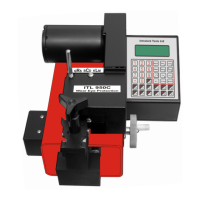
ITL 950C Operating Manual
TABLE OF CONTENTS


 To Next Page