Da Vinci Firefly Imaging System User Manual Addendum 552064-10 Rev. A
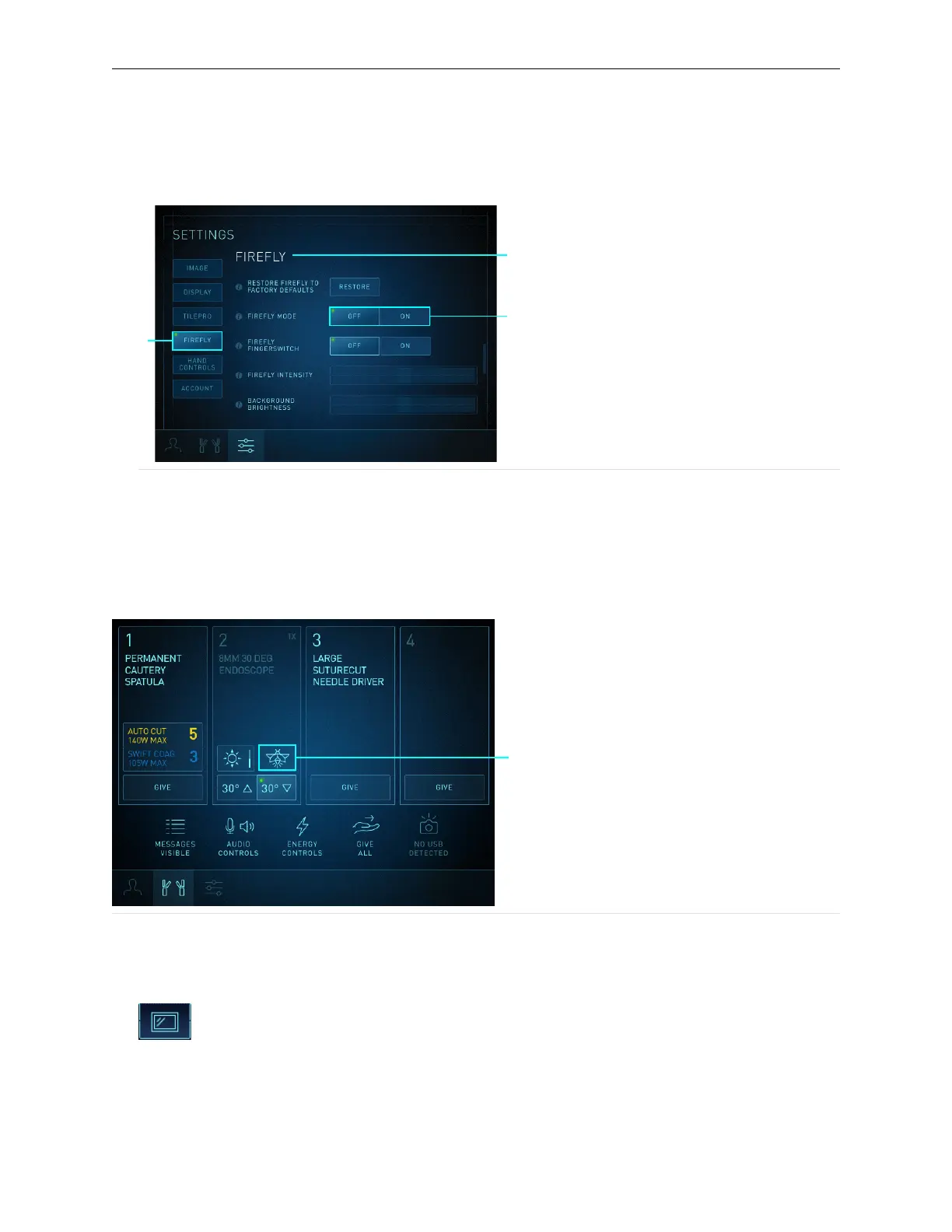
3. Touch the Firefly Mode ON button. If Firefly is already activated, touching the OFF button
deactivates Firefly and the system reverts to visible light imaging.
Figure 10 Surgeon Console Firefly Mode OFF/ON button
1. Firefly Section
2. Firefly OFF/ON button
3. Firefly button
Surgeon Console Touchpad - Endoscope Arm Pod
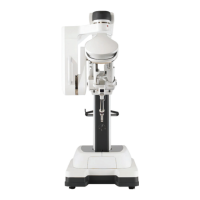
To activate or deactivate Firefly on the Instrument tab endoscope arm pod, touch the Firefly
button.
Figure 11 Surgeon Console Firefly button on endoscope arm pod
1. Firefly button
Activate Firefly at Vision Cart
1. Touch the Display tab on the Vision Cart touchscreen.
Firefly Imaging Operation | Select the Visualization Mode
15


 To Next Page