Da Vinci Firefly Imaging System User Manual Addendum 552064-10 Rev. A
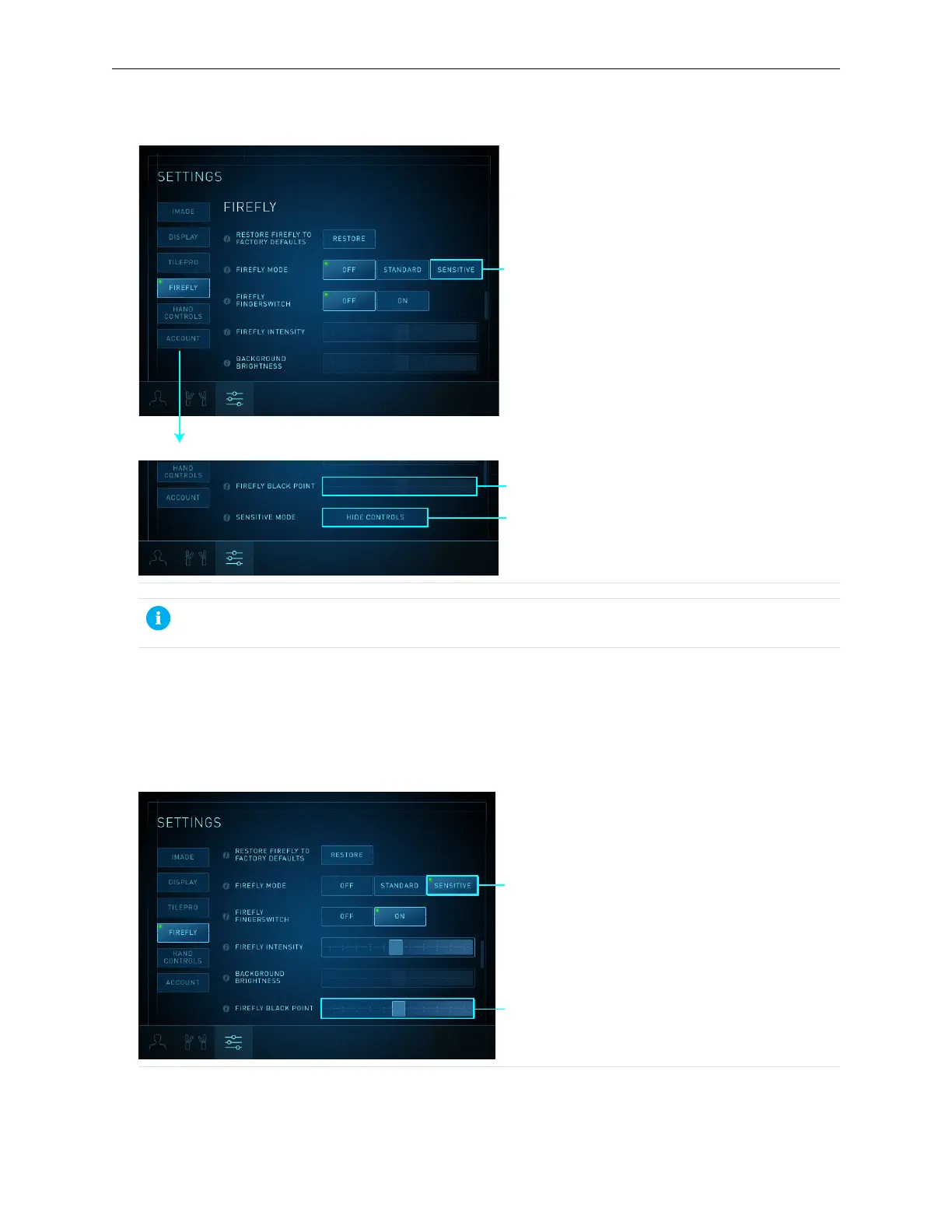
Figure 24 Sensitive mode options
1. Sensitive mode button
2. Scroll down to see the Firefly Black
Point control slider and Sensitive Mode
Show Controls button
3. Show Controls button
4. Firefly Black Point slider
Note: Touching Hide Controls while in Sensitive mode reverts Firefly imaging to
Standard mode.
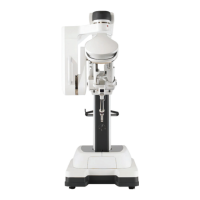
2. Touch the Sensitive button to activate Sensitive mode (Figure 25).
Firefly Intensity and Firefly Black Point controls are enabled. Background Brightness is not
applicable in Sensitive mode, so the slider is disabled.
Figure 25 Firefly intensity and Firefly Black Point are enabled
1. Sensitive mode activated
2. Firefly Black Point slider
26
Sensitive Mode Operation | Select Sensitive Mode


 To Next Page