Monopolar Curved Scissors
da Vinci SP Instruments and Accessories
28
DRAFT/PRE-RELEASE/CONFIDENTIAL
12/5/19
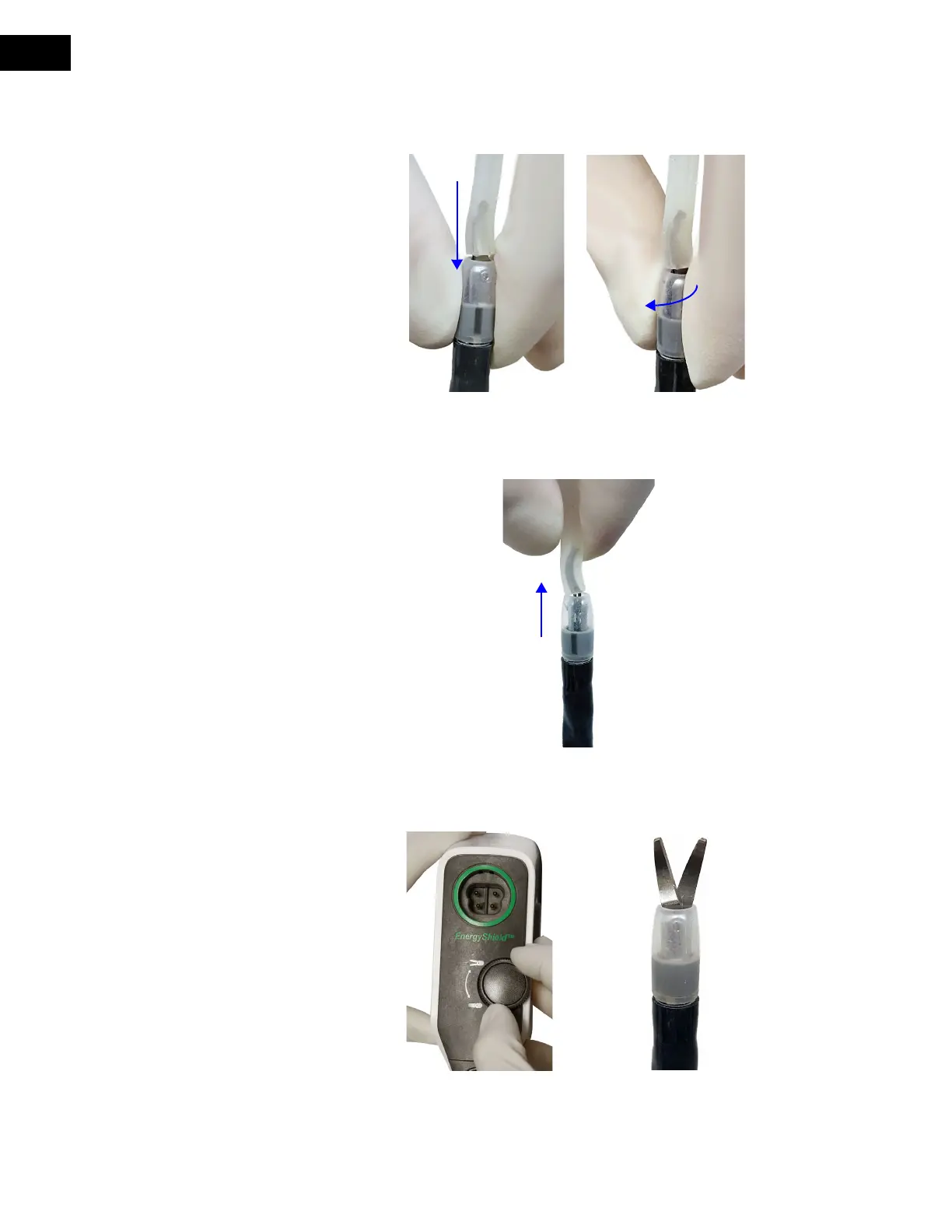
5. With one hand grasping the tip cover and the other hand stabilizing the instrument
joints, push the tip cover down until it is flush with instrument sheath and rotate ¼ turn
clockwise until there is a tactile click to lock in place (
Figure 5.7 A and B).
Figure 5.7 Push tip cover down (A), then rotate ¼ turn clockwise (B)
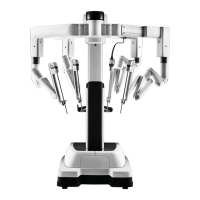
6. Remove the installation tool from the MCS Tip (Figure 5.8). If desired, retain the
installation tool to aid in removing the MCS Tip after the procedure.
Figure 5.8 Remove installation tool from MCS Tip
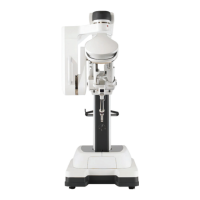
7. Rotate the Grip Release Dial in both directions to confirm that the scissor blades open
and close (
Figure 5.9 A and B).
Figure 5.9 Rotate Grip Release Dial (A) to open and close scissor blades (B)


 To Next Page