Optidrive ODE-3 1Ph Output User Guide Revision 1.00
5. Operation
5.1. Managing the Keypad
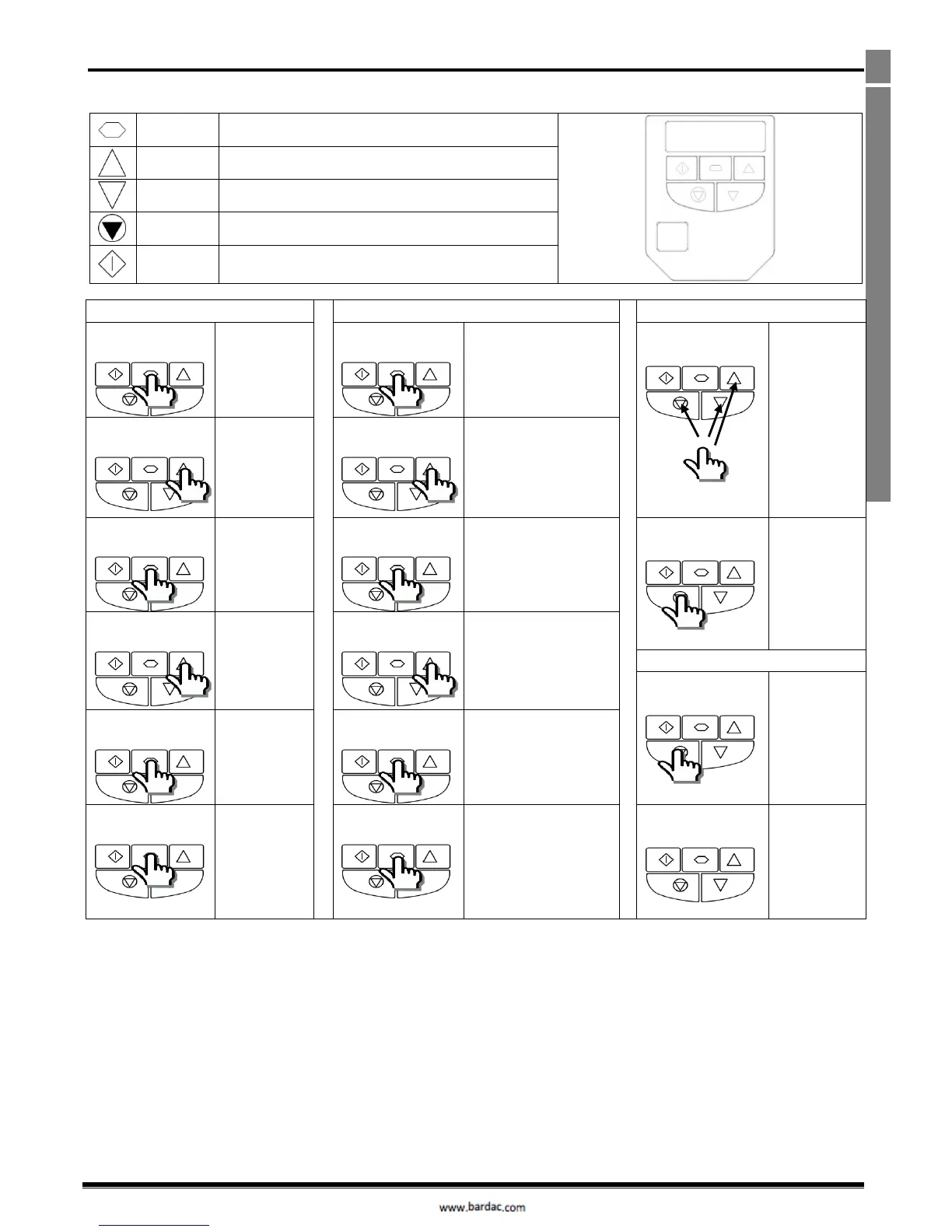
The drive is configured and its operation monitored via the keypad and display.
Used to display real-time information, to access and exit
parameter edit mode and to store parameter changes
Used to increase speed in real-time mode or to increase
parameter values in parameter edit mode
Used to decrease speed in real-time mode or to decrease
parameter values in parameter edit mode
Used to reset a tripped drive.
When in Keypad mode is used to Stop a running drive.
When in keypad mode, used to Start a stopped drive.
5.3. Read Only Parameter Access
5.4. Resetting Parameters
Press and hold
the Navigate
key > 2
seconds
Press and hold the
Navigate key > 2 seconds
To reset
parameter
values to their
factory default
settings, press
and hold Up,
Down and
Stop buttons
for > 2
seconds.
The display will
show “”
Use the up and
down keys to
select the
required
parameter
Use the up and down
keys to select P-00
Press the
Navigate key
for < 1 second
Press the Navigate key for
< 1 second
Press the Stop
key.
The display will
show “”
Adjust the
value using the
Up and Down
keys
Use the up and down
keys to select the
required Read Only
parameter
Press the Stop
key.
The display will
show “”
Press for < 1
second to
return to the
parameter
menu
Press the Navigate key for
< 1 second to display the
value
Press for > 2
seconds to
return to the
operating
display
Press and hold the
Navigate key > 2 seconds
to return to the operating
display



 To Next Page