released. Blocking the ventilation holes may result in overheating and damage to
the unit.
INTRODUCTION
• DO NOT use liquid cleaners or abrasives on the Digital Picture Frame. Clean dust
from the frame and LCD display by wiping with a clean, dry cloth.
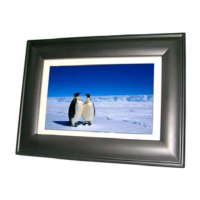
Congratulations on purchasing the 10.4-Inch Digital
Picture Frame. This unit lets you view digital pictures
directly from your camera's memory cards. No computer,
digital camera or Internet connection is needed. You can
display a single picture or a slide-show of all the pictures
on a memory card. You can also play MP3 audio files
through the internal speaker.
• Keep your Digital Picture Frames out of sunlight. Direct sunlight may cause damage
to the unit.
• DO NOT open the case of the Digital Picture Frame. There is a risk of electric shock,
and there are no user serviceable parts inside. Opening the case will void your
warranty.
The frame includes 128 Mbytes of memory for storing
your photo and audio files. File transfer requires a PC and USB-A to USB 5-Pin Mini-B
cable (included in this package).
• Do not use the Digital Picture Frame if conditions could allow condensation to occur,
or damage may result.
Before operating the unit, please read this manual thoroughly, and keep it for future
reference. This manual will help you use many of the exciting and useful features that
will make your Digital Picture Frame viewing more enjoyable.
• Your Digital Picture Frame is a complicated electronic device and cannot withstand
excessive shock. TAKE CARE when moving the unit to avoid dropping or otherwise
jarring the unit.
This Digital Picture Frame is compatible with the following popular memory card
formats: xD, Memory Stick® (MS) and Memory Stick Pro, SD™, MultiMediaCard™
(MMC) Picture Cards and Compact Flash (CF) Memory Cards,
TECHNICAL SUPPORT
FEATURES
•
Displays digital pictures saved in Joint Photographic Experts Group (JPEG) format
without a computer. Simply insert a compatible memory card (not included) into the
Digital Picture Frame to display photos.
FREQUENTLY ASKED QUESTIONS
Q: Does the Digital Picture Frame use “touch-enabled technology?”
• Compatible with most digital cameras’ stored JPEG images files.
A: No, the LCD screen is not “touch-enabled.”. Use the buttons located on
the top edge of the frame to control the Digital Picture Frame.
• Supports image sizes of up to 10 Megapixels.
Q: If I keep showing the same photo for a long time, will it damage the LCD
screen?
• Bright 10.4-inch thin film transistor (TFT) active matrix liquid crystal display (LCD) screen.
• 128 Mbytes of internal memory for file storage.
A: No. The Digital Picture Frame can display the same photo continuously
for extended periods. However, it is recommended that you change
photos once a month.
• Automatic slide show feature with multiple user-selectable transition effects.
• Plays MP3 audio files through the frame’s internal speaker.
• Pushbutton controls and on-screen menus let you access all features and functions.
Q: Does the Digital Picture Frame have built-in memory?
A: Yes. The Digital Picture Frame has 128 Mbytes of internal memory for
storing your photos and audio files. Files can be copied from a currently


 To Next Page