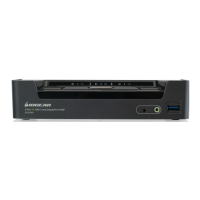
*Note: Autoscan Mode from front panel push button will be scanning a port every 5 seconds by default. If you
wish to have the Autoscan Mode be scanning with different time interval, please refer to trigger Autoscan Mode
from hotkeys.
**Note: n is an interval between 1 and 99 that stands for the time (in second) desire for scanning each port.
You can either activate Autoscan Mode via front panel push button or hotkeys.
Function Description
Auto Scan
Front panel
pushbutton
Press and hold port 1 and port 2 Pushbutton simultaneously for 2
seconds to activate Autoscan Mode*
Hotkeys
[Scroll Lock] [Scroll Lock]
[a] [Enter]
Activate Autoscan mode. It will cycle from
port to port every 5 seconds (default)
[Scroll Lock] [Scroll Lock]
[a] [n] [Enter]
Activate Autoscan mode. It will cycle from
port to port every n seconds**
21
Auto Scanning



 To Next Page
 Loading...