17
Do not hold the printer
chassis by the bottom edge
of the end plates when attaching
it to the stand. Fingers and hands
might get pinched between the
end plates and stand legs. Hold the
bottom surface of the end covers
when handling the head.
Caution
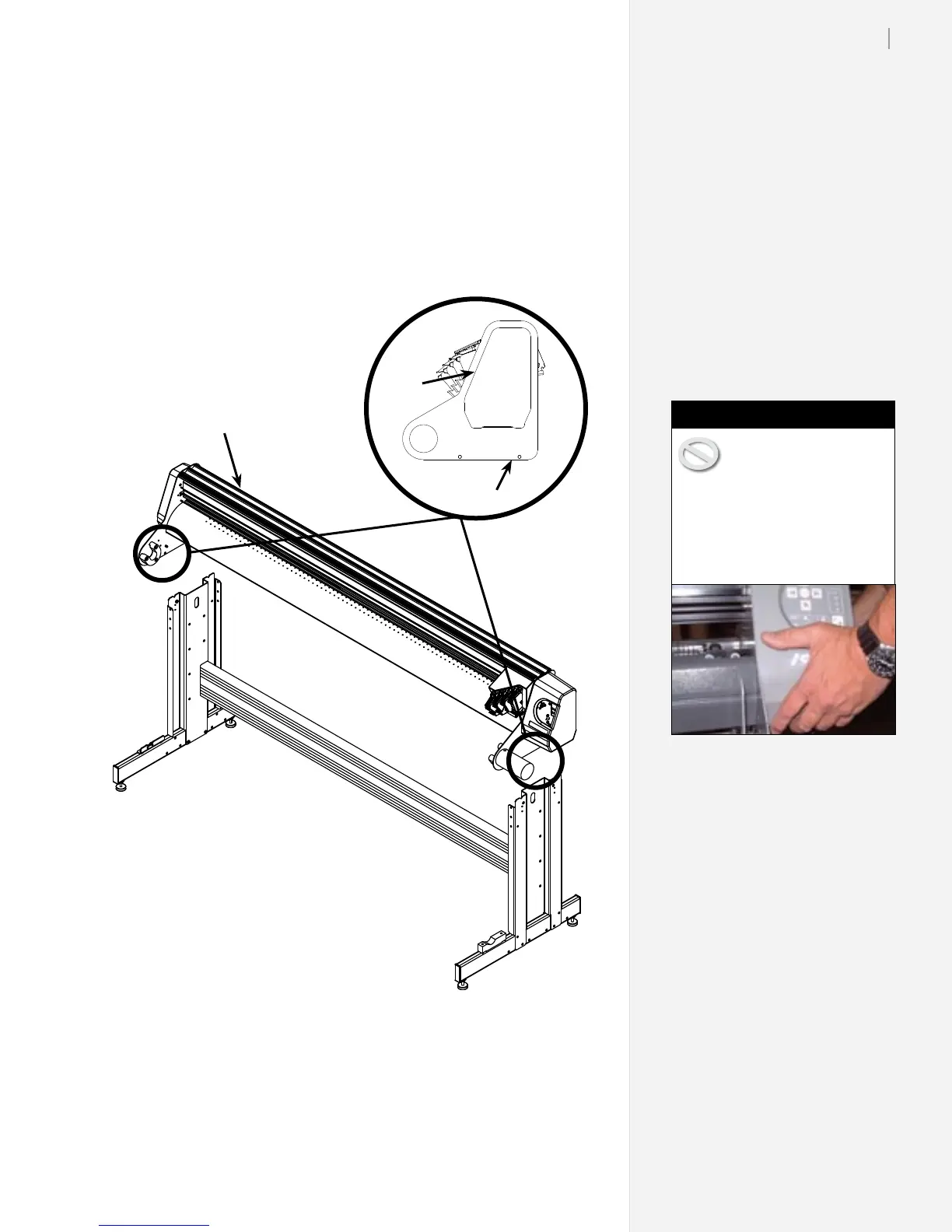
The end plates slide over the stand legs as shown above. Do not hold the end plates
when you install the printer head (as shown at right).
Printer head
Hold the bottom surface of the
end cover (see image in caution
box at right). DO NOT HOLD
THE BOTTOM EDGES OF THE
END PLATE.
End Plate
End
Cover
Step 6: Attach the Printer to the Stand
1. Using two people, lift the printer head onto the stand. The
front (carriage side) of the printer should face the same direc-
tion as the support blocks on the stand feet. Make sure the pin
at the rear of each endplate rests in the ‘V’-shaped notch in the
rear of both legs.



 To Next Page