5
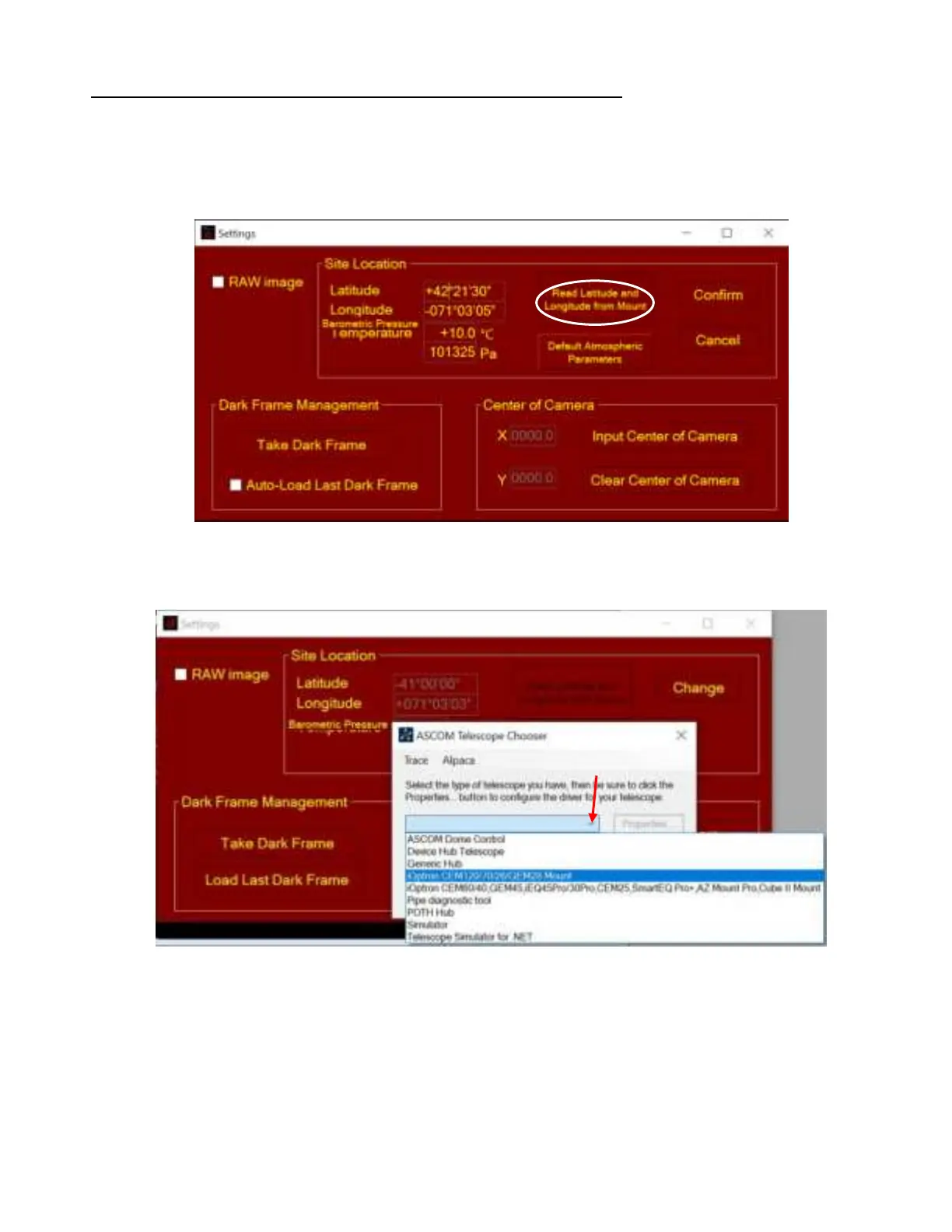
Read from an ASCOM Supported iOptron Mount for Location Info
NOTE: You’ll need latest firmware and iOptron Commander, as well as .NET 4.8 and beyond. Make
sure the mount is connected to the computer via ASCOM. Otherwise, this won’t work.
(1) Click on Settings
(2) Click on Read Location from Mounts
(3) An ASCOM Telescope Chooser window will occur, if the mount is ASCOM supported and
connected to the computer. Select correct mount ASCOM driver from the pull-down menu and
click OK.
(4) Click OK to complete the location setting.
3.5. Take Dark Frame
Take the dark frame image of the camera. This will mark the bad pixels of the camera, if there is any,
and camera dark current under different ambient temperature.
Click on Take Dark Frame. Follow the instruction on the screen to complete the process.



 To Next Page