640 & 650 Series 947291 Configuring Ethernet Models 640e & 650e 4-3
Ethernet Connection and System Power-up
Overview
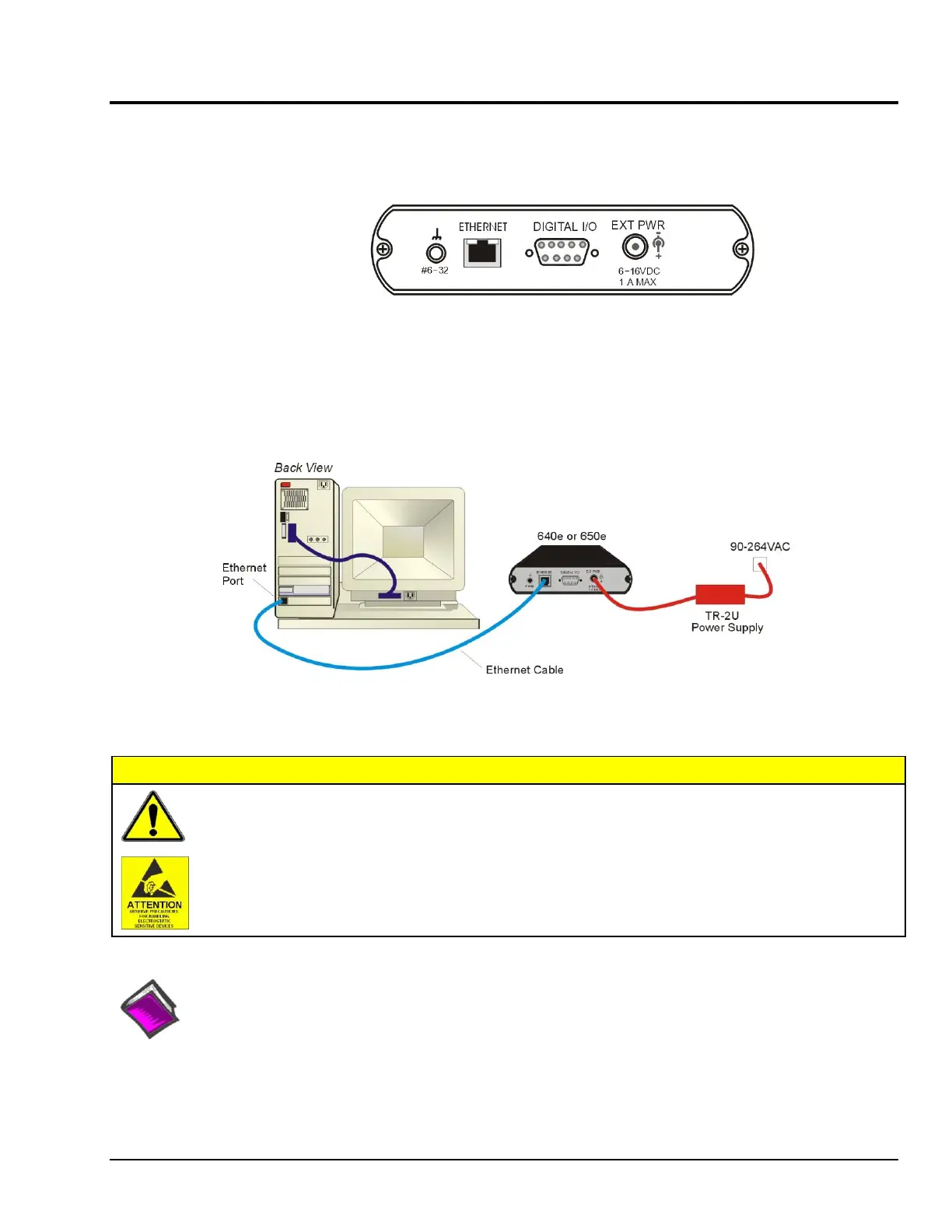
640e or 650e, Rear Panel
IOtech 640e and 650e connect directly to an Ethernet port on a PC or network hub, via the unit’s built-in
10/100BaseT Ethernet interface. An Ethernet patch cable CA-242 (1.5 foot) or CA-242-7 (7 foot) cable is
used to make the connection. Note that either a straight-through or a cross-over cable may be used. The
circuitry automatically adjusts for the cable type to ensure proper connection.
Connecting an IOtech 640e or 650e to the Ethernet
Turn off power to the system devices and externally connected equipment before connecting cables.
Electric shock or damage to equipment can result even under low-voltage conditions.
Take ESD precautions (packaging, proper handling, grounded wrist strap, etc.)
Reference Note:
Adobe PDF versions of user manuals will automatically install onto your hard drive as a part of product
support. The default location is in the Programs group, which can be accessed from the Windows Desktop.
You can also access documents directly from the data acquisition CD via the <View PDFs> button located on
the CD’s opening screen.



 To Next Page