4-4 Configuring Ethernet Models 640e & 650e 947291 640 & 650 Series
STEP 1 – Install the Software
Install the software prior to connecting the 640e or 650e to the Ethernet. If you have not already installed the software,
do so at this time. Refer to the section entitled Software Installation, page 4-2.
STEP 2 – Determine the type of Network Connection
To properly connect and configure a 640e or 650e, you must determine the type of network that the device will become part
of. This is because the type of network used has a direct bearing on the IP address of the device.
Briefly, the four network types are as follows:
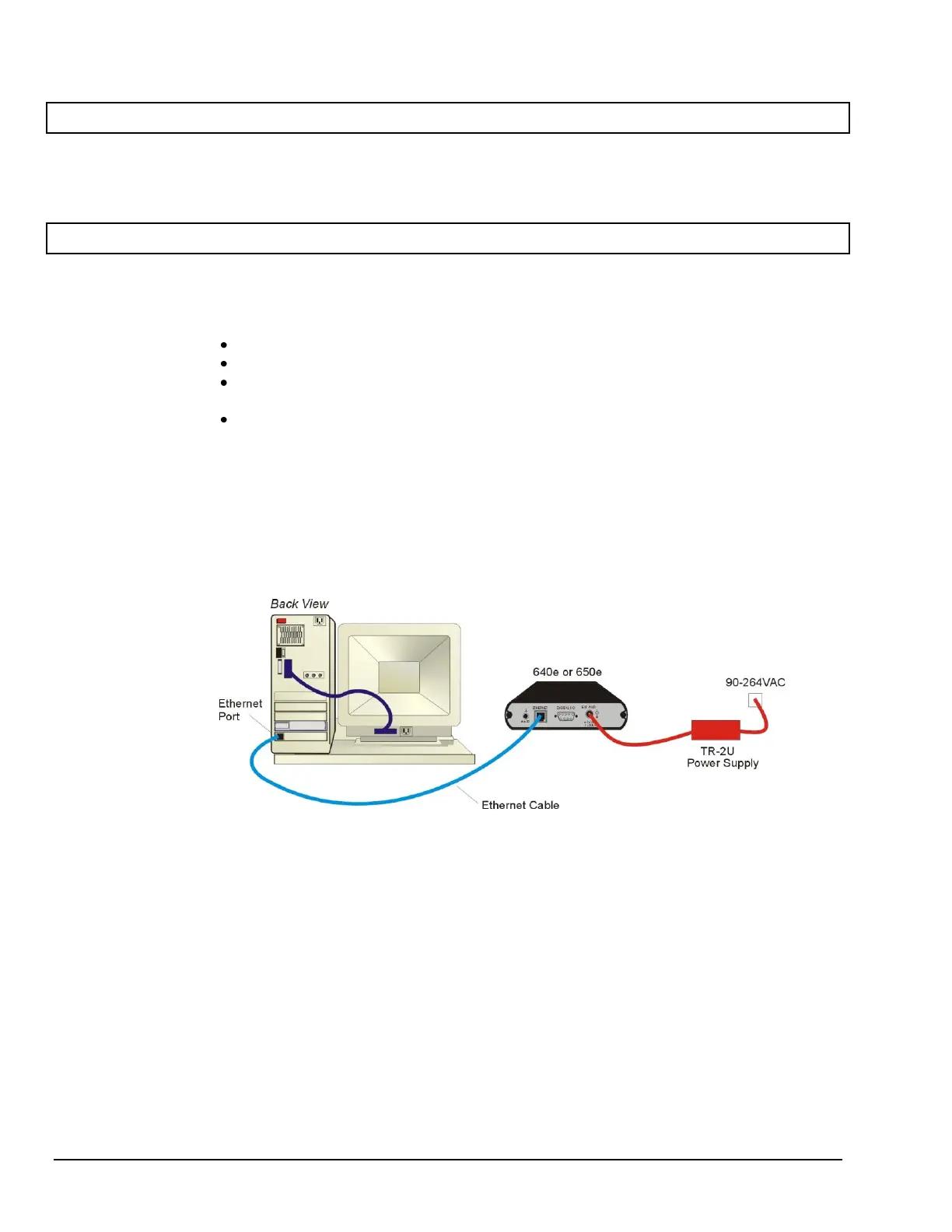
Dedicated Network - with a direct cable connection from the PC to the device
Dedicated Network - making use of a network hub or switch
LAN with a DHCP server
(Local Area Network with a Dynamic Host Configuration Protocol)
LAN without a DHCP server
(Local Area Network with no Dynamic Host Configuration Protocol)
Brief descriptions and illustrations follow.
Dedicated Network - with a direct cable connection from the PC to the device
In this scenario a 640e or 650e is connected directly to an Ethernet port on a host computer.
Dedicated Network using a Direct Cable Connection



 To Next Page