640 & 650 Series 947291 Configuring Ethernet Models 640e & 650e 4-9
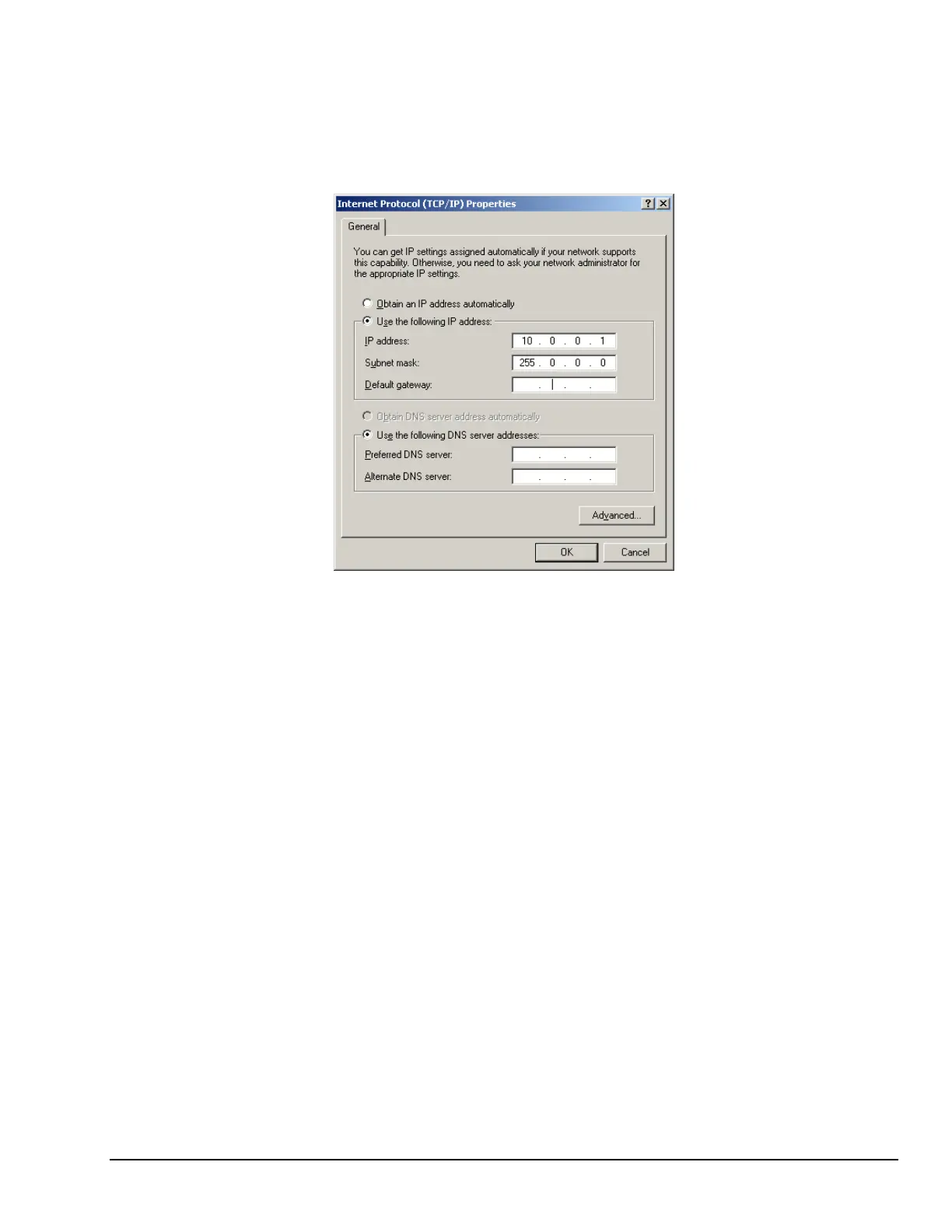
Configure the Computer’s TCP/IP settings as follows.
Internet Protocol (TCP/IP) Properties
6. Select the “Use the following IP Address” radio button.
7. Set the IP address field to 10.0.0.x where x is some number from 1 to 254.
Make sure that each computer on the dedicated network has a unique IP address.
8. Set the Subnet mask to 255.0.0.0. Note that the remaining fields can be left unchanged.



 To Next Page