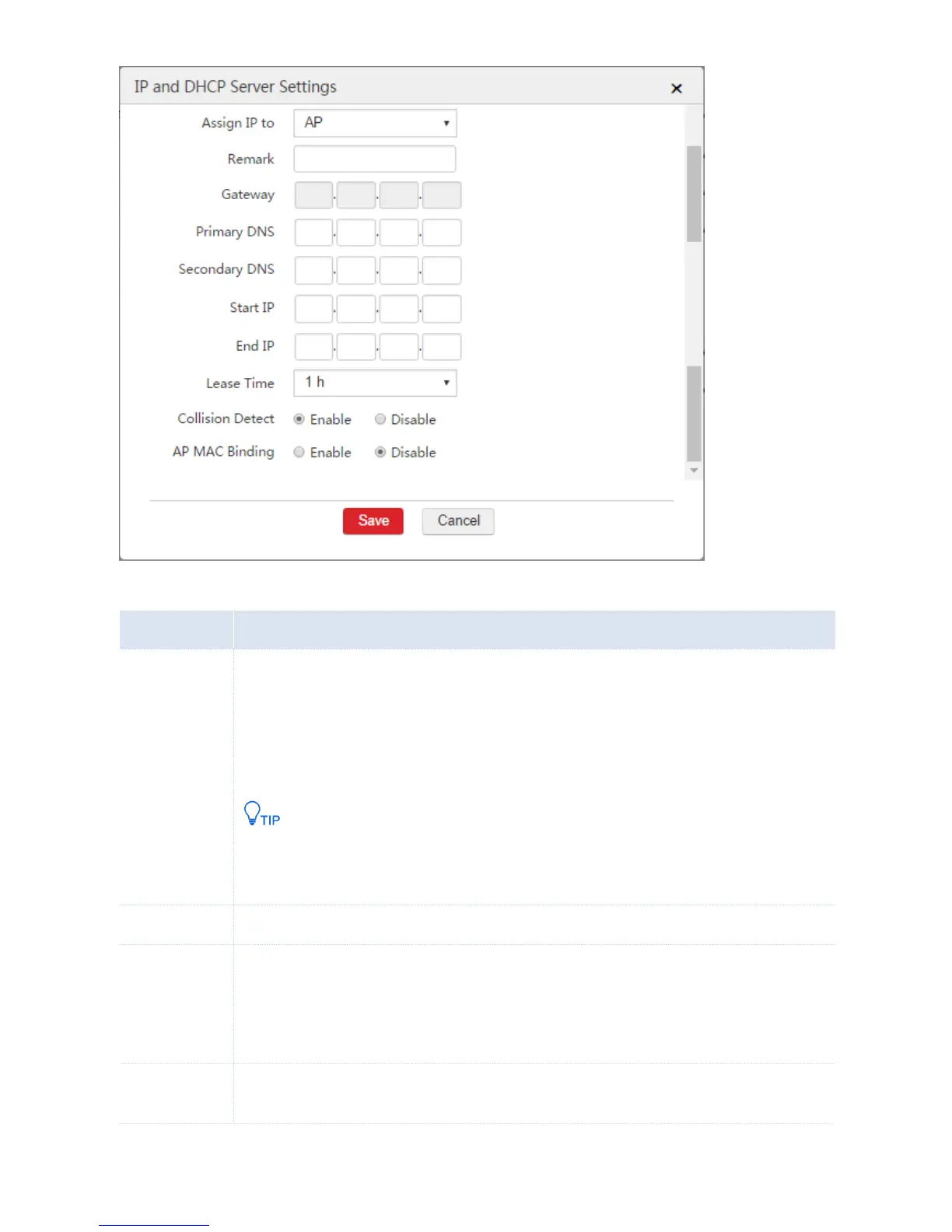
Specify whether you want the DHCP server to assign IP addresses to users or APs.
AP: The DHCP server only assigns IP addresses to IP-COM fit APs.
User: The DHCP server only assigns IP addresses to users instead of IP-COM fit APs.
You are recommended to enable at lease one DHCP server for assigning IP addresses to APs.
Other DHCP servers on the network may also assign IP addresses to APs. If so, to make the AC
manage the APs, ensure that the route between the IP address of the VLAN interface and the
IP address of the APs are reachable.
Set a description for the DHCP server.
Set the gateway IP address assigned to users or APs by the DHCP server.
If you already configure WAN interfaces and internet settings on the AC, you can set the gateway IP
address as the IP address of the VLAN interface to ensure the internet connectivity for users.
Otherwise, set the gateway as the LAN IP address of the upstream router.
Set the primary DNS address assigned to users or APs by the DHCP server.
To ensure that users or APs can access the internet, the DNS address must be a correct DNS server



 To Next Page