26
1.3.2 Configuring Internet Settings
Whether you create WAN interfaces or not, you can configure internet settings for the AC. For how to
configure internet settings, refer to WAN Interface Is Not Created or WAN Interface Is Created.
WAN Interface Is Not Created
Before configuring the internet settings, go to Network Setting > Network Setting > Interface and DHCP
Server and create an IP address on the VLAN interface to communicate with the gateway configured in the
internet settings. For details, refer to Example of Internet Settings.
Configuring the Internet Settings
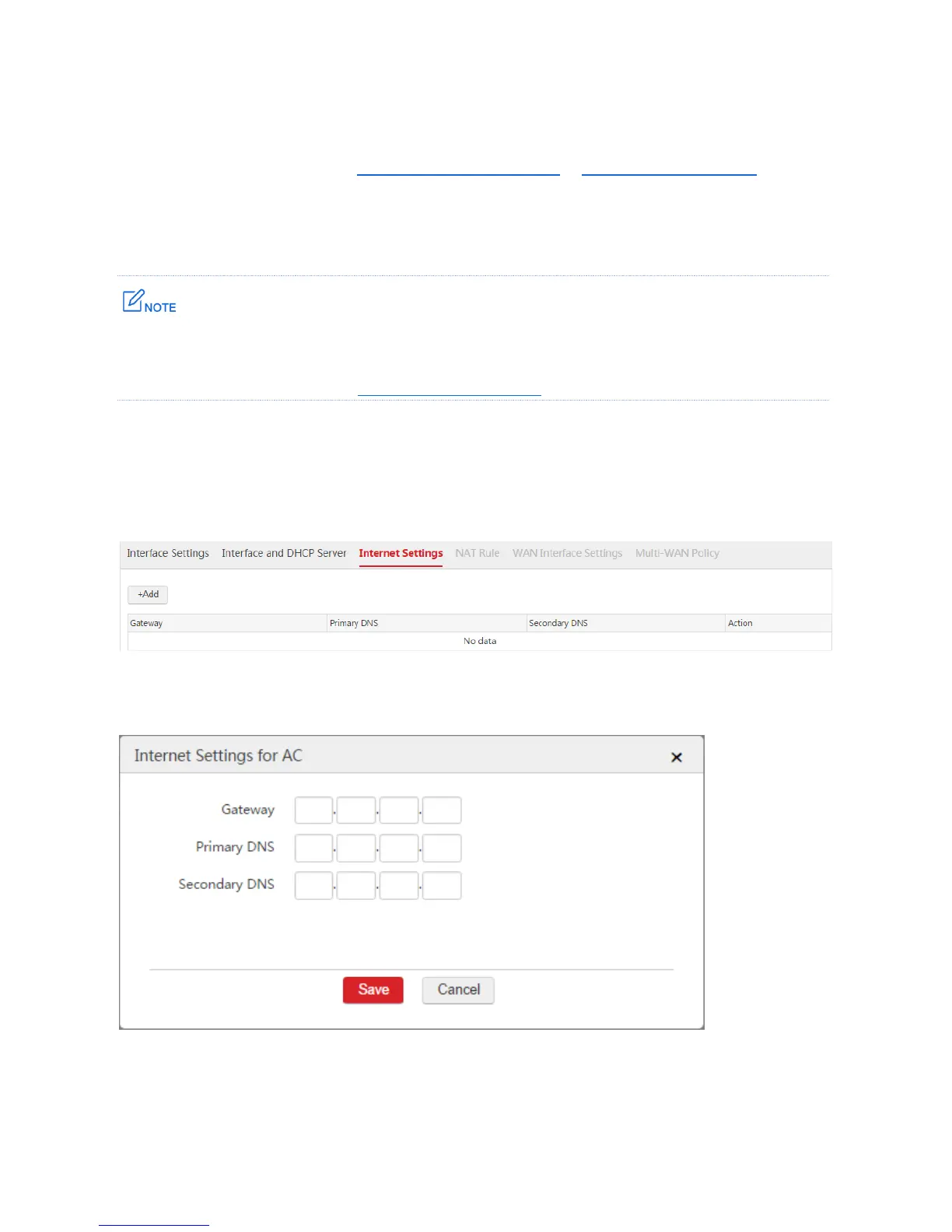
1. Choose Network Setting > Network Setting > Internet Settings.
2. Click Add.
3. Configure the parameters in the window.
4. Click Save.



 To Next Page