4
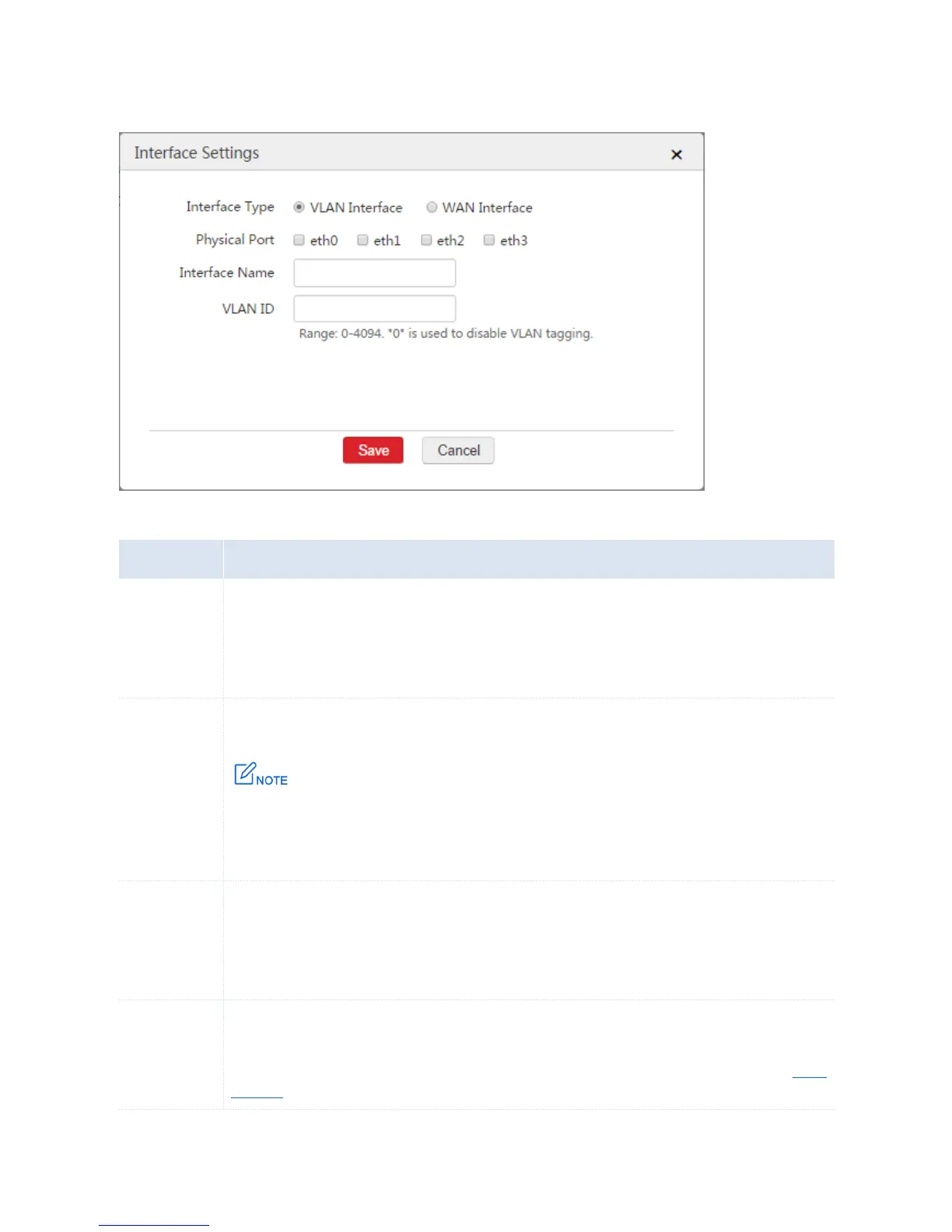
VLAN ID: Set a VLAN ID for the VLAN interface.
4. Click Save.
Parameter Description
Select an interface type for the configured rule.
VLAN Interface: It is used to connect to local computers or APs. The AC allows a maximum of 512
VLAN interfaces.
WAN Interface: It is used to connect to the internet.
Select the physical ports belonging to the VLAN interfaces.
A VLAN interface can include multiple physical ports. A physical port can belong to
multiple VLAN interfaces. One WAN interface matches only one physical port.
A physical port can be set only as either a VLAN interface or a WAN interface.
Enter a unique name for the interface.
Only Chinese characters, letters, digits, underscores, and dashes are allowed. The interface name
cannot be blank. The range is 1 - 16 characters.
After you save the configured rule, the interface name cannot be changed.
It is applicable to VLAN interfaces.
Set a VLAN ID for the configured VLAN interface. The range is 0 - 4094. “0” indicates that the VLAN
interface allows data packets that are not tagged to pass through. For more information, refer to VLAN
Interface.



 To Next Page