5
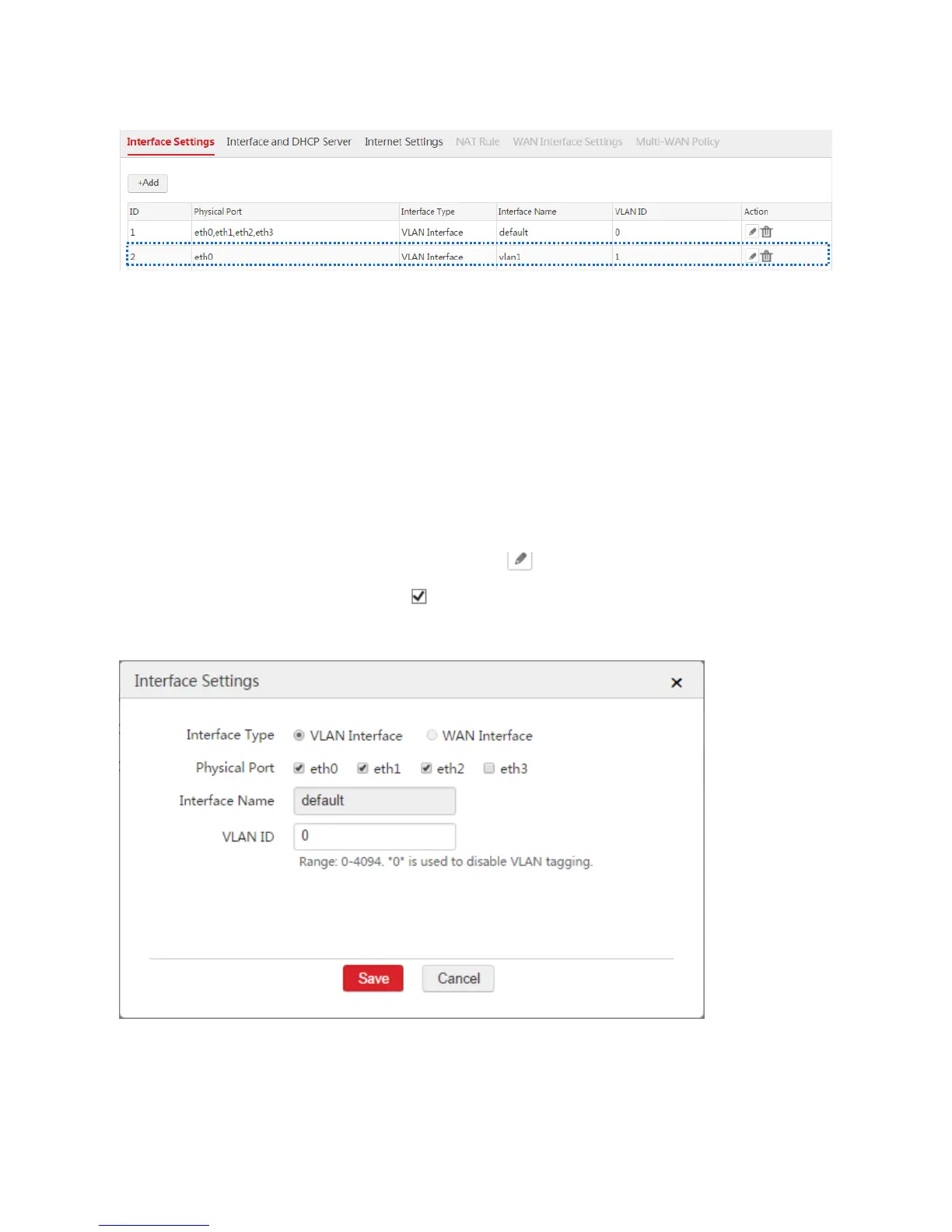
End: After you create a VLAN interface, you can choose Network Setting > Network Setting >
Interface Settings to view the VLAN interface. See the following figure.
Creating a WAN Interface
A WAN interface can contain only one physical port. A physical port configured as a VLAN interface
cannot be set as a WAN interface. If you want to create a WAN interface on a physical port, remove the
physical port from its VLAN interface first.
Procedure:
1. Log in to the web UI of the AC and go to Network Setting > Network Setting > Interface Settings.
2. Find the VLAN interface such as "default" and click .
3. Physical Port: Deselect the check box of the physical port, such as "eth3".
4. Click Save.
When the physical port is removed from the VLAN interface, you can set the physical port to a WAN
interface.



 To Next Page