6
Procedure:
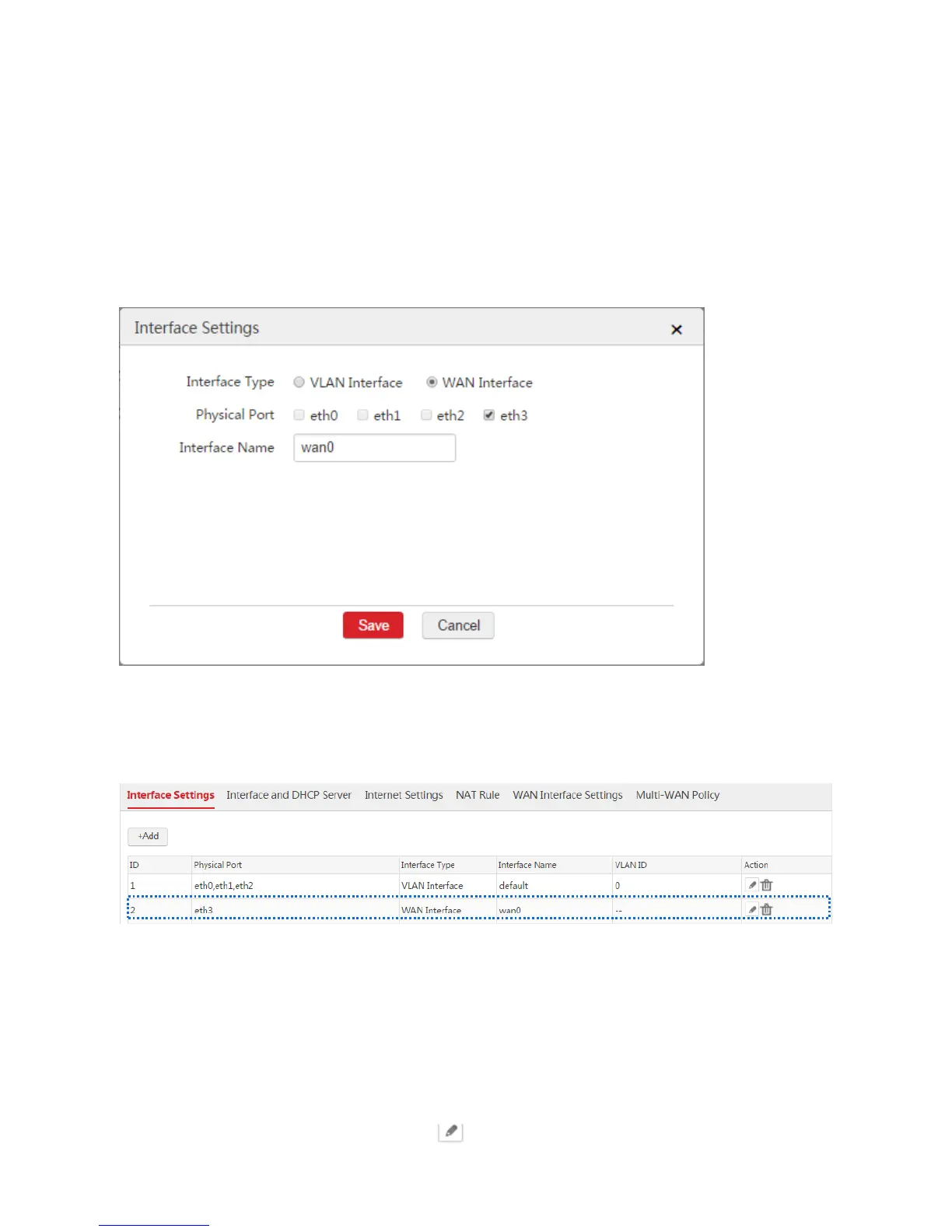
1. Choose Network Setting > Network Setting > Interface Settings and click Add.
2. Configure the parameters in the window.
Interface Type: Select WAN Interface.
Physical Port: Select the physical port such as "eth3".
Interface Name: Set a name such as "wan0".
3. Click Save.
End: After you create a WAN interface, you can choose Network Setting > Network Setting >
Interface Settings to view the WAN interface. See the following figure. The eth3 port is set to a WAN
interface.
If you want to create more WAN interfaces, repeat the procedure. The AC supports creating a maximum
of N-1 WAN interfaces. N is the number of the physical ports of the AC.
Modifying an Interface
1. Choose Network Setting > Network Setting > Interface Settings.
2. Find the interface to be modified and click .



 To Next Page