57
Step 3: Configure Multi-WAN Policy
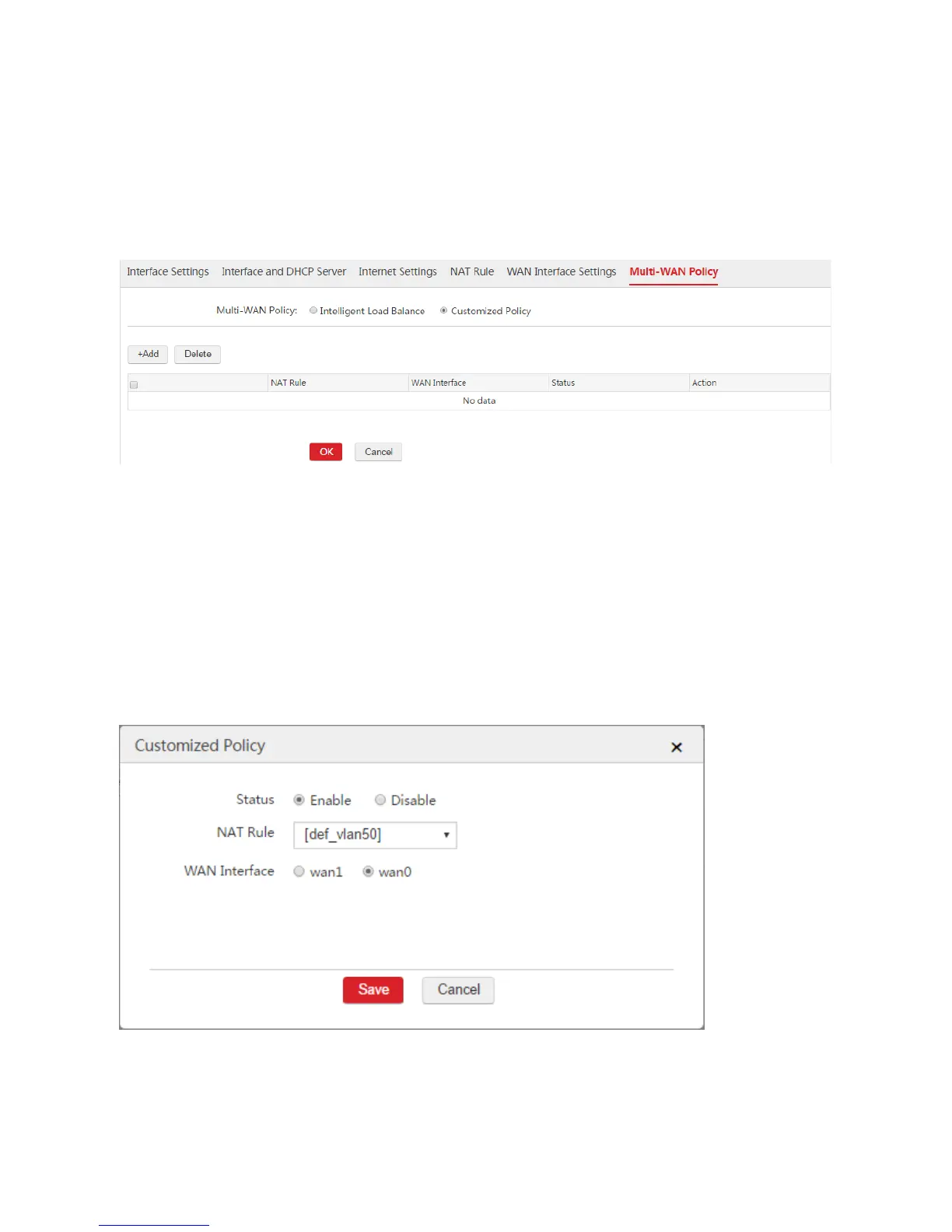
1. Enable Customized Policy.
1) Choose Network Setting > Network Setting > Multi-WAN Policy.
2) Multi-WAN Policy: Select "Customized Policy".
3) Click OK.
2. Create a customized policy to make the data packets from VLAN 50 are forwarded to wan0.
1) Choose Network Setting > Network Setting > Multi-WAN Policy and click Add.
2) Configure the parameters in the window.
Status: Select Enable.
NAT Rule: Select the NAT rule used by computers from VLAN 50, which is "[def_vlan50]".
WAN Interface: Select "wan0".
3) Click Save.
3. Create a customized policy to make the data packets from VLAN 60 are forwarded to wan0.
1) Choose Network Setting > Network Setting > Multi-WAN Policy and click Add.
2) Configure the parameters in the window.



 To Next Page