15
PART 7: ELECTRICAL/LIGHTING TESTING
Complete the pretesting checklist prior to all testing procedures.
The MUTT is microprocessor controlled and features a special diagnostic rmware,
designed to seamlessly integrate with your preferred methods of testing. The MUTT
will power the selected electrical circuits and instantly alert you to any signs of a faulty
condition. To properly utilize the diagnostic features, a complete scan of the
trailer’s electrical system should be performed at the front of the trailer using the
MUTT prior to a walk-around inspection. If any wiring faults are present, the MUTT
will blink or sound, alerting you to the issue. Only a one-time, walk-around/visual
inspection is needed to conrm that each individual light bulb is properly illuminating.
NOTE: Some advanced functions may not be listed on the face panel, so it’s
important to read the manual in its entirety to ensure that you are getting the full use
of this diagnostic system.
7.1 SELECTING A CIRCUIT
Circuits can be selected for testing manually, via remote control or by initiating Auto
Cycle Mode.
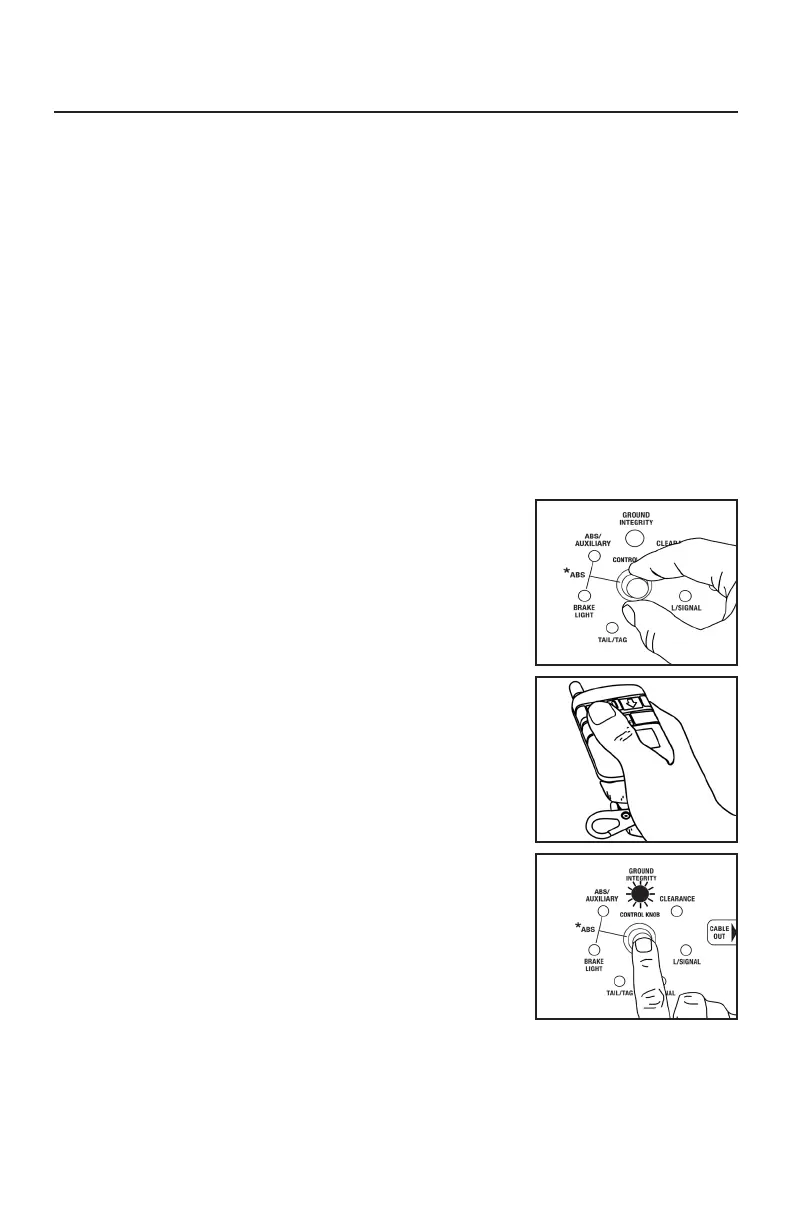
OPERATING WITH MANUAL CONTROL
1. Turn the control knob to select a circuit. The control knob
is automatically set to Ground Integrity when power is
turned on.
OPERATING WITH THE REMOTE CONTROL
1. Press and release the UP ARROW to select the next
circuit in clockwise rotation.
2. Press and release the DOWN ARROW to select the next
circuit in a counterclockwise rotation.
AUTO CYCLE MODE
Auto Cycle Mode automatically tests one circuit at a time
in a clockwise rotation.
1. Press and release the control knob. The Auto Cycle
Indicator should illuminate.
2. A ve second delay commences before power is
automatically applied to the rst circuit.
3. Circuits are automatically tested one at a time in a clockwise rotation, starting from
the Ground Integrity Indicator.
4. To cancel Auto Cycle Mode, momentarily press and release or turn the control knob.
NOTE: Auto Cycle Mode does not work when ABS or Brake Light Circuits are selected.
6.4 PROGRAMMING THE
12-BUTTON REMOTE CONTROL
HOW TO PROGRAM THE WIRELESS REMOTE
1. Press and hold the top center button on
the 12-button remote while turning the
Trailer Tester’s main power ON.
2. Continue to hold the button for 2 seconds,
and then release.
3. Your Remote Control is now programmed.



 To Next Page