Page.8.
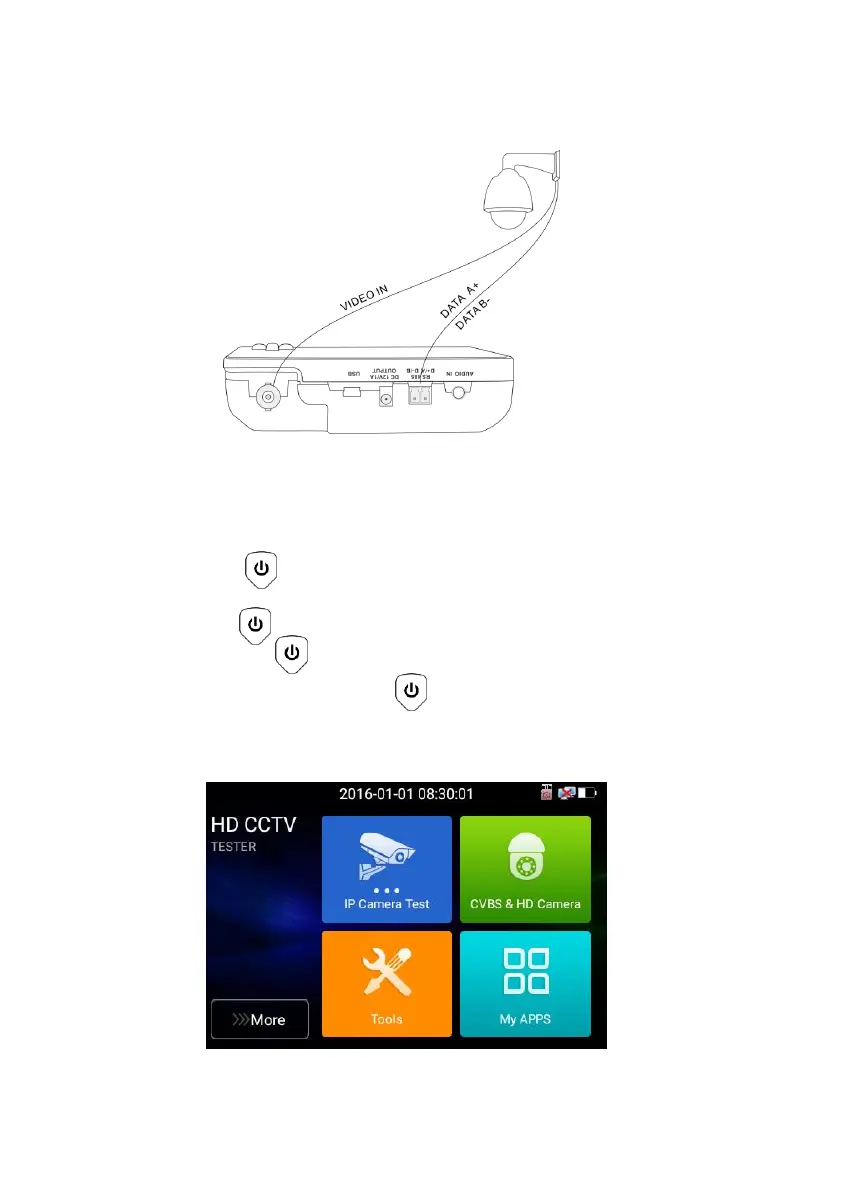
(1) Connect the CVI camera's video output to the IP tester’s “Video IN” interface, the image will
display on the tester. The tester only come with CVI input interface. There is no CVI output interface.
(2) Connect the CVI camera or the speed dome RS485 controller cable to the tester RS485 interface.
3.3 OSD menu
◼ Press the key 2 seconds to turn on
◼ Press the key 2 seconds to turn off
◼ short press the key to enter sleep mode,press it again to test if tester work abnormally
and cannot be turned off , Press the key several seconds to turn off, the tester reset
3.3.1 Lite mode
◼ Lite mode: You can easy find corresponding apps



 To Next Page