Page.42.
3.3.13 Network tool
(1)PING Test
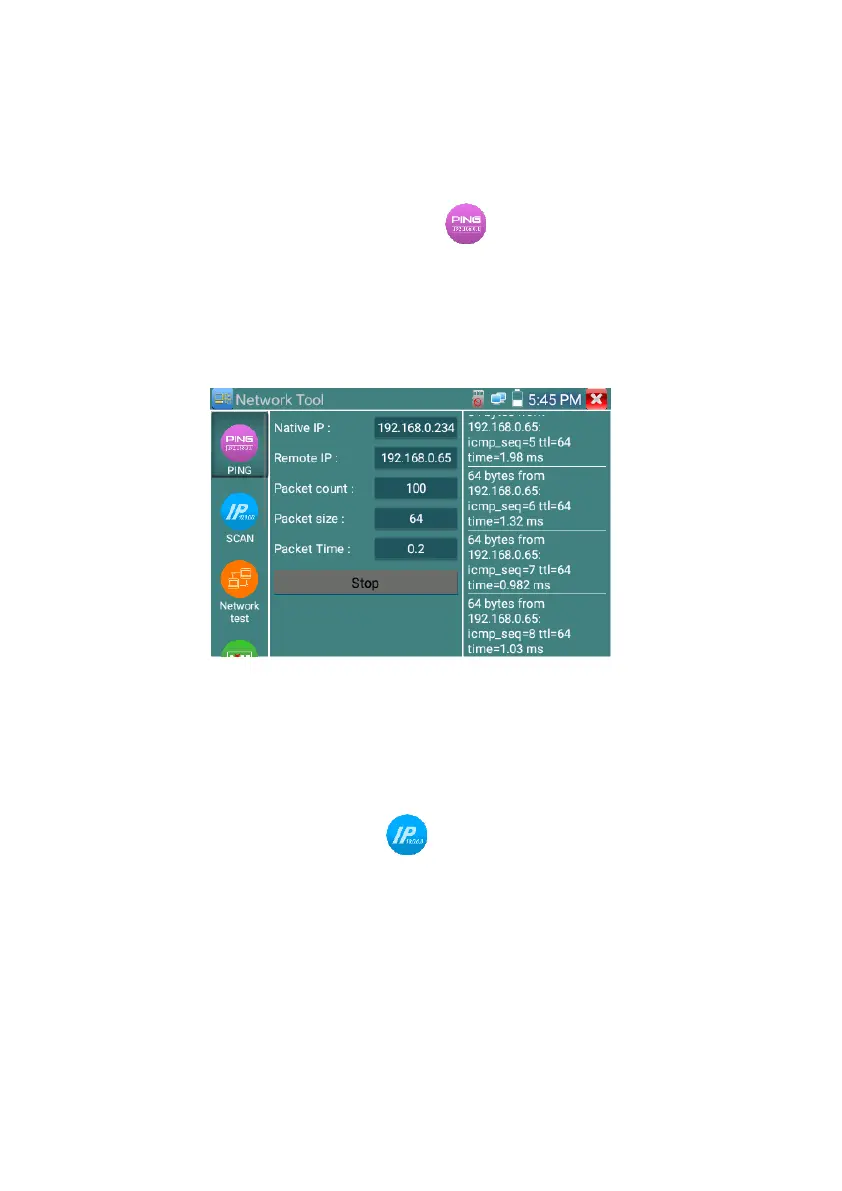
Connect a network cable to the LAN port and click the icon to open the PING tool. You can set
your LOCAL (native) IP address, Remote IP address (e.g. IP camera), Packet count, Packet Size, Packet
time and Timeout. Press “Start” to start pinging. If the IP camera or network device is not configured
properly or not plugged in, it will say “Destination host unreachable,” or have 100% packet loss. If the
tester connects to the device, the send and receive packets will have a 0% packet loss.
Application: PING testing is the most conventional network debugging tools. It is used for testing if
the connected IP camera or other network equipment’s Ethernet port is working normally and the IP
address is correct.
It’s normal that the first data packet will be lost when test start.
(2)IP address scan
Connect the cable to the LAN port, click icon to enter, Set your IP address search range by
changing the Start and End IP addresses. Click the “Start” button to scan the IP address range. You can
also input an IP address in the Port Number Scan to scan for open ports.



 To Next Page