Page.11.
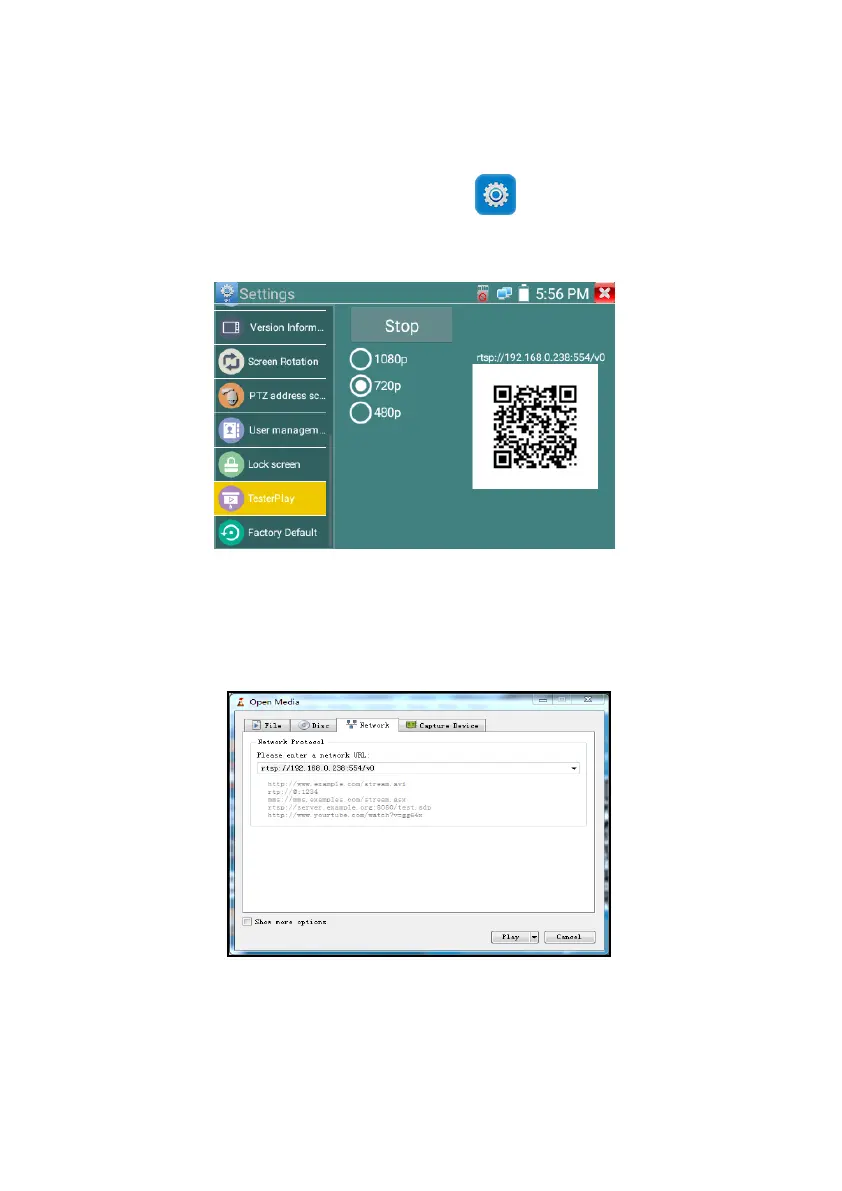
The meter creates WIFI hotspot, connect mobile phone to the tester’s WIFI hotspot, or the tester and
mobile phone connect to the same Wi-fi network. Tap icon “ ”, then select “TesterPlay” app to
enter, click “Start” button to generates two-dimensional code, Please use mobile phone scan it, then
download and install the client software, you can view the screen real-time projection.
PC screen projection:
Install VLC player in the PC, turn on the VLC player "Media - Open Network Streaming", and
input the RTSP address of on the top instrument two-dimensional code, click "play" to view the
screen real-time projection.



 To Next Page