Page.58.
If the camera not supports non-verification login, pls select “camera” of online detection menu, and
input correct user name and password, then click “log in”. After logging successful, you can test it.
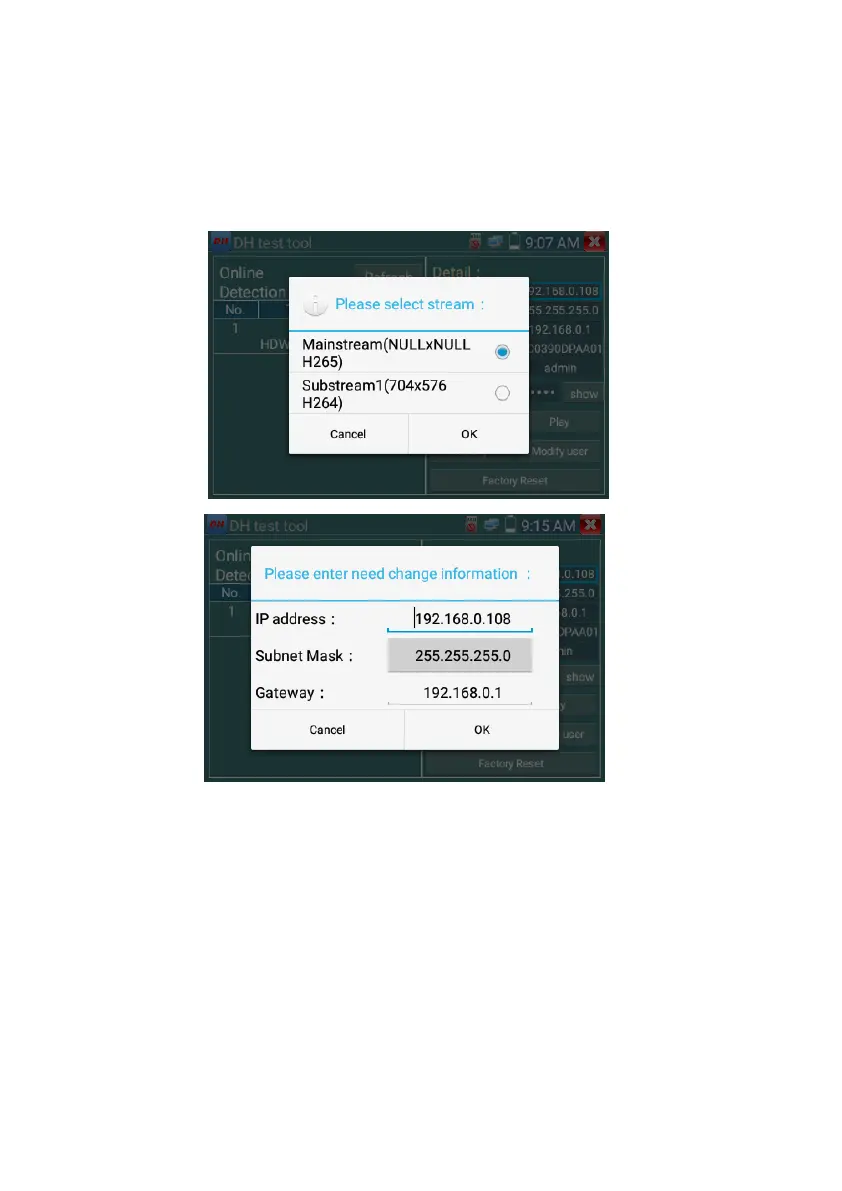
Play: select mainstream or seconded stream, IP camera live video display
Modify network information: modify camera parameter, such as ip address, subnet mask, gateway etc.
Modify user information: modify camera user name and password, which is onvif, Dahua test tool,
IPC TESTE user name and password, not web user name and password.



 To Next Page