iPECS eMG800
Hardware Description and Installation Manual Issue 1.8
68
4.6 Serial to Audio Cable Specification
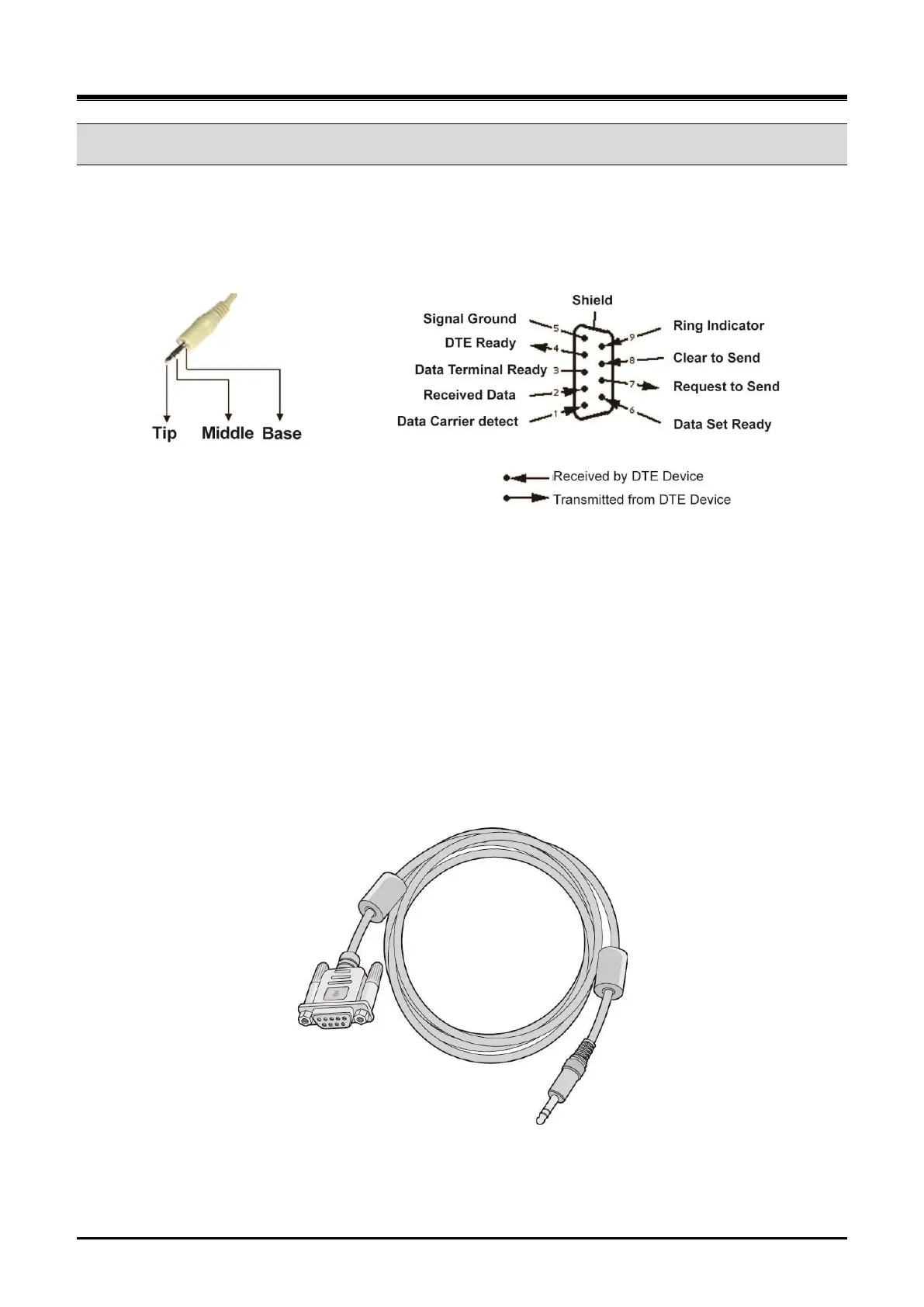
Several board types include a serial port presented as an Audio jack. This serial port is not required for normal
operation.
It is only used for advanced diagnostics. Boards that include the Audio Serial connector are PRIB, BRIB2/
BRIB4, AAIB/VMIB, VOIB, and WTIB.
Figure 4.6-1 Audio Jack, Serial Specification
4.6.1 Serial to Audio Cable Wiring
Connection to the Serial port through the Audio connector is made with a Serial to Audio cable.
The cable should be terminated on one end with a DB9 RS-232 connector and on the other end with an audio
jack.
The three (3) wires of the audio jack are wired to the DB9 as follows.
Wire the Tip conductor of the Audio jack to pin 2 of the DB9
Wire the Ring conductor of the Audio jack to pin 3 of the DB9
Wire the Grd conductor of the Audio jack to pin 5 of the DB9
Figure 4.6.1-1 Audio Jack to Serial Cable




 To Next Page