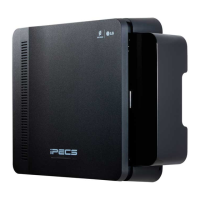
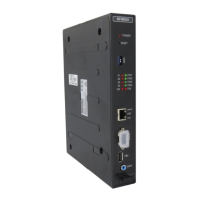
iPECS eMG800
Hardware Description and Installation Manual Issue 1.8
71
5 TERMINAL CONNECTION AND WIRING
5.1 Terminal and Door Phone Models
Various types of digital terminals and IP Terminals can be used with the iPECS eMG800 as listed in the table
and shown below. Other older model digital phones may also be compatible with iPECS eMG800, check with
your local Ericsson-LG Enterprise representative for details.
Digital Key Telephones connect to the DSIU or a DTIB. IP Key Telephones connect to the LAN where they
have access to a VOIB channel.
Note
For more detailed information about Phone installation, DSS connection, and Wall mount, etc. refer to User
guide or Quick Guide (Quick Installation Guide) of the terminal model.
4 Flexible Button No display
4 Flexible Button w/Display
8 Flexible Button w/Display
16 Flexible Button w/Display
24 Flexible Button w/Display
24 Flexible Button w/Large Display
48 Button DSS/DLS Console
8 Flexible Button w/Display
30 Flexible Button w/Display
8 Flexible Button Display
24 Flexible Button Display
24 Flexible Button, Full duplex
24(12*2 page) Flexible Button, Full duplex
48 Flexible Button DSS Console
8 Flexible Button w/Display
16 Flexible Button w/Display
24 Flexible Button w/Display
24 Flexible Button w/Large Display
4 Feature Button w/Display
4 Flexible Button w/Display
8Flexible Button w/Display
12 Flexible Button w/Display
24 Flexible Button w/Display
10 Flexible Button w/Large Display
12 Button DSS Console / Power supply
12 Button LSS Console / via keyset up to 2



 To Next Page