C
HAPTER
5
| Interface Configuration
Trunk Configuration
– 146 –
However, note that the static trunks on this switch are Cisco
EtherChannel compatible.
◆ To avoid creating a loop in the network, be sure you add a static trunk
via the configuration interface before connecting the ports, and also
disconnect the ports before removing a static trunk via the
configuration interface.
PARAMETERS
These parameters are displayed in the web interface:
◆ Trunk ID – Trunk identifier. (Range: 1-12)
◆ Trunk Member Port List – The ports assigned to a trunk.
WEB INTERFACE
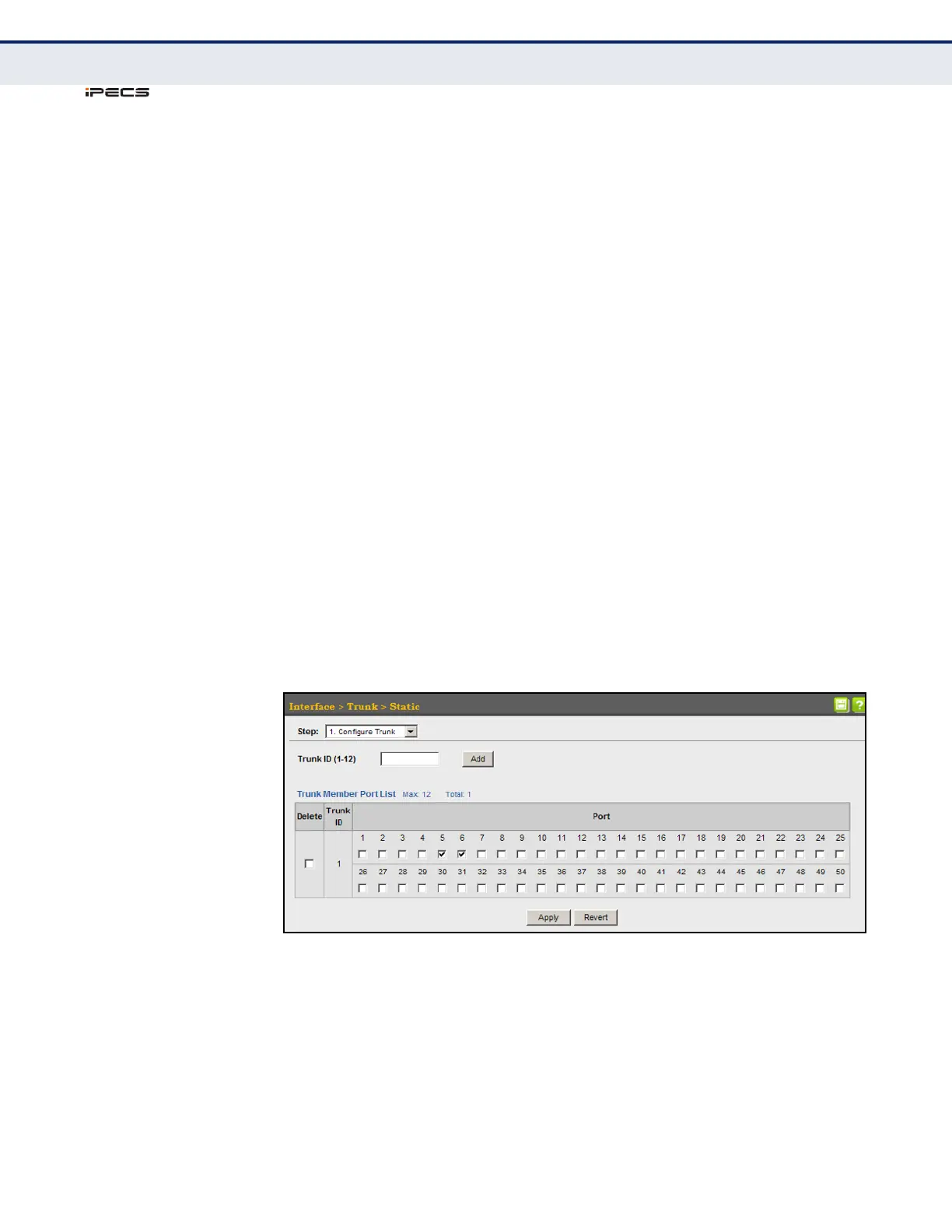
To create a static trunk:
1. Click Interface, Trunk, Static.
2. Select Configure Trunk from the Step list.
3. Enter a trunk identifier, and click Add.
4. Mark the ports assigned to each trunk.
5. Click Apply.
Figure 40: Creating Static Trunks



 To Next Page