C
HAPTER
6
| VLAN Configuration
IEEE 802.1Q VLANs
– 178 –
WEB INTERFACE
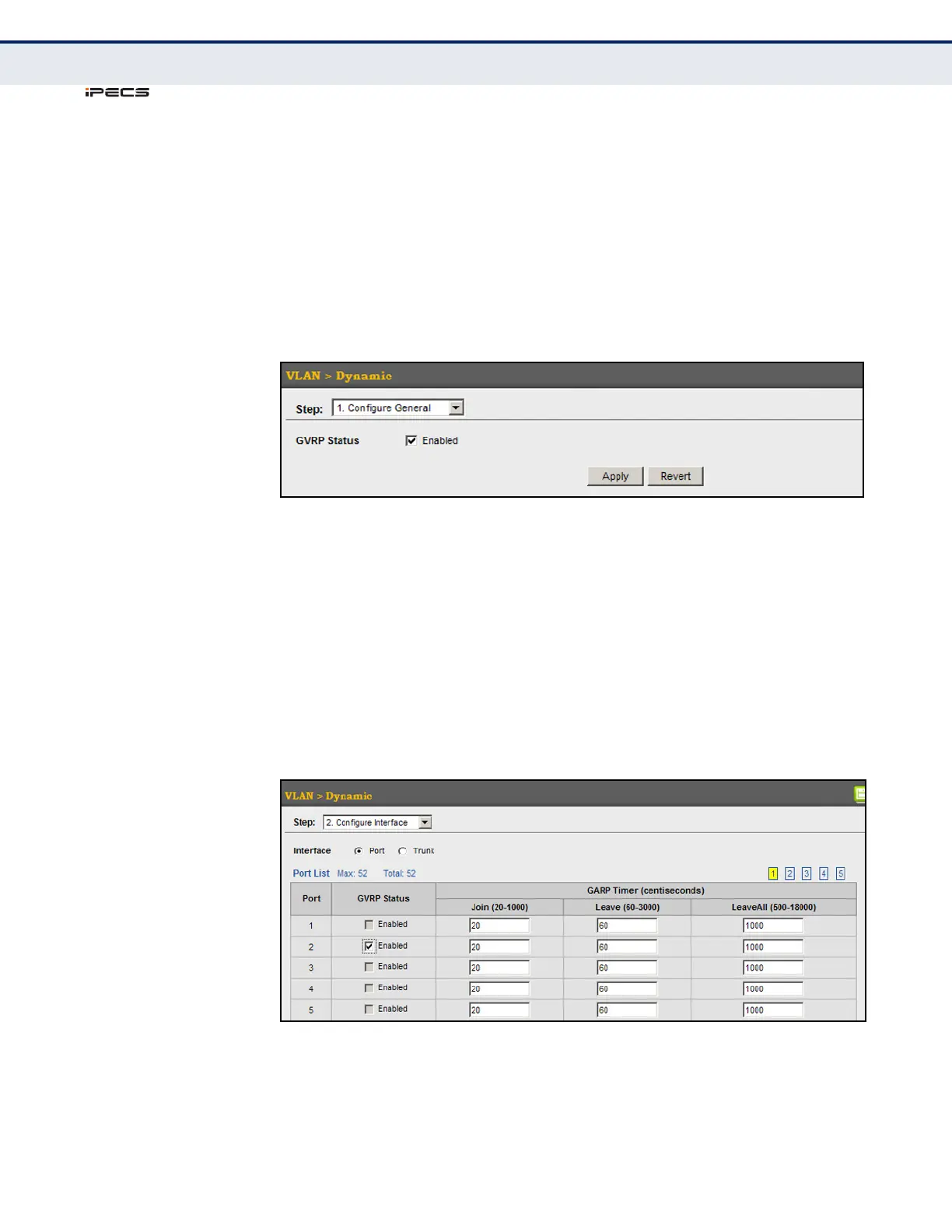
To configure GVRP on the switch:
1. Click VLAN, Dynamic.
2. Select Configure General from the Step list.
3. Enable or disable GVRP.
4. Click Apply.
Figure 67: Configuring Global Status of GVRP
To configure GVRP status and timers on a port or trunk:
1. Click VLAN, Dynamic.
2. Select Configure Interface from the Step list.
3. Set the Interface type to display as Port or Trunk.
4. Modify the GVRP status or timers for any interface.
5. Click Apply.
Figure 68: Configuring GVRP for an Interface



 To Next Page