C
HAPTER
6
| VLAN Configuration
IEEE 802.1Q Tunneling
– 186 –
◆ Trunk – Trunk Identifier. (Range: 1-12)
◆ Mode – Sets the VLAN membership mode of the port.
■
None – The port operates in its normal VLAN mode. (This is the
default.)
■
Access – Configures QinQ tunneling for a client access port to
segregate and preserve customer VLAN IDs for traffic crossing the
service provider network.
■
Uplink – Configures QinQ tunneling for an uplink port to another
device within the service provider network.
WEB INTERFACE
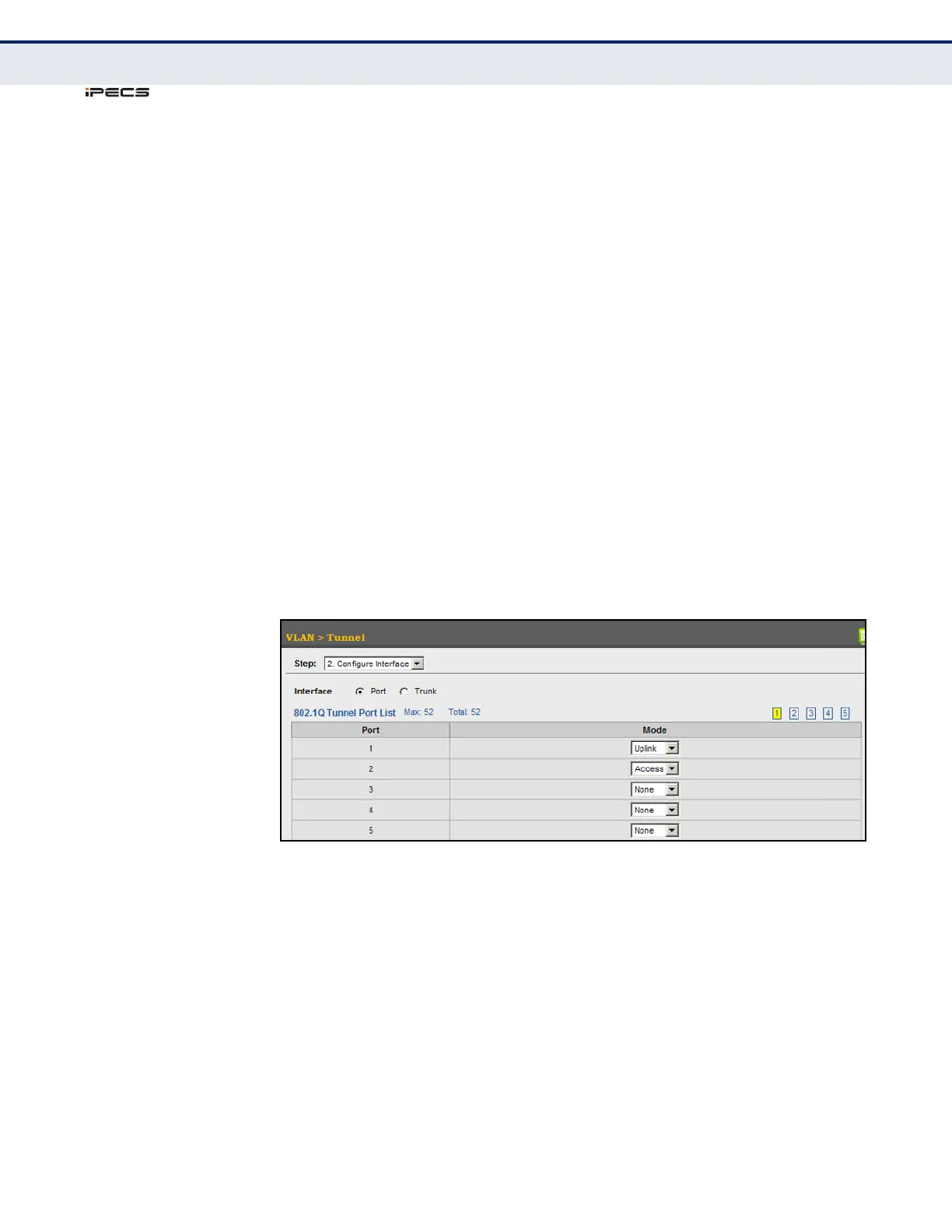
To add an interface to a QinQ tunnel:
1. Click VLAN, Tunnel.
2. Select Configure Interface from the Step list.
3. Set the mode for any tunnel access port to Access and the tunnel uplink
port to Uplink.
4. Click Apply.
Figure 73: Adding an Interface to a QinQ Tunnel



 To Next Page