C
HAPTER
6
| VLAN Configuration
Protocol VLANs
– 188 –
N
OTE
:
Traffic which matches IP Protocol Ethernet Frames is mapped to the
VLAN (VLAN 1) that has been configured with the switch's administrative
IP. IP Protocol Ethernet traffic must not be mapped to another VLAN or you
will lose administrative network connectivity to the switch. If lost in this
manner, network access can be regained by removing the offending
Protocol VLAN rule via the console. Alternately, the switch can be power-
cycled, however all unsaved configuration changes will be lost.
WEB INTERFACE
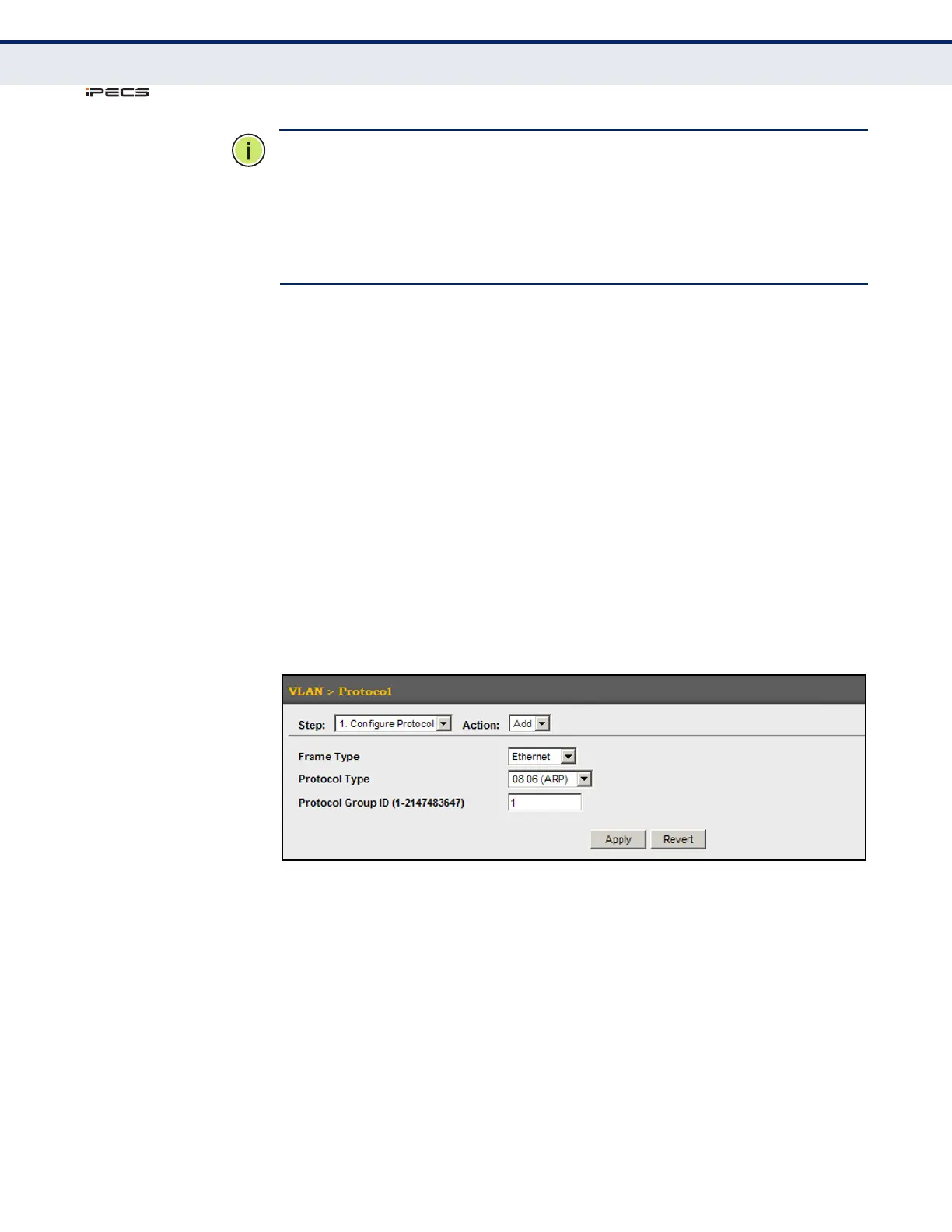
To configure a protocol group:
1. Click VLAN, Protocol.
2. Select Configure Protocol from the Step list.
3. Select Add from the Action list.
4. Select an entry from the Frame Type list.
5. Select an entry from the Protocol Type list.
6. Enter an identifier for the protocol group.]
7. Click Apply.
Figure 74: Configuring Protocol VLANs



 To Next Page