C
HAPTER
6
| VLAN Configuration
Protocol VLANs
– 189 –
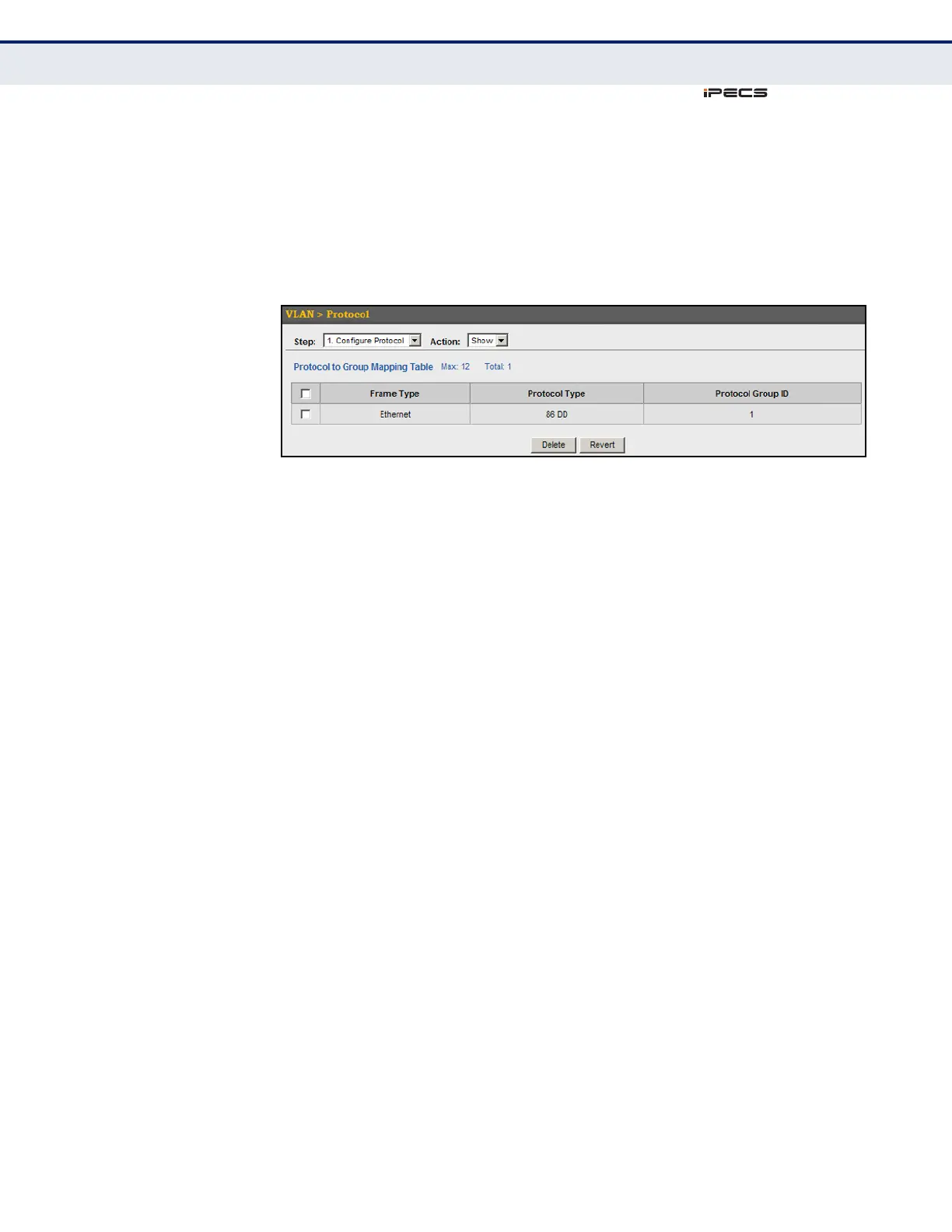
To configure a protocol group:
1. Click VLAN, Protocol.
2. Select Configure Protocol from the Step list.
3. Select Show from the Action list.
Figure 75: Displaying Protocol VLANs
MAPPING PROTOCOL
GROUPS TO
INTERFACES
Use the VLAN > Protocol (Configure Interface - Add) page to map a
protocol group to a VLAN for each interface that will participate in the
group.
CLI REFERENCES
◆ "protocol-vlan protocol-group (Configuring Interfaces)" on page 865
COMMAND USAGE
◆ When creating a protocol-based VLAN, only assign interfaces using this
configuration screen. If you assign interfaces using any of the other
VLAN menus such as the VLAN Static table (page 171), these interfaces
will admit traffic of any protocol type into the associated VLAN.
◆ When a frame enters a port that has been assigned to a protocol VLAN,
it is processed in the following manner:
■
If the frame is tagged, it will be processed according to the standard
rules applied to tagged frames.
■
If the frame is untagged and the protocol type matches, the frame
is forwarded to the appropriate VLAN.
■
If the frame is untagged but the protocol type does not match, the
frame is forwarded to the default VLAN for this interface.
PARAMETERS
These parameters are displayed in the web interface:
◆ Interface – Displays a list of ports or trunks.
◆ Port – Port Identifier. (Range: 1-52)
◆ Trunk – Trunk Identifier. (Range: 1-12)



 To Next Page