C
HAPTER
8
| Spanning Tree Algorithm
Configuring Multiple Spanning Trees
– 224 –
WEB INTERFACE
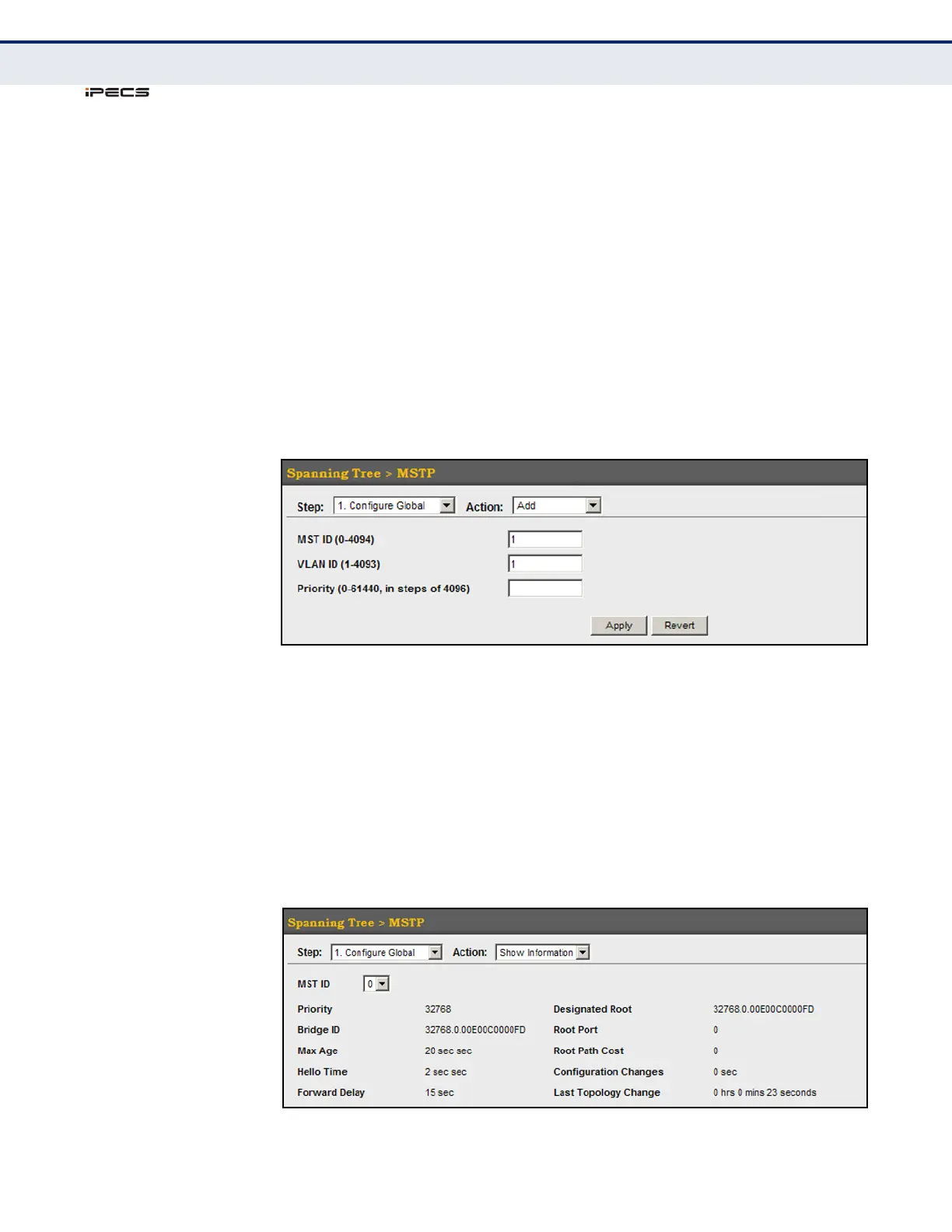
To create instances for MSTP:
1. Click Spanning Tree, MSTP.
2. Select Configure Global from the Step list.
3. Select Add from the Action list.
4. Specify the MST instance identifier and the initial VLAN member.
Additional member can be added using the Spanning Tree > MSTP
(Configure Global - Add Member) page. If the priority is not specified,
the default value 32768 is used.
5. Click Apply.
Figure 102: Creating an MST Instance
To show the MSTP instances:
1. Click Spanning Tree, MSTP.
2. Select Configure Global from the Step list.
3. Select Show Information from the Action list.
4. Select an MST ID. The attributes displayed on this page are described
under "Displaying Global Settings for STA" on page 215.
Figure 103: Displaying Global Settings for an MST Instance



 To Next Page