C
HAPTER
12
| VoIP Traffic Configuration
Configuring Telephony OUI
– 273 –
WEB INTERFACE
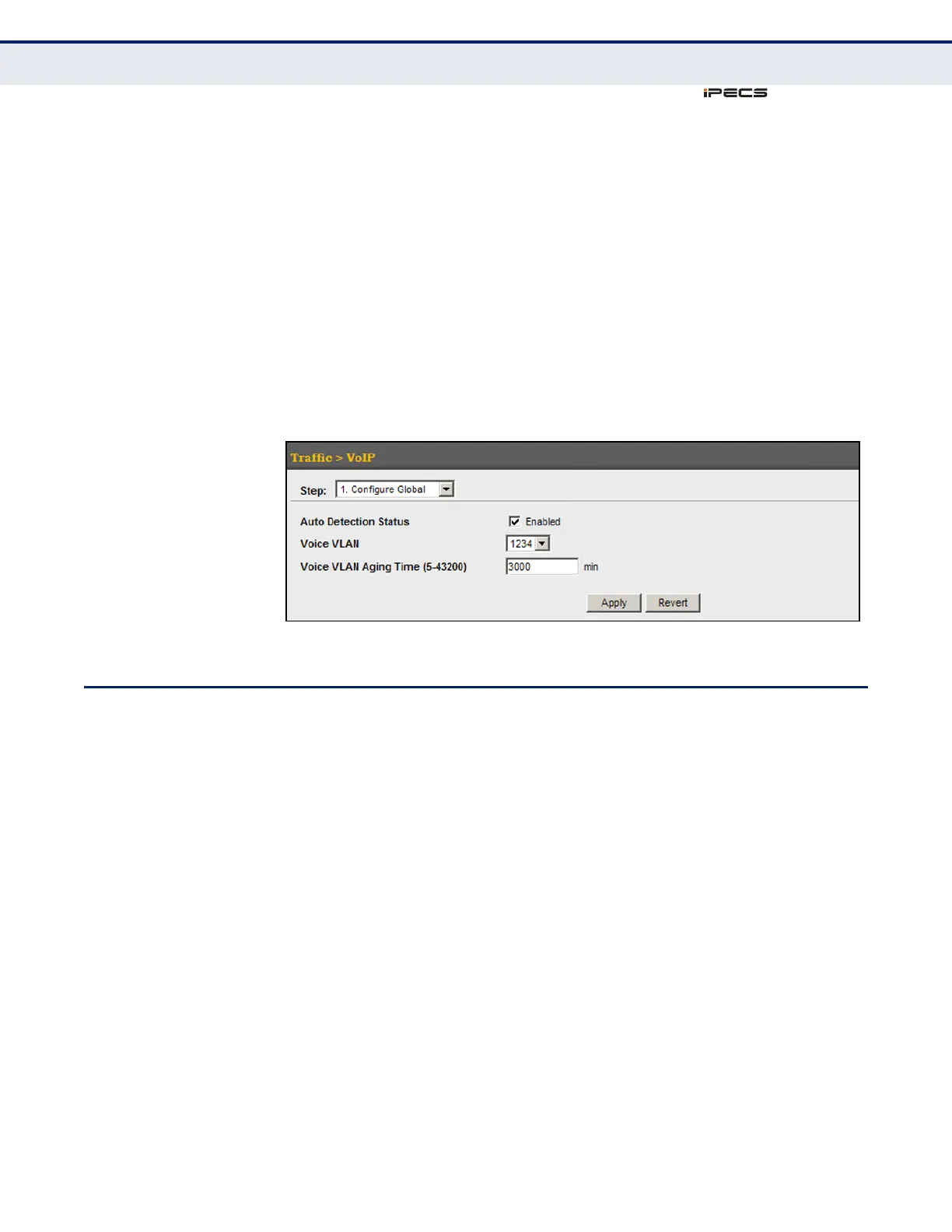
To configure global settings for a Voice VLAN:
1. Click Traffic, VoIP.
2. Select Configure Global from the Step list.
3. Enable Auto Detection.
4. Specify the Voice VLAN ID.
5. Adjust the Voice VLAN Aging Time if required.
6. Click Apply.
Figure 134: Configuring a Voice VLAN
CONFIGURING TELEPHONY OUI
VoIP devices attached to the switch can be identified by the manufacturer’s
Organizational Unique Identifier (OUI) in the source MAC address of
received packets. OUI numbers are assigned to manufacturers and form
the first three octets of device MAC addresses. The MAC OUI numbers for
VoIP equipment can be configured on the switch so that traffic from these
devices is recognized as VoIP. Use the Traffic > VoIP (Configure OUI) page
to configure this feature.
CLI REFERENCES
◆ "Configuring Voice VLANs" on page 871
PARAMETERS
These parameters are displayed in the web interface:
◆ Telephony OUI – Specifies a MAC address range to add to the list.
Enter the MAC address in format 01-23-45-67-89-AB.
◆ Mask – Identifies a range of MAC addresses. Selecting a mask of
FF-FF-FF-00-00-00 identifies all devices with the same OUI (the first
three octets). Other masks restrict the MAC address range. Selecting



 To Next Page