C
HAPTER
12
| VoIP Traffic Configuration
Configuring VoIP Traffic Ports
– 275 –
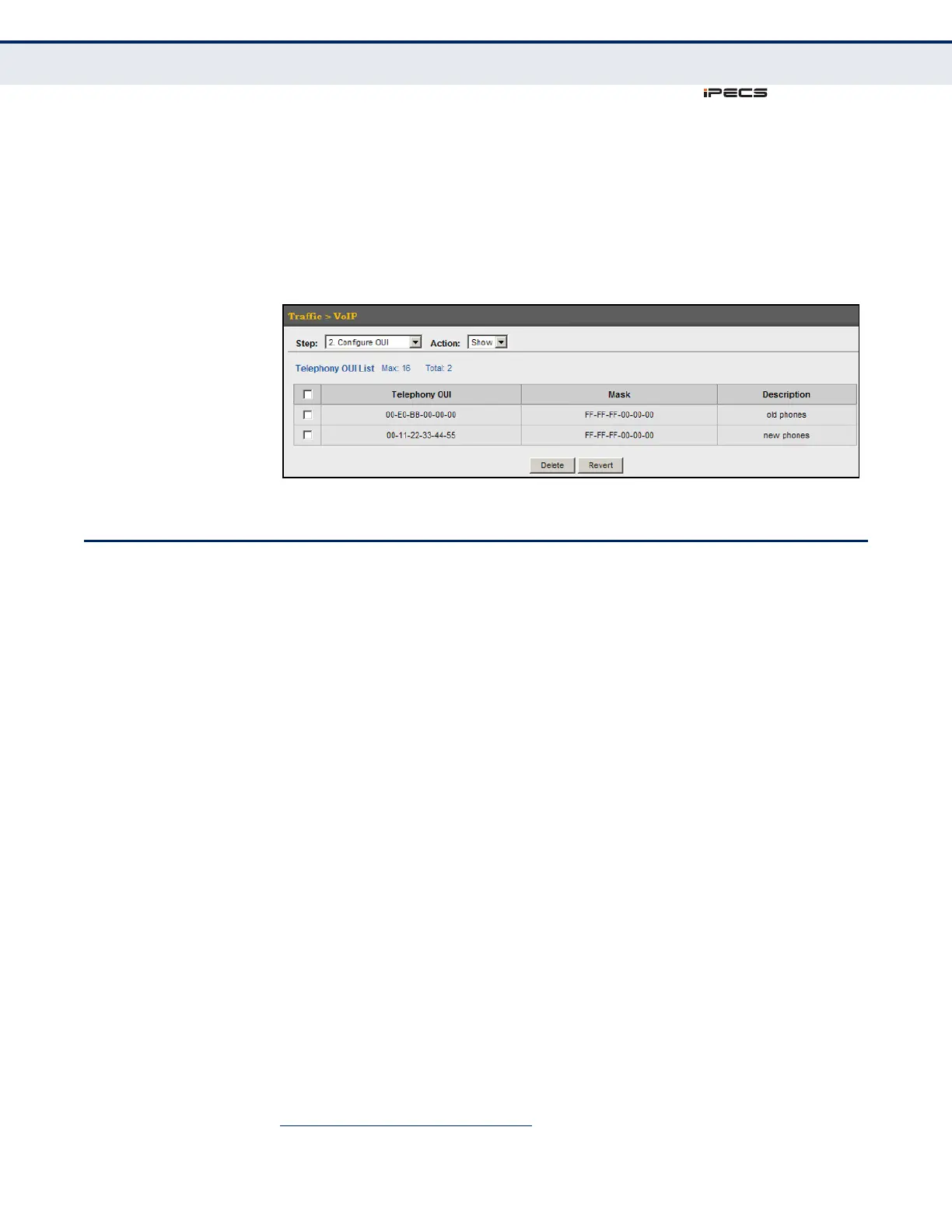
To show the MAC OUI numbers used for VoIP equipment:
1. Click Traffic, VoIP.
2. Select Configure OUI from the Step list.
3. Select Show from the Action list.
Figure 136: Showing an OUI Telephony List
CONFIGURING VOIP TRAFFIC PORTS
Use the Traffic > VoIP (Configure Interface) page to configure ports for
VoIP traffic, you need to set the mode (Auto or Manual), specify the
discovery method to use, and set the traffic priority. You can also enable
security filtering to ensure that only VoIP traffic is forwarded on the Voice
VLAN.
CLI REFERENCES
◆ "Configuring Voice VLANs" on page 871
COMMAND USAGE
All ports are set to VLAN access mode by default. Prior to enabling VoIP for
a port (by setting the VoIP mode to Auto or Manual as described below),
first set the VLAN membership mode to hybrid
6
(see "Adding Static
Members to VLANs" on page 171).
PARAMETERS
These parameters are displayed in the web interface:
◆ Mode – Specifies if the port will be added to the Voice VLAN when VoIP
traffic is detected. (Default: None)
■
None – The Voice VLAN feature is disabled on the port. The port will
not detect VoIP traffic or be added to the Voice VLAN.
■
Auto – The port will be added as a tagged member to the Voice
VLAN when VoIP traffic is detected on the port. You must select a
method for detecting VoIP traffic, either OUI or 802.1ab (LLDP).
6. The USA version of this switch has all ports set to VLAN hybrid mode by default.



 To Next Page