C
HAPTER
13
| Security Measures
Network Access (MAC Address Authentication)
– 310 –
■
Attribute – Indicates a static or dynamic address.
WEB INTERFACE
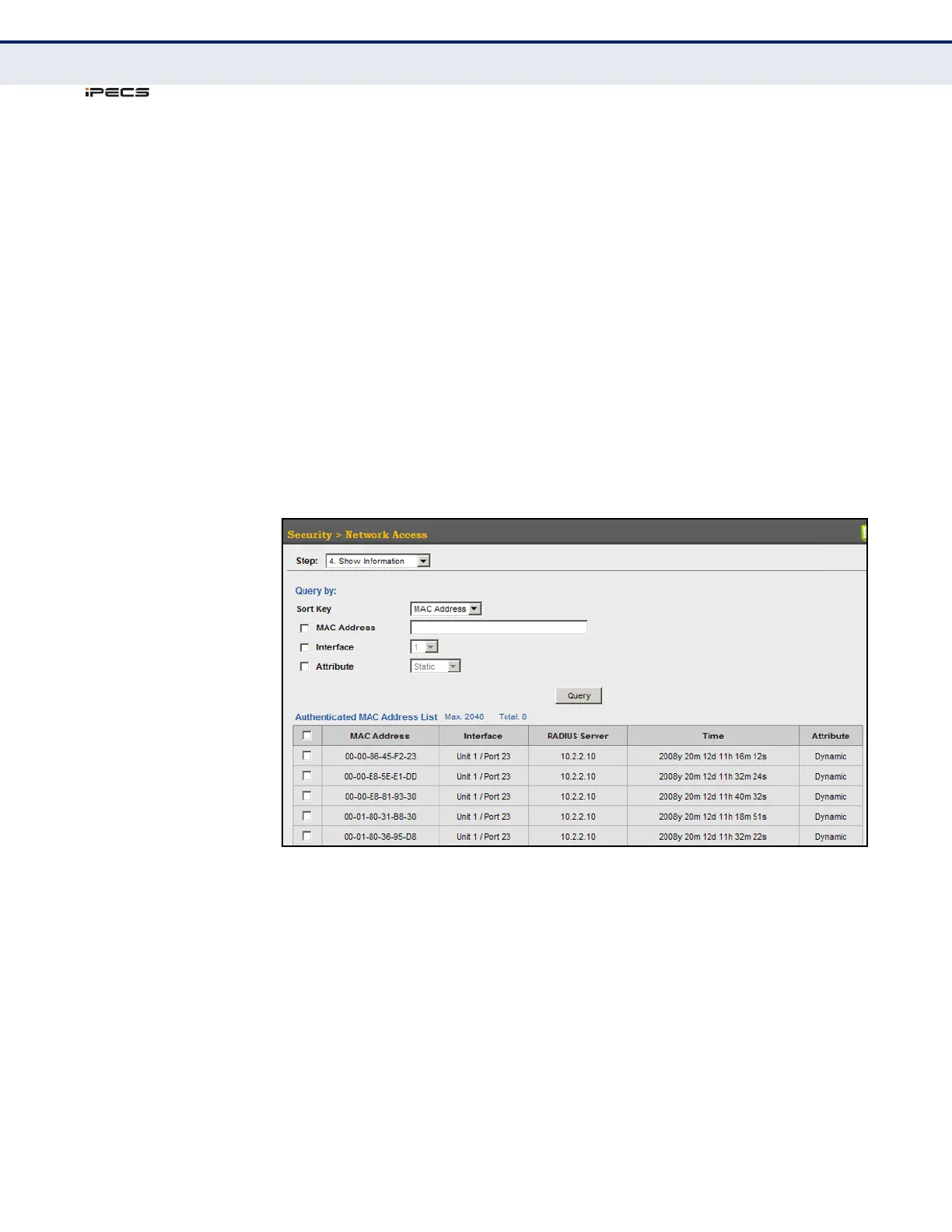
To display the authenticated MAC addresses stored in the secure MAC
address table:
1. Click Security, Network Access.
2. Select Show Information from the Step list.
3. Use the sort key to display addresses based MAC address, interface, or
attribute.
4. Restrict the displayed addresses by entering a specific address in the
MAC Address field, specifying a port in the Interface field, or setting the
address type to static or dynamic in the Attribute field.
5. Click Query.
Figure 164: Showing Addresses Authenticated for Network Access



 To Next Page