C
HAPTER
13
| Security Measures
Network Access (MAC Address Authentication)
– 309 –
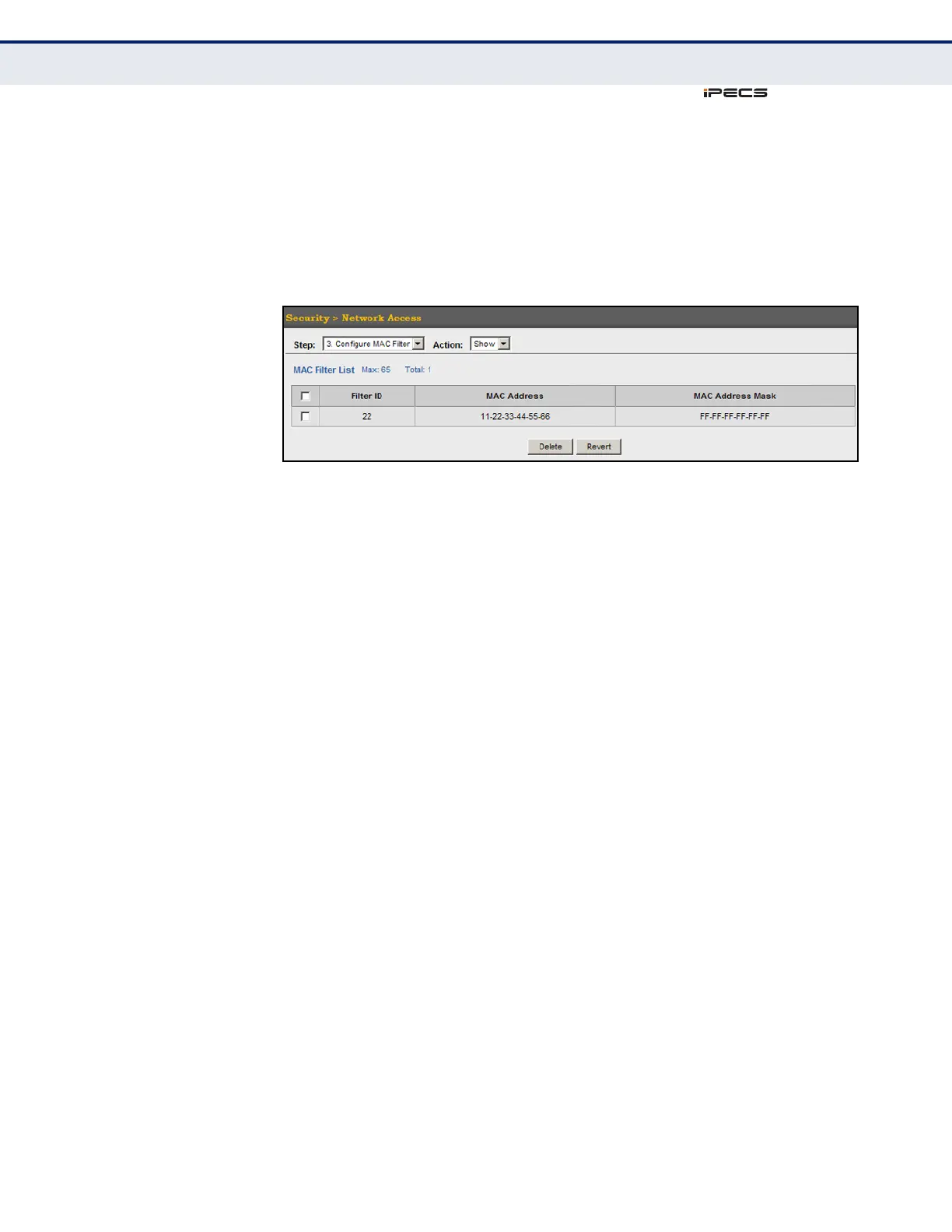
To show the MAC address filter table for MAC authentication:
1. Click Security, Network Access.
2. Select Configure MAC Filter from the Step list.
3. Select Show from the Action list.
Figure 163: Showing the MAC Address Filter Table for Network Access
DISPLAYING SECURE
MAC ADDRESS
INFORMATION
Use the Security > Network Access (Show Information) page to display the
authenticated MAC addresses stored in the secure MAC address table.
Information on the secure MAC entries can be displayed and selected
entries can be removed from the table.
CLI REFERENCES
◆ "Network Access (MAC Address Authentication)" on page 678
PARAMETERS
These parameters are displayed in the web interface:
◆ Query By – Specifies parameters to use in the MAC address query.
■
Sort Key – Sorts the information displayed based on MAC address,
port interface, or attribute.
■
MAC Address – Specifies a specific MAC address.
■
Interface – Specifies a port interface.
■
Attribute – Displays static or dynamic addresses.
◆ Authenticated MAC Address List
■
MAC Address – The authenticated MAC address.
■
Interface – The port interface associated with a secure MAC
address.
■
RADIUS Server – The IP address of the RADIUS server that
authenticated the MAC address.
■
Time – The time when the MAC address was last authenticated.



 To Next Page