C
HAPTER
13
| Security Measures
Network Access (MAC Address Authentication)
– 308 –
◆ There is no limitation on the number of entries used in a filter table.
PARAMETERS
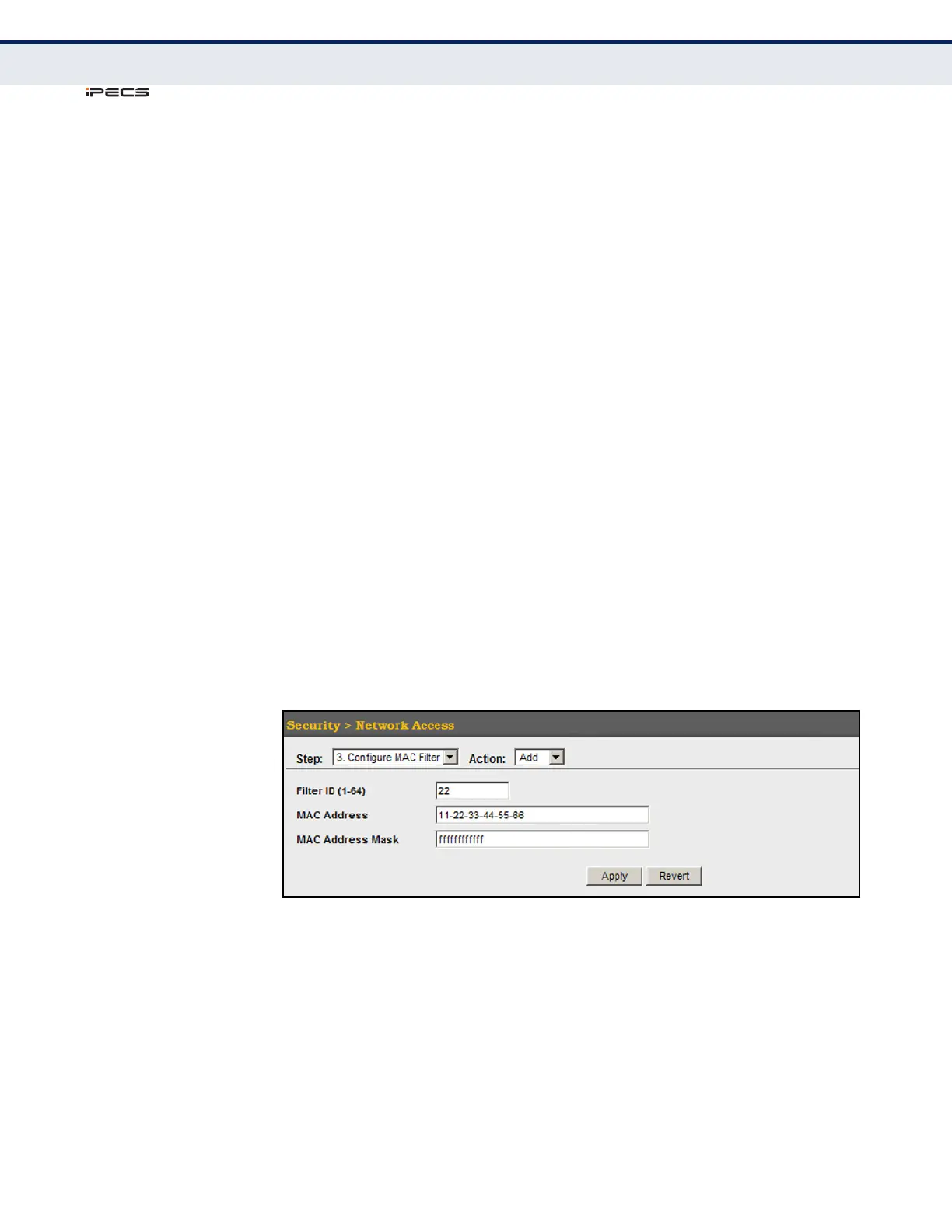
These parameters are displayed in the web interface:
◆ Filter ID – Adds a filter rule for the specified filter.
◆ MAC Address – The filter rule will check ingress packets against the
entered MAC address or range of MAC addresses (as defined by the
MAC Address Mask).
◆ MAC Address Mask – The filter rule will check for the range of MAC
addresses defined by the MAC bit mask. If you omit the mask, the
system will assign the default mask of an exact match.
(Range: 000000000000 - FFFFFFFFFFFF; Default: FFFFFFFFFFFF)
WEB INTERFACE
To add a MAC address filter for MAC authentication:
1. Click Security, Network Access.
2. Select Configure MAC Filter from the Step list.
3. Select Add from the Action list.
4. Enter a filter ID, MAC address, and optional mask.
5. Click Apply.
Figure 162: Configuring a MAC Address Filter for Network Access



 To Next Page