C
HAPTER
13
| Security Measures
Network Access (MAC Address Authentication)
– 307 –
◆ Action – The switch can respond in three ways to a link up or down
trigger event.
■
Trap – An SNMP trap is sent.
■
Trap and shutdown – An SNMP trap is sent and the port is shut
down.
■
Shutdown – The port is shut down.
WEB INTERFACE
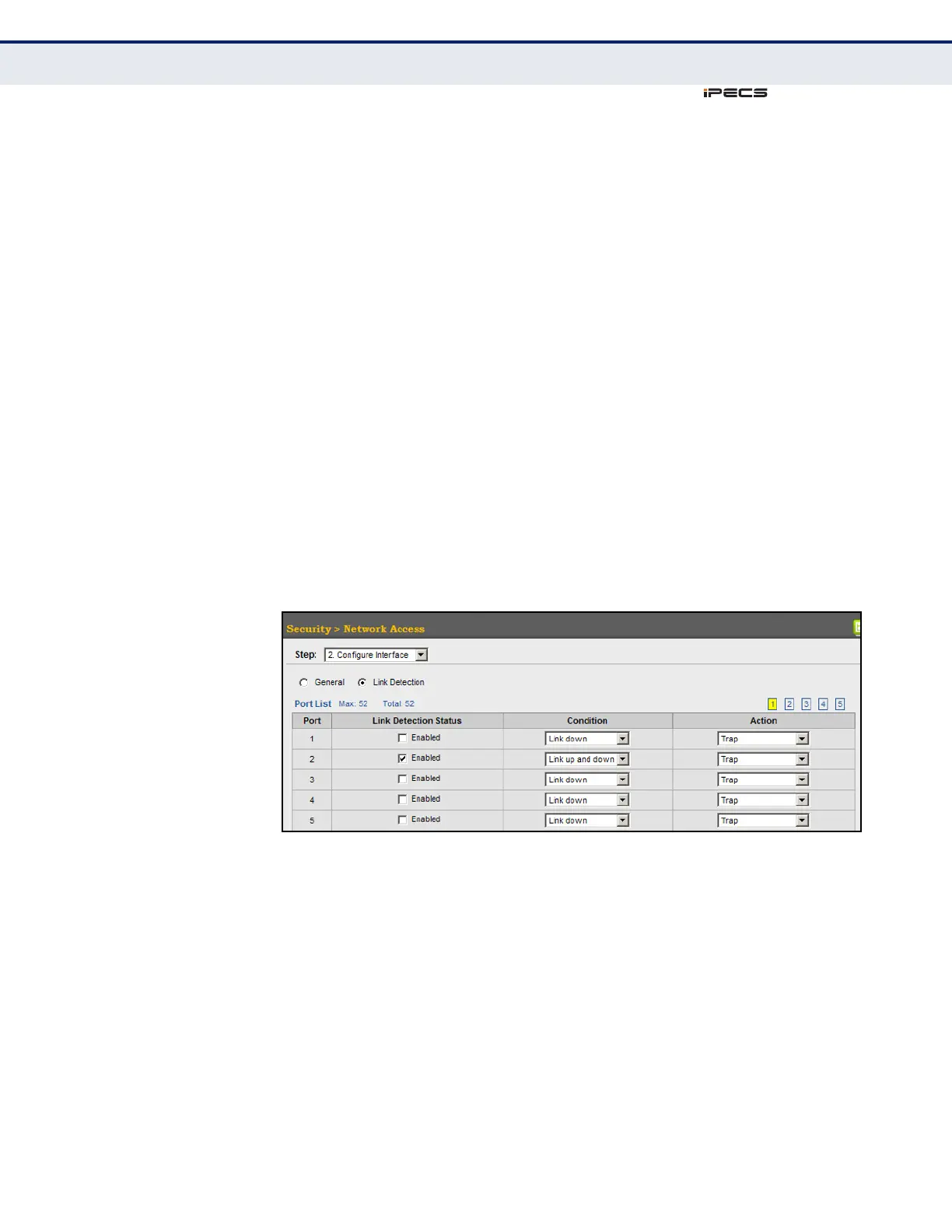
To configure link detection on switch ports:
1. Click Security, Network Access.
2. Select Configure Interface from the Step list.
3. Click the Link Detection button.
4. Modify the link detection status, trigger condition, and the response for
any port.
5. Click Apply.
Figure 161: Configuring Link Detection for Network Access
CONFIGURING A MAC
A
DDRESS FILTER
Use the Security > Network Access (Configure MAC Filter) page to
designate specific MAC addresses or MAC address ranges as exempt from
authentication. MAC addresses present in MAC Filter tables activated on a
port are treated as pre-authenticated on that port.
CLI REFERENCES
◆ "Network Access (MAC Address Authentication)" on page 678
COMMAND USAGE
◆ Specified MAC addresses are exempt from authentication.
◆ Up to 65 filter tables can be defined.



 To Next Page