7
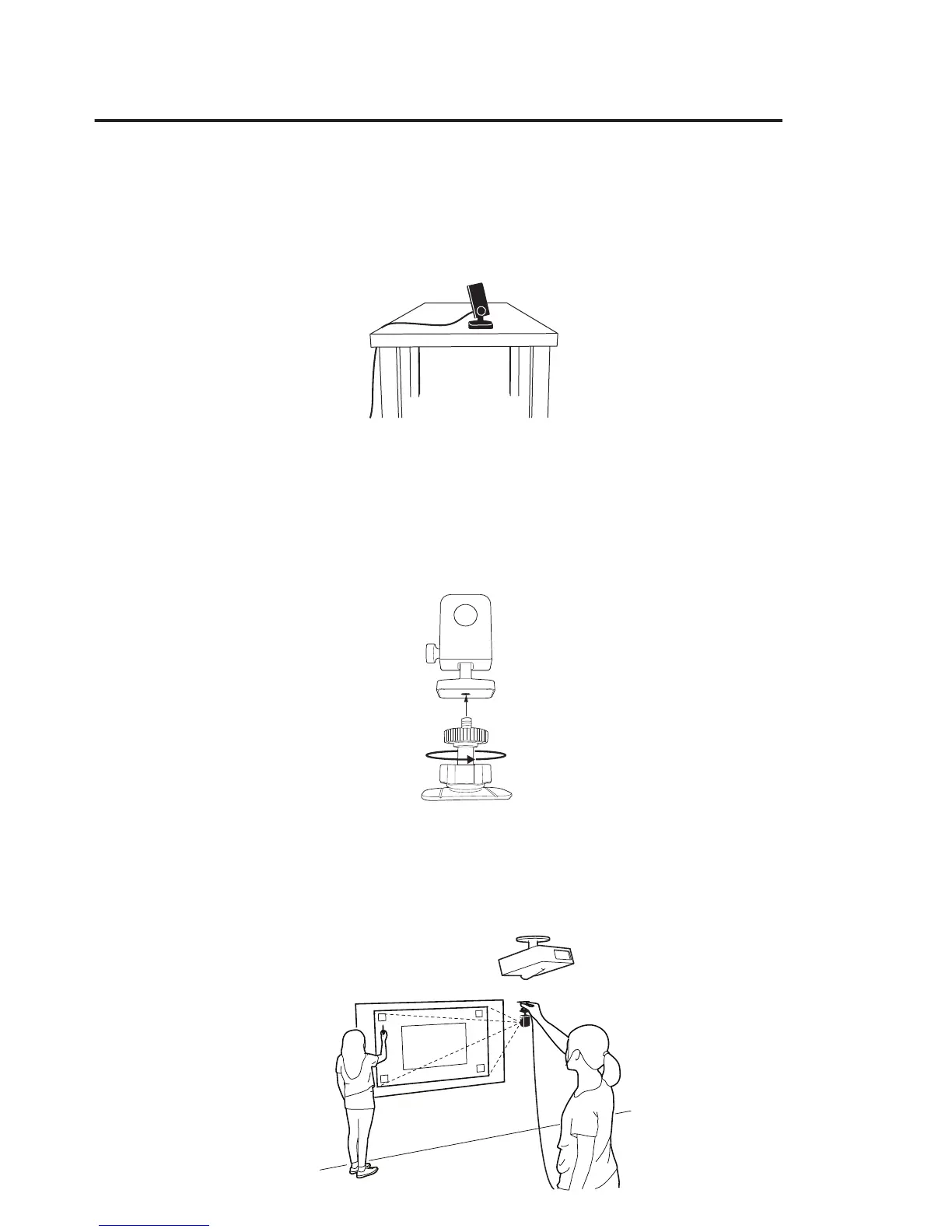
A. Placing on the desktop
Use a flat, smooth desktop surface. Make sure nothing is blocking the Sensor
Cam’s path to the screen surface. Adjust the knob to angle the Sensor Cam
directly at the center of the screen surface.
B. Using an upside-down ceiling mount
IS-01 can be mounted upside-down onto the ceiling or ceiling-mounted
projector. To do so:
1. Twist the Sensor Cam base onto the screw on the ceiling mount until tight.
Turn the star-shaped knob near the base for additional angle adjustment.
2. Before afxing the mount to the ceiling, hold the Sensor Cam in an area
just below (by a few inches) where you intend to mount the projector.
Run the Sensor Cam Position Diagnosis (see Page 11) with the Sensor
Cam in this position to ensure maximum accuracy.



 To Next Page