011
Installation
Step 3:
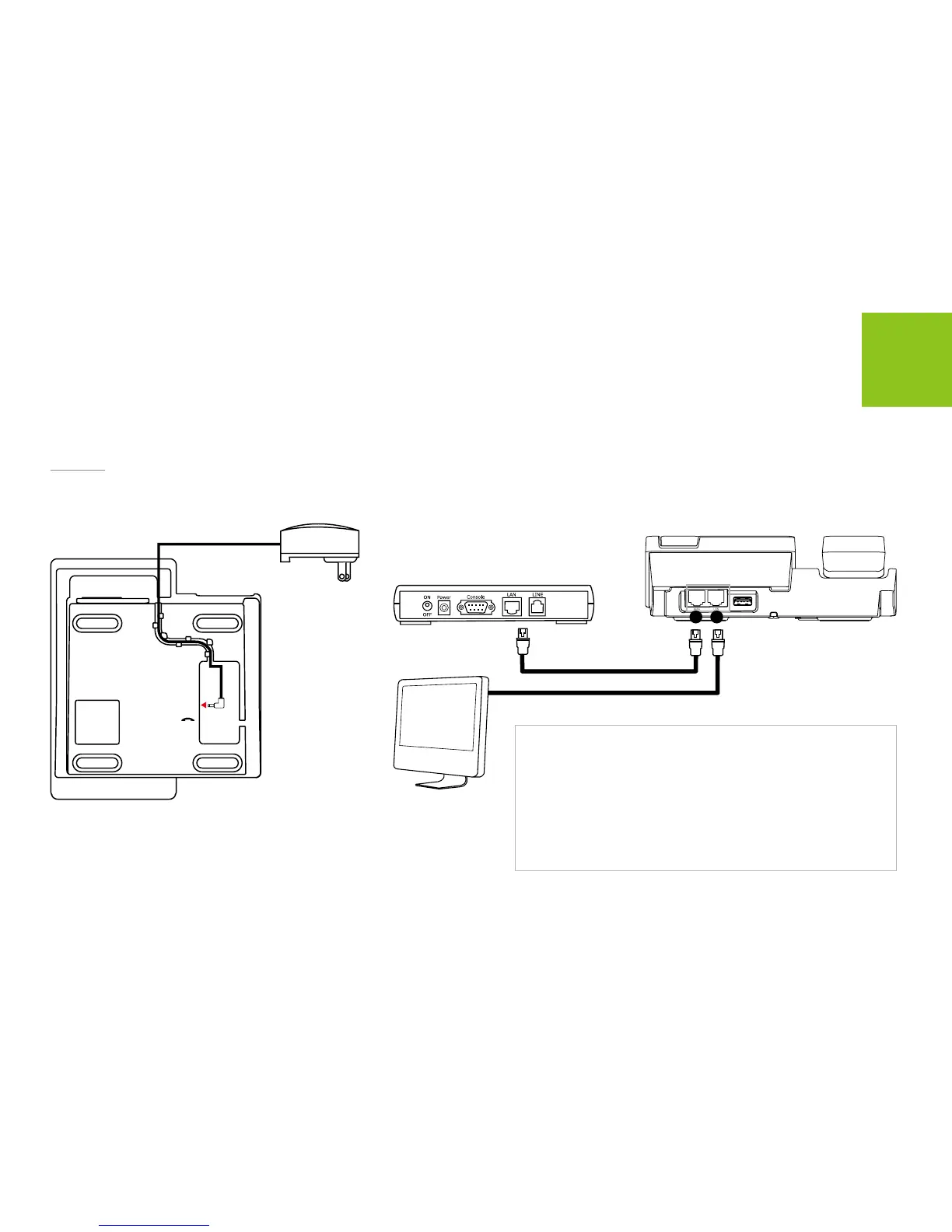
Connect the power adapter to the SOLO located at the bottom of the Phone. Connect the power adapter to the
electrical outlet.
DC IN
15 16
SOLO
ADSL/Cable Modem
PC
Note:
The default network settings of SOLO is DHCP which is used in most
cases. If the SOLO have failed to connect the internet network, you
may need to change the networking setting. Please consult your
Internet service provider or network administrator to have information
of your network conguration. To change the network settings:
1. Press Menu
Settings NetworkNetwork settings.
2. Scroll and select the settings you want.
3. Follow the screen instructions to congure your network settings.
You can use the Phone embedded LAN switch to share the
internet connection between PC and SOLO, as above illustration.



 To Next Page