015
Installation
Signing In to Skype
After you have successfully set up the Phone, you can sign in Skype. You can use an existing Skype account or
create a new account.
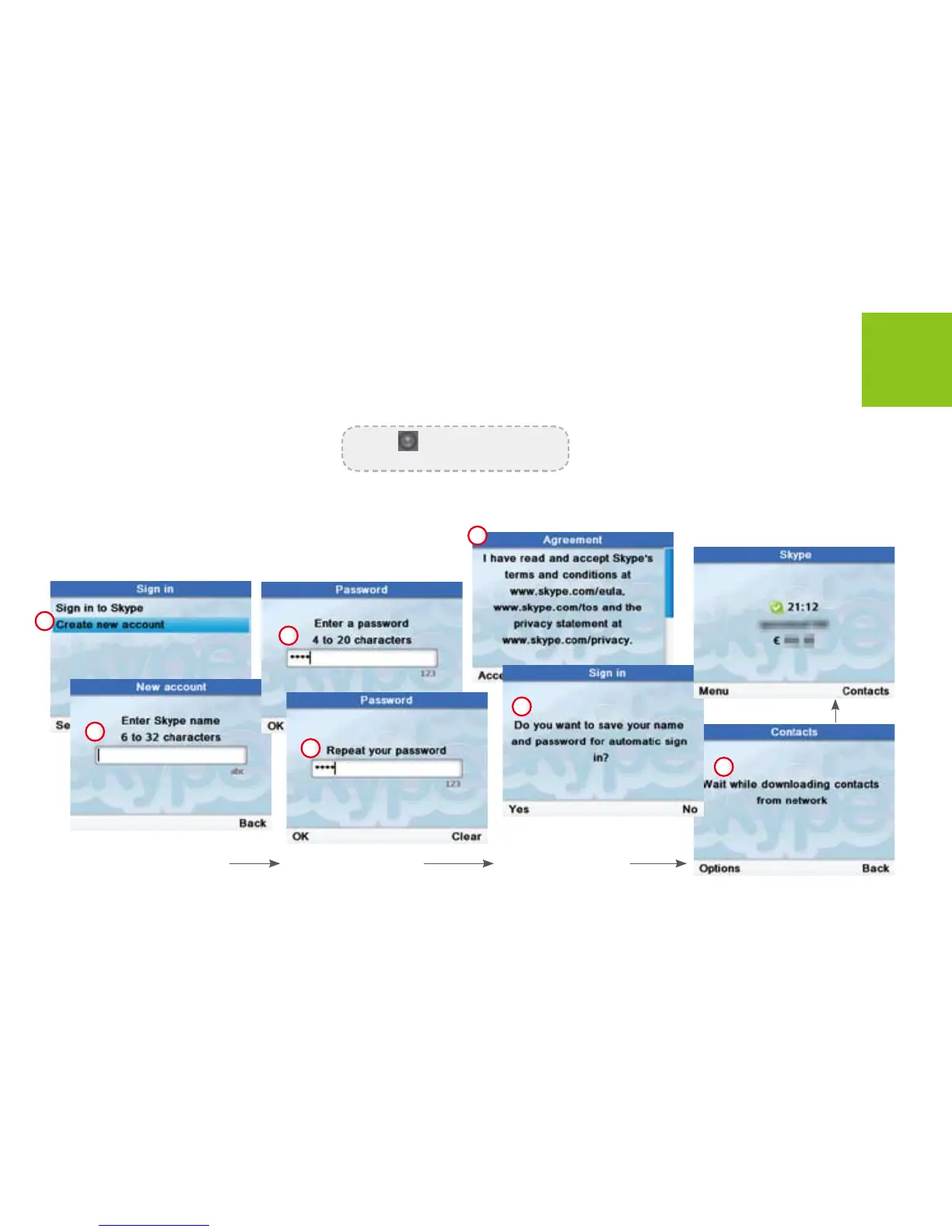
Create a new skype account
Use [down] button to scroll to
<Create new account>. Press
<Select> to enter next menus.
If you want the phone
to automatically sign
you in, press <Yes>
for automatic sign in.
Enter Skype name and
password.
Press to shift between capital,
lower-case letter and numbers.
1
2
3
4
5
6
7



 To Next Page